


Download Hide YouTube Comments Section
Download Hide YouTube Comments Section (current and past versions) for Chrome
 English
 Español
 Français
 Português
 日本語
日本語 简体中文
简体中文 한국인
한국인
Latest Version:
1.0 Updated:
4 days ago Removed
Ready to install?
Hide YouTube Comments Section is available for download. Be careful when installing it.
Available versions
You can find the current and older versions of Hide YouTube Comments Section here. You can download the archived versions or inspect their source codes.
As a free user, you can download up to 3 latest versions.
Upgrade to download older versions
| Version | Download | Size | Download count | Timestamp |
|---|---|---|---|---|
| 1.0 | CRX · ZIP · Source code | 39.03KB | 0 | 2026-06-01 |
1.0 39.03KB
Install CRX file
An CRX file is the file format used for distributing and installing browser extensions in Google Chrome, Microsoft Edge, and other Chromium-based browsers. These extensions add functionalities and features to the Chrome browser, enhancing user experience by integrating additional tools directly into the browsing interface. Similar to an executable file, a CRX file contains all the components needed for an extension to run, including JavaScript code, images, CSS files, and other resources.
Option 1: The easy way (for Windows users only)
- Download and run Chrome-Stats Extension Helper file on your PC. This method will allow you to install Chrome extensions directly from chrome-stats.com in one click. You only need to do this once!
- Restart the browser for the changes to take effect.
- Download and install the Hide YouTube Comments Section CRX file.
Option 2: Advanced method
- Download Hide YouTube Comments Section CRX file.NOTE: Sometimes the browser may block downloading / installing CRX file from outside the Chrome Web Store. If so, you may need to use option 1, or download the ZIP file instead.
- In the URL bar, go to
chrome://extensions - Enable Developer mode.

- Drag and drop the downloaded Hide YouTube Comments Section CRX file into the Extensions page
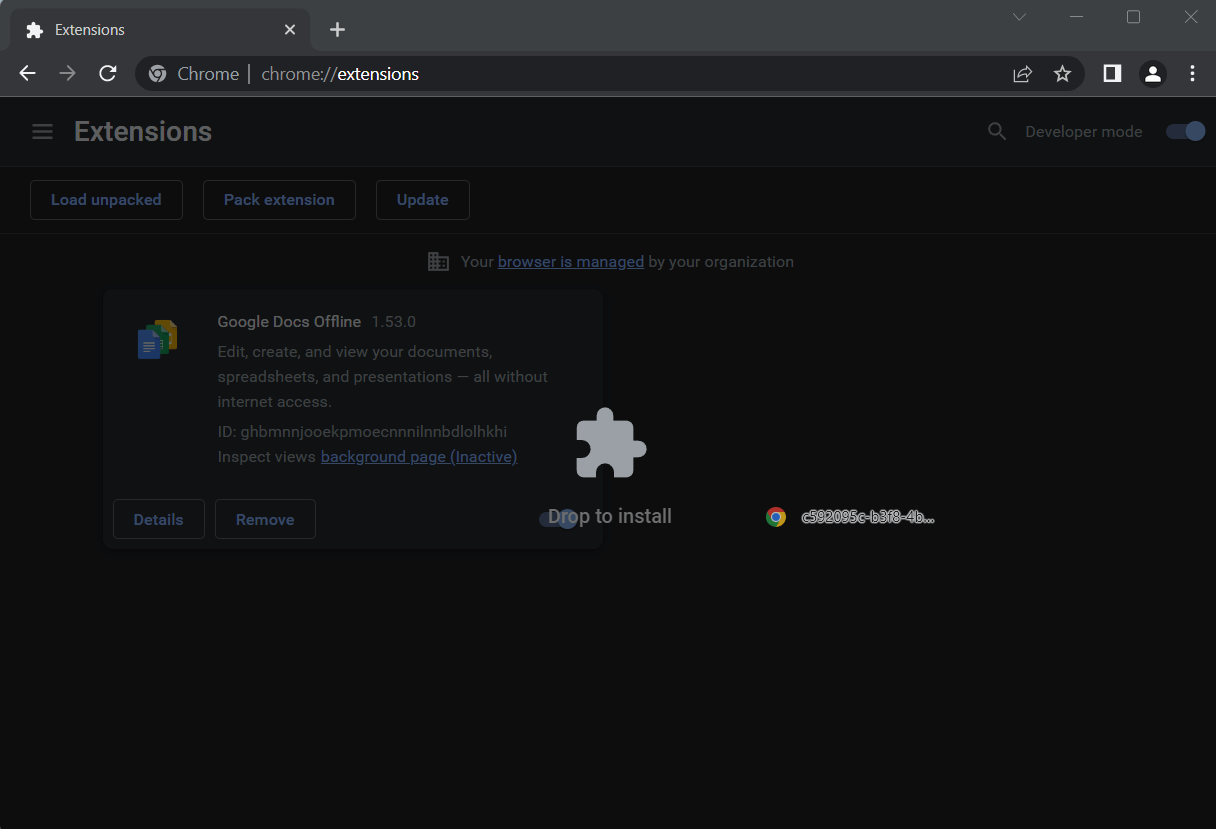
- When prompted, click Add extension to install Hide YouTube Comments Section.
Install ZIP file
- Download and unpack the Hide YouTube Comments Section ZIP file to a directory of your choice.
- In Chrome browser, go to
chrome://extensions - Enable Developer mode.
- Click on the Load Unpacked button.

- Select the directory of with the unpacked Hide YouTube Comments Section ZIP file from step 1. Hide YouTube Comments Section is now installed on your browser.
Best Hide YouTube Comments Section Alternatives
Here are some Chrome extensions that are similar to Hide YouTube Comments Section:

WPS PDF - Read, Edit, Fill, Convert, and AI Chat PDF with Ease
www.wps.com
 7M 4.48
  (179)
(179) 
AnyDoc Translator - Translate Web and PDF
https://anydoctranslator.toolsmart.ai/
6M 4.61 (441) 
Shazam: Find song names from your browser
https://www.shazam.com/
6M 4.72 (29,640) 
IE Tab
http://www.blackfishsoftware.com/
4M 4.31 (19,038) 
Google Input Tools
cloud-input-team
4M 3.99 (5,542) 
Google Dictionary (by Google)
dictionary-extension-dev
3M 4.36 (13,723) 
Immersive Translate: AI Web, PDF & Video Translator
https://immersivetranslate.com
3M 4.08 (2,531) 
Ad Blocker: Stands AdBlocker
https://standsapp.org
3M 4.79 (157,421) 
Monica: All-In-One AI Assist & Smartest AI Agent
https://monica.im
3M 4.89 (31,960) 
Microsoft Bing Search with Rewards
Microsoft Corporation
3M 4.35 (3,380) 
Smallpdf—Edit, Convert, Compress, & AI Summarize PDF
https://smallpdf.com/
3M 4.64 (2,999) 
Pie Adblock - A Powerful Free Ad Blocker
https://pie.org
2M 4.90 (29,552)