Risograph print simulator
The App Store now lists this app's supported languages correctly. Includes minor improvements.
Separate. Press. Print. Zero ads. 100% free.
tone+ is an app that genuinely reprints your photos as Risograph art. It doesn't just slap a color filter over your image; it mathematically simulates the physical phenomenon of analog printing.
■ The Printing Process
We break your photo down into separate color plates, convert them into halftones, and print them layer by layer. The app perfectly replicates the beautiful, unpredictable imperfections of a real printing press:
• Misregistration ― Plates shift slightly, creating vibrant, off-register edges.
• Dot Gain ― Ink bleeds into the paper, fattening the halftone dots.
• Ink Unevenness ― Imperfect roller pressure creates authentic texture variations.
• Paper Grain ― Paper fibers absorb ink differently, altering the visual texture.
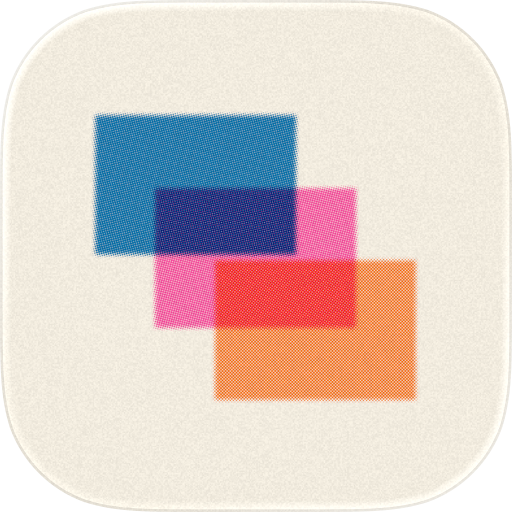
• Overprinting ― Where two inks overlap, a rich third color is naturally born.
That’s why when you zoom in, you see actual halftone dots. Change the paper stock, and you change how the ink sinks in. Print with just two inks, and watch a third magically appear in the overlap.
■ Inks & Papers
Choose from 14 classic Risograph inks: Fluorescent Pink, Blue, Bright Red, Black, Green, Medium Blue, Orange, Sunflower, Cornflower, Yellow, Aqua, Teal, Purple, and Burgundy. Want something specific? You can dial in your own custom colors.
Print on 5 paper stocks: White, Natural, Cream, Gray, and Kraft. Just like real life, the paper dictates how the final ink looks.
■ Simple UI, Deep Controls
When you open tone+, you just see your photo and a dice. Tap the dice to roll a completely random, beautiful print. Not quite right? Just swipe left or right to seamlessly browse your print history and undo/redo.
Ready to get technical? Pull up the bottom bar to reveal a fully equipped darkroom:
• Tones ― Adjust your ink selections, brightness, contrast, and saturation.
• Textures ― Choose your paper, toggle between Halftone and Grain, set the line frequency (12–110 LPI), dot shape (Round, Ellipse, Square, Line, Cross), screen angles (Same, Offset, Rosette), ink density/opacity, misregistration, and ink unevenness.
• Framing ― Aspect ratios (Original, 1:1, 4:5, 3:4, 2:3, 16:9), orientation, margins, rounded corners, deckled (rough-cut) edges, scale, and position.
Need total control? Open "Details" to adjust the LPI and screen angle for each individual color plate.
■ Presets & Sharing
tone+ comes loaded with 13 built-in presets to get you started, and you can easily save your own custom configurations.
When you're done, you can share your final print along with its "recipe." You can even generate a custom link—when someone taps it, your exact print settings are instantly loaded into their app.
■ The Fine Print (The Good Kind)
• No account or sign-up required.
• Works 100% offline. Every feature works flawlessly in Airplane Mode.
• Zero data collection. Your photos and data stay on your device.
• Fully unlocked from day one. No in-app purchases, ever.
• Fully optimized for both iPhone and iPad.
Chrome-Stats does not own this Apple app. Please use these information below to contact the Apple app developer.

 English
 Español
 Français
 Português
 日本語
日本語 简体中文
简体中文 한국인
한국인

 (10)
(10)