Hospital Monitor Explained
What does 94% SpO2 mean? Is 110 bpm fast? Why is that number red? Point your phone at any hospital monitor and get answer. In plain English.
You're in a hospital room. Numbers and waveforms everywhere. Nobody explained what any of it means.
Now you can find out.
Patient Vitals AI turns any bedside monitor into plain-English explanations — so you can understand what you're seeing and have a more informed conversation with your doctor or care team.
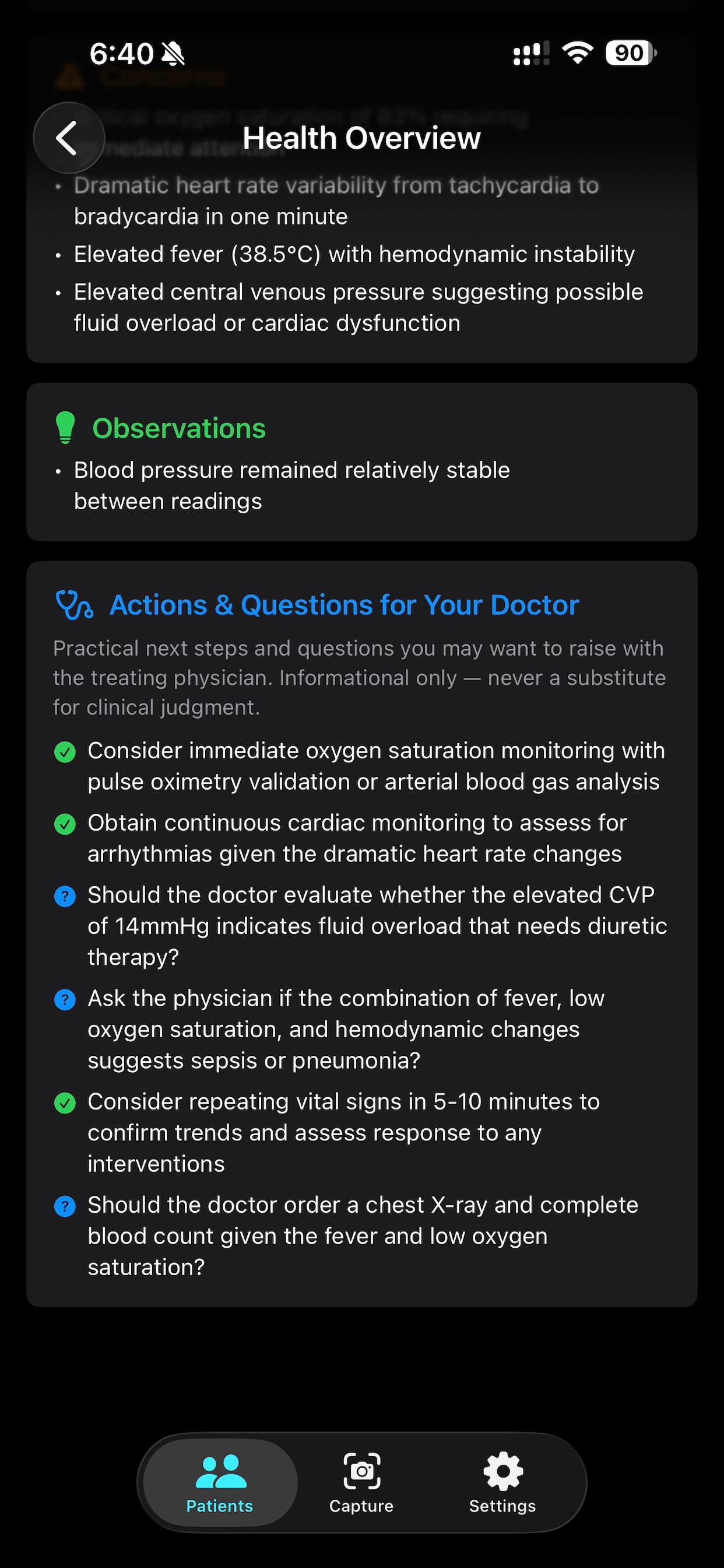
Point your phone at any hospital monitor. AI reads every vital sign on screen and tells you what it measures, what's normal, and what questions you might want to ask.
No medical background required.
WHO IT'S FOR
— Family members and friends visiting a patient in the hospital
— Patients managing their own care who want to understand their readings
— Caregivers supporting a loved one through a longer stay
— Medical students and residents building their clinical literacy
— Anyone who's ever stared at a monitor and felt completely lost
HOW IT WORKS
Photograph any bedside monitor — Mindray, Philips, GE, Nihon Kohden, Draeger, and more
AI reads every vital sign displayed on screen
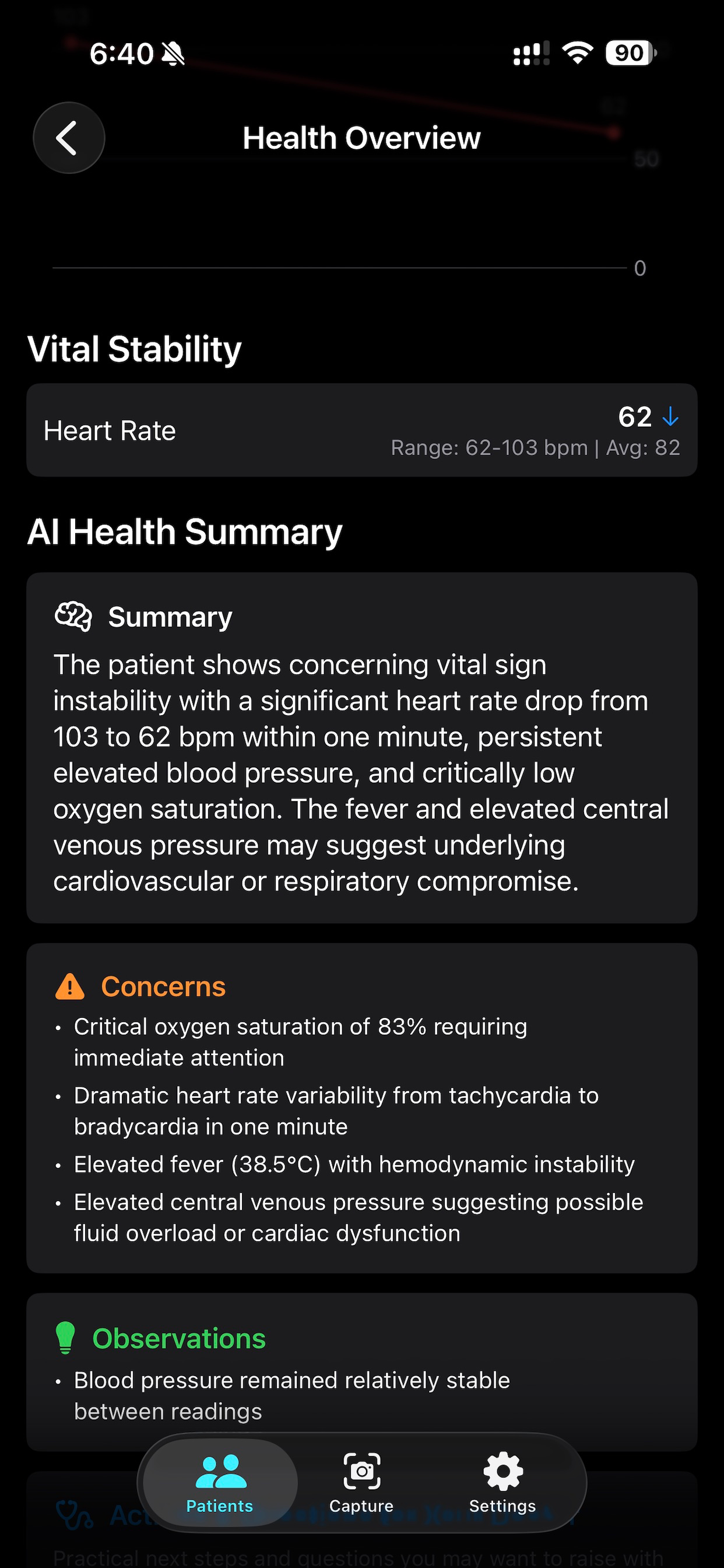
Get clear, plain-English explanations for each reading — what it measures, what's normal, and what's outside normal range
Save readings over time and compare them side by side
FREE — EVERYTHING YOU NEED
— Heart Rate, SpO2, Blood Pressure, Respiratory Rate, and Temperature
— Plain-English explanation of each reading and its normal range
— Color-coded status: normal, elevated, low, or critical — at a glance
— Camera capture or upload from your photo library
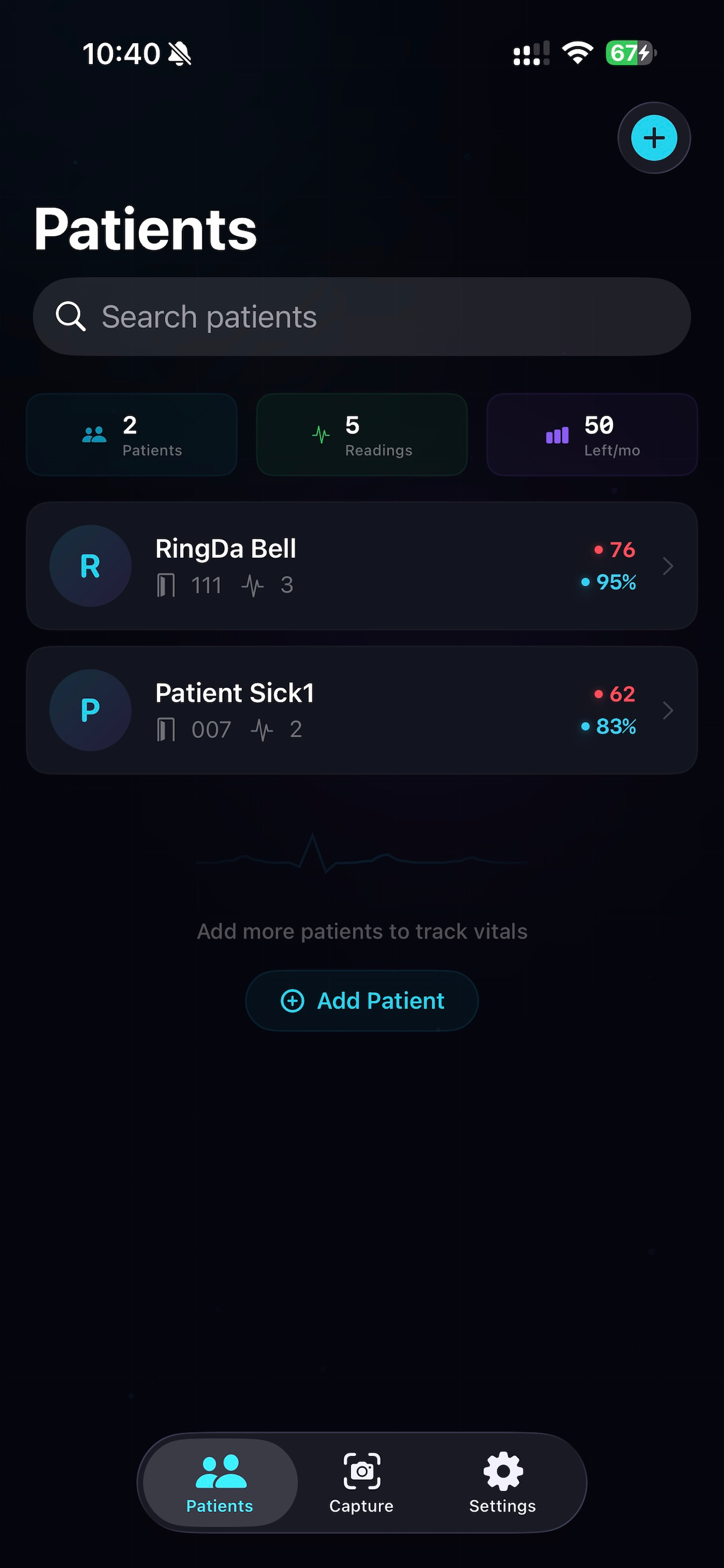
— Patient profiles to track readings over time
PRO — DEEPER UNDERSTANDING ($9.99/mo or $79.99/yr)
Everything in Free, plus:
— Detailed clinical explanations for each vital sign value — not just what it is, but what it means in context
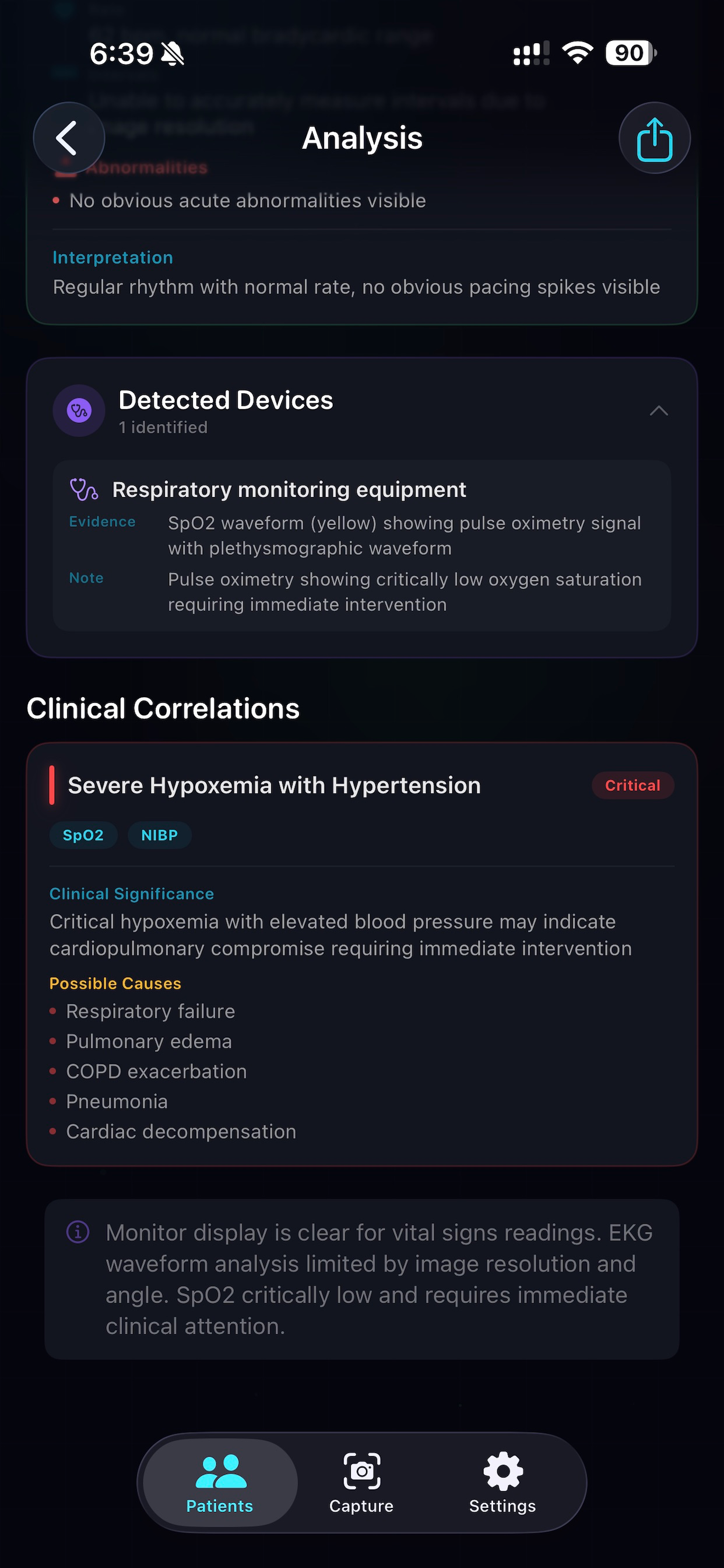
— EKG/ECG rhythm analysis: rhythm classification and abnormality detection explained in plain language
— Cross-vital pattern detection: surfaces connections between readings you might not know to look for
— Side-by-side comparison of two readings with automatic change analysis
— Trend visualization across all recorded readings with AI-generated summaries
— Report export: share a clean summary via email or AirDrop — useful for follow-up appointments
YOUR DATA STAYS ON YOUR DEVICE
— Face ID and Touch ID authentication
— All data stored locally with encryption
— Automatic 5-minute screen lock
— Monitor photos are never saved to your camera roll
— No patient data ever leaves your device
IMPORTANT
Patient Vitals AI is not an FDA-cleared medical device and is not intended for clinical diagnosis, treatment decisions, or as a substitute for professional medical judgment. All explanations are for informational purposes only.
This app is designed to help you understand — not to replace your care team. Always raise any concerns directly with your doctor or nurse.
Terms of Use (EULA): https://www.apple.com/legal/internet-services/itunes/dev/stdeula/
Privacy Policy: https://freedom.globalcitizenconsult.com/vitals-ai-privacy-policy
Chrome-Stats does not own this Apple app. Please use these information below to contact the Apple app developer.

 English
 Español
 Français
 Português
 日本語
日本語 简体中文
简体中文 한국인
한국인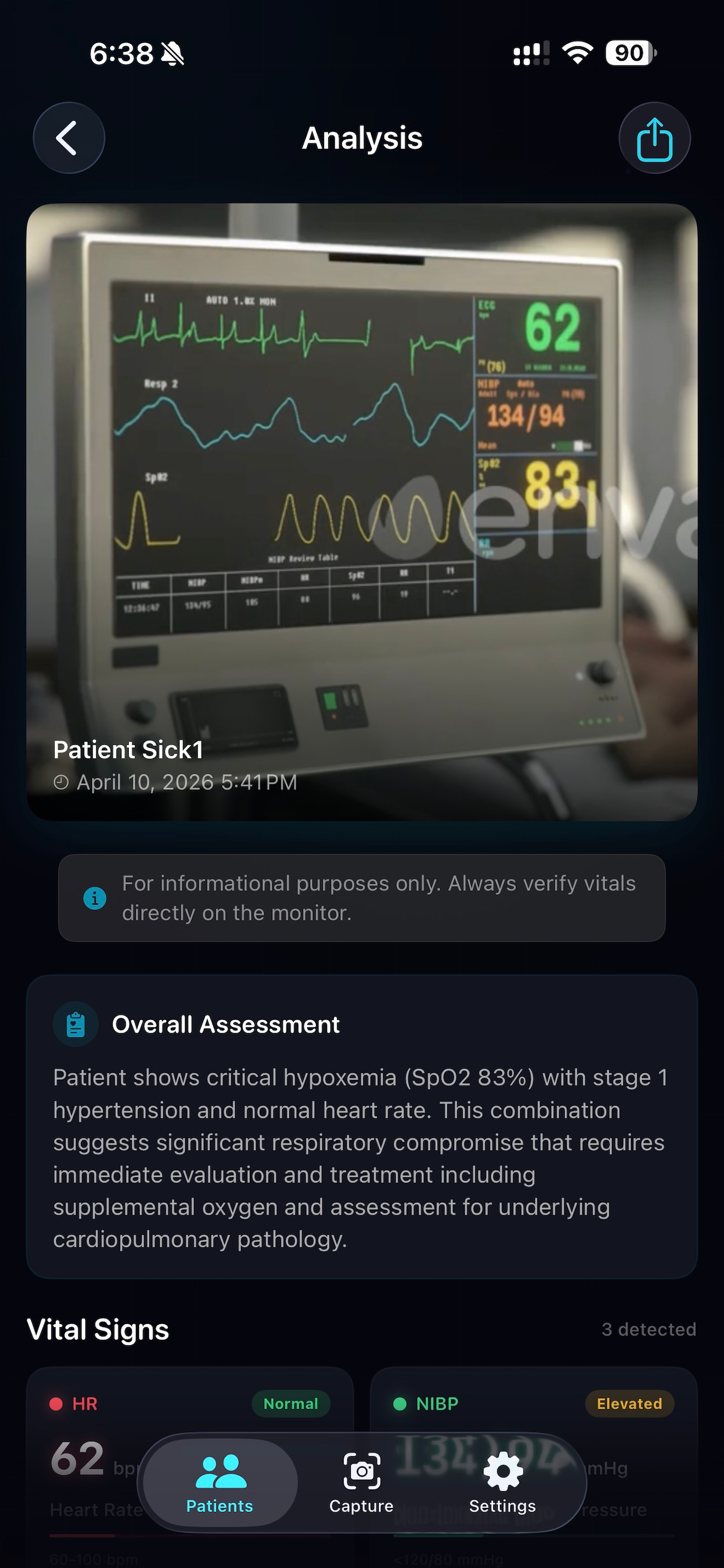





 (0)
(0)