English Reader for Learners
Jinshu 3.14 adds Home Focus: choose Coach for the learning loop or Read for a calmer book-first home with Continue Reading up front.
Jinshu is a level-aware EPUB reader designed for English language learners. Import any English book, see whether it is Comfort, Good Challenge, or Hard for your current level, then read with automatic vocabulary annotations — translations appear right where you need them, filtered to your proficiency level.
Smart Vocabulary Annotations
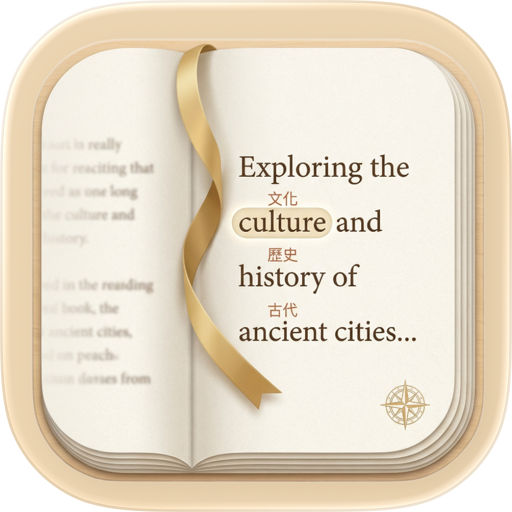
Words are automatically annotated with translations in Chinese, Korean, or Japanese. Choose your display style: ruby text above words, inline parentheses, or tap-to-reveal. Set your CEFR level (A1–C2), preview repeated above-level words before reading, and only see vocabulary appropriate for your stage.
Tap to Pronounce & Listen
Tap any annotated word to hear it spoken aloud and see a small IPA tip; open the full detail only when you want translation, replay, and vocabulary actions. Or let the app read entire chapters aloud with sentence highlighting, adjustable speed, sleep timer, and background playback. Works completely offline.
A Reader You'll Actually Enjoy
Five reading themes (Light, Sepia, Dark, Calm, Slate), adjustable fonts, spacing, margins, and text alignment. Everything updates instantly — no reload needed. Platform-native fonts: Charter, New York, Palatino, and more on iOS. Import your own .ttf or .otf fonts for a fully personalized reading experience.
Vocabulary That Comes From Your Reading
Saved words keep the original sentence from the chapter where you met them. A "From Reading" queue surfaces words you've actually encountered, ranked by how often they came up in your last 30 days of reading. FSRS-based review cards turn that queue into a small daily review — no curriculum, no frequency list, just your books.
Your Library, Organized
A smart bookshelf that puts your current read front and center. Organize books into collections, search by title or author, sort by recent, title, or author. Track your reading streaks and daily reading time. Home Screen widgets surface a daily word, a random highlight, or due reviews without opening the app.
Highlights & Bookmarks
Select text to highlight in five colors with two styles. Add notes to any highlight. Bookmark pages and jump back to them anytime. Search within chapters to find what you're looking for.
Built-in Dictionary
~30,000 English words with CEFR levels, IPA pronunciation, and translations in three languages. No internet required for the bundled dictionary — everything works offline.
Features at a Glance
• EPUB 2 & 3 support
• Vocabulary annotations in 中文, 한국어, 日本語
• CEFR level filtering (A1–C2)
• "From Reading" candidate queue with source-sentence context
• Offline word pronunciation & full chapter TTS with sentence highlighting
• 5 reading themes + full typography controls + custom font import
• Highlights, notes, and bookmarks
• Collections and smart sorting
• Reading streaks and session tracking
• iPhone & iPad Home Screen widgets
• Multi-book import with duplicate detection
• UI in English, 中文, 한국어, 日本語
• No account required, no ads, fully offline reading
FREE VS PREMIUM
Free
• 8 EPUB imports
• A1–A2 / HSK 1–2 / JLPT N5–N4 / TOPIK 1–2 annotations
• 50 saved words
• 2 reading themes
Premium
• Unlimited imports — EPUB, PDF, Markdown, URL
• All proficiency levels (A1–C2 / HSK 1–6 / JLPT N5–N1 / TOPIK 1–6)
• Unlimited saved vocabulary
• Anki export
• 5 reading themes
• Customizable read-aloud (voice, speed, sleep timer, background playback)
• Custom font import
• iCloud sync across devices
• LAN transfer between your devices
Plans: Monthly / Yearly / Lifetime
Terms of Use: https://jinshu.built4.fun/terms
Privacy Policy: https://jinshu.built4.fun/privacy
Chrome-Stats does not own this Apple app. Please use these information below to contact the Apple app developer.
 English
 Español
 Français
 Português
 日本語
日本語 简体中文
简体中文 한국인
한국인




 (14)
(14)