
Features & Capabilities

Artist Tools is the missing piece that will take your drawing to the next level. Import any reference image and instantly see its true value structure, check your proportions, and train your eye using the same techniques taught in traditional art schools.

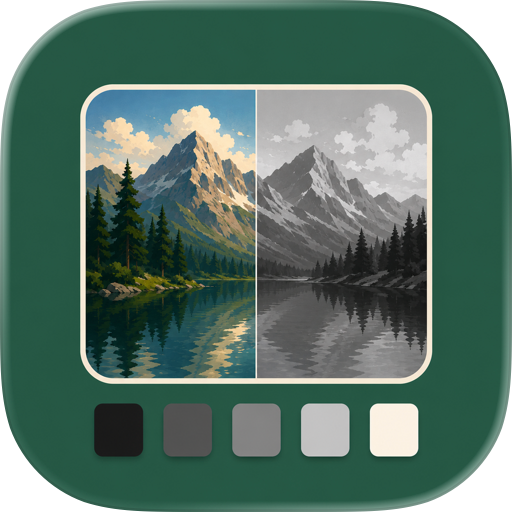
Run a value study on any reference and instantly see where your darks, midtones, and lights actually are — not where you think they are. Your tonal accuracy improves the moment you start using it.

Your eyes lie to you. Artist Tools gives you objective tools to catch what your perception misses — the same methods classically trained artists rely on every day.

VALUE TOOLS

• Value Study Analyze the tonal values in your reference. See exactly which areas are light, mid-tone, and dark. Tap individual values to highlight where they appear in the image.

• Simplify Reduce your reference to fewer colors. Strip away detail to see the essential value structure — just like squinting at your subject.

• Black Mirror Compress the value range to see subtle value relationships more clearly. A digital version of the traditional artist's black mirror.

• Invert Flip values to check your work from a fresh perspective.

• Flip Mirror your reference horizontally to spot mistakes and asymmetry.

DRAWING TOOLS

• Line Tool Draw straight lines at any angle. Perfect for measuring proportions and finding alignments in your reference.

• Plumb Line Vertical and horizontal guides that help you check alignment. Essential for accurate figure drawing and portraiture.

• Box Tool Create rectangles to frame compositions, measure proportions, or isolate areas of your reference.

• Envelope Tool Draw multi-point shapes around complex forms. Trace the outer contour of any subject to understand its basic shape.

• Grid Tool Overlay rule-of-thirds, golden ratio, or custom grids for composition and proportion checking.

BUILT FOR ARTISTS

• Works completely offline — no internet required • Built-in tutorial to learn each tool • Organize guides in layers — toggle visibility, delete, rearrange • Auto-saves your work as you go • Export finished studies to your gallery • Dark interface that won't strain your eyes in the studio • Clean, minimal design that stays out of your way

WHO IS THIS FOR?

• Figure drawing students learning proportion and anatomy • Portrait artists checking alignments and value structures • Plein air painters simplifying complex scenes • Students practicing classical drawing techniques • Anyone serious about improving their observational drawing skills

These are the same tools hanging on the wall of every traditional art school — the plumb line, the measuring stick, the black mirror, and the squinted eye. Now they fit in your pocket.

Study any reference with precision. See values clearly. Draw with confidence.

Terms of Use (EULA): https://www.apple.com/legal/internet-services/itunes/dev/stdeula/

User Growth & Download Statistics

App
By:
Hessam Aldin Emami Nodeh
Version:
1.2.13 Last updated: 2026-06-05
Version code:
886484587
Creation date:
2025-12-13
Compatible devices:
Size:
23.06MB
URLs:
Website ,Privacy policy
Full description:
See detailed description
Source:
Apple Apps Store
Data ingested on:
2026-06-11
Compare stats and ranking:

Contact the developer

Chrome-Stats does not own this Apple app. Please use these information below to contact the Apple app developer.
Developed by:
Hessam Aldin Emami Nodeh
Apple Apps Store
https://apps.apple.com/gb/app/artist-tools/id6756378078
Website:
https://artisttools.io

User Reviews

It made referencing the image so much easier to me. .
by Pe*****, 2026-02-10
View all user reviews ›

Best Artist Tools Alternatives

Here are some Apple apps that are similar to Artist Tools: