NEW: Read your charts as real drum notation — on the five-line staff, on stage and in PDF. Plus full-screen Practice Mode with hit-by-hit accuracy.
Drum Charter is a professional drum notation app for creating, editing, and playing drum charts using an intuitive text-based format. Perfect for drummers, music teachers, and composers who need a fast, distraction-free way to write drum patterns.
Text-Based Notation
Simple ASCII symbols represent drums: 'x' for hi-hat, 'o' for snare, 'Q' for kick. Triplet notation with the ³ symbol for advanced rhythms. Fast to type, easy to read.
Staff Notation
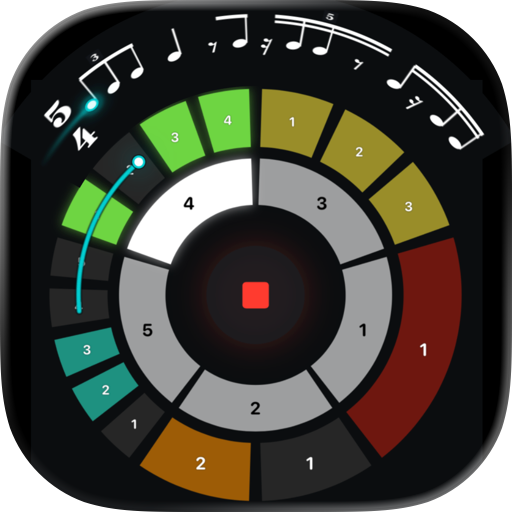
Read the same chart as real drum notation on a five-line staff: noteheads per instrument, beams, rests, triplets, flams, ghost notes, repeat signs and rehearsal marks. Switch per song with [notation: staff] or live in Concert Mode.
Smart Symbol Palette
Context-aware buttons show only relevant symbols by cursor position.
Real-Time Audio Playback
High-quality drum sounds powered by FluidR3_GM soundfont. Hear patterns instantly with professional MIDI-based playback.
Flam & Ghost Notes
Two expressive symbols for snare: Flam for quick grace notes before the main hit, Ghost for subtle quiet notes. Perfect for Jazz, Funk, and dynamic playing.
Lyrics Mode
Create charts without drum notation - just lyrics, chords, and cues. Perfect for multi-instrumentalists with mixed setlists. Section headers in teal, cue lines in gray. Embedded drum bars automatically detected. Chord symbols highlighted in blue.
PDF Export
Export as PDF — as the character grid, or as engraved staff notation on A4. Works on iPhone, iPad and Mac.
MusicXML Export
Export to MuseScore, Sibelius, Finale and more — with triplets, repeats, flams, ghost notes and rehearsal marks.
MIDI File Export
Export as Standard MIDI Files with two-voice layout. Configurable stem grouping. Import into any DAW.
Practice Mode
A full-screen practice room for your e-drums. Loop any range of bars, with an optional count-in. Every hit you play appears on the notation, colour-coded by accuracy, with missed notes marked. A calm readout shows whether you rush or drag and how even you are - the two things that actually help. Output latency is compensated automatically. Repeat counts are honoured, so you practise the phrase as written.
Concert Mode with Playback Controls
Full-screen performance view with large custom font (10-40pt). Beat grouping with adjustable opacity. Metronome click. Playlist with folder navigation. Play, skip, and navigate with on-screen controls and keyboard shortcuts. Native macOS fullscreen. Multi-column lyrics with [columns: N].
Multi-Time Signature Support
Full support for 4/4, 3/4 (Waltz), and 6/8 (Compound Time). UI picker for quick time signature changes.
Swing & Shuffle Support
Authentic Jazz/Blues feel with standard swing notation. Write "Shuffle" for classic 67% swing, or specify 50-75%. UI button with 5 presets.
BPM Control via Metadata
Set tempo in the chart with [140 BPM], 60-200 BPM.
Smart Bar Management
Auto-numbering up to 999 bars. Repeat notation (4x) for efficient charting. Move bars up/down. Section headers for song structure.
Combination Symbols
Three symbols for simultaneous Snare+Tom hits: p (Snare+Tom1), d (Snare+Tom2), g (Snare+FloorTom). Perfect for complex fills.
Multi-Column Export
Export in 2, 4, 6, or 8 bars per line format. Optional "Replace rests with spaces" for LogicPro compatibility.
Universal App - iPhone, iPad, Mac
Native experience on all devices with seamless iCloud sync. Start on iPhone, continue on iPad or Mac.
Perfect for drummers who want professional results without complexity.

 English
 Español
 Français
 Português
 日本語
日本語 简体中文
简体中文 한국인
한국인



 (0)
(0)