Vocal Coach & Pitch Trainer
v4: Karaoke lyrics with real-time syllable highlighting. Advanced audio mixer. Per-track volume. Latency compensation. Your vocal coach, upgraded.
Singing Tutor is a real-time pitch training tool that shows you exactly where your voice lands as you sing - note by note, with instant visual feedback on a scrolling piano-roll display. Whether you're a vocal coach running lessons, a student working through exercises, or someone who loves karaoke night, Singing Tutor turns your device into a precise vocal practice studio.
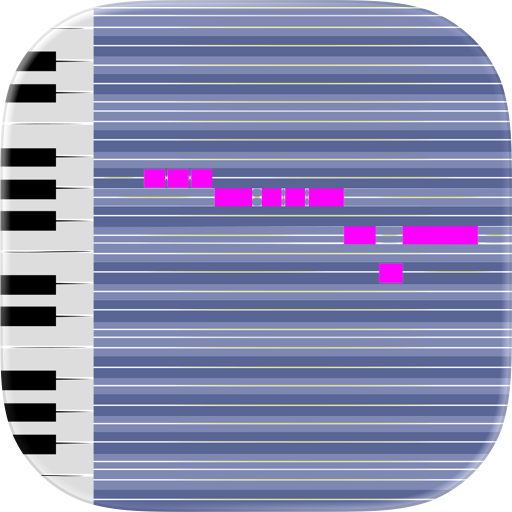
REAL-TIME PITCH FEEDBACK - Sing along to MIDI or karaoke (.kar) while watching your pitch accuracy in real time. The app draws your voice as a continuous line over the reference melody, so you can see exactly where you're sharp, flat, or right on target. No guesswork - just clear, visual feedback that helps you improve faster than listening alone.
FULL KARAOKE LYRICS DISPLAY- Load any .kar karaoke file and see synchronized lyrics scroll across the screen as the music plays. Customize every aspect of the lyrics display: font size, highlight and base colors, animation timing, line opacity, number of visible lines, text alignment, and more. Supports a wide range of text encodings - including Japanese (Shift-JIS, EUC-JP), Chinese (GBK, Big5), Korean (EUC-KR), Cyrillic, and many others - so your international karaoke library works out of the box. The active syllable highlights in real time, giving you a true karaoke experience with pitch training on top.
AUDIO DEVICE & MIXER CONTROLS - Choose exactly which audio output device and input microphone to use. The built-in mixer gives you independent volume control over four output tracks - Background, Melody, Accompaniment, and Voice Reference . So you can dial in the perfect practice mix. Mute or solo any track instantly. On the input side, configure your microphone and enable or disable mic loopback to hear yourself through your speakers while you sing.
VISUAL REFERENCE TRACKS - Load a MIDI or karaoke file and see the target melody displayed as note blocks on the piano-roll. You can also load previously recorded voice files (.stf) as a visual reference - great for comparing today's attempt against your personal best. Follow the melody visually while you sing, and watch your voice line track against the target notes.
BACKING TRACK PLAYBACK - Load any MP3 as a backing track to sing along with during practice. MP3 tracks play as audio only — no visual reference on the piano-roll — making them ideal when you know the melody and just need accompaniment. Use the built-in mixer to set the backing track volume exactly where you want it.
CUSTOMIZABLE PRACTICE SESSIONS - Toggle individual tracks on or off during playback or recording. Turn off the melody line to test yourself, keep the accompaniment for context, or solo the voice reference to study phrasing. Every combination is available for both Play and Record modes, so you can structure sessions around exactly what you're working on.
RECORDING, PLAYBACK & EXPORT - Record your singing sessions and save them as .stf voice files for later review. Replay any recording with the reference track to see how your pitch compared. When you're ready to share, export your recording - including the background track - as an MP3 file.
LATENCY COMPENSATION - On some systems, audio input and output can be slightly out of sync. The Latency Compensate setting lets you adjust the voice line and cursor offset in milliseconds, so what you see on screen accurately reflects when you actually sang each note. Dial it in once and every session stays aligned.
VOLUME INDICATOR - A real-time volume meter sits next to the piano keyboard, showing your current input level at a glance. In Duet mode, two independent meters are displayed - one per singer.
Singing Tutor works with the files you already have. Load MIDI files for melody and accompaniment, .kar files for karaoke with lyrics, or MP3s for backing tracks. No built-in song library required - use any song you want.
Start singing. See exactly how you sound.
Chrome-Stats does not own this Apple app. Please use these information below to contact the Apple app developer.

 English
 Español
 Français
 Português
 日本語
日本語 简体中文
简体中文 한국인
한국인


 (0)
(0)