QuickOWL Firefox

QuickOWL

提供元: Prasanna
Quickly Open Web Links using custom contextmenu with selected text as input

特徴と機能

Firefox browser add-on to quickly open web links, using custom browser context menu defined by the user, with selected text as input.

Where QuickOWL can help: When we regularly copy text from different articles/pages in browser and paste in [ANOTHER_WEB_PAGE] and perform search.

Here [ANOTHER_WEB_PAGE] can be:

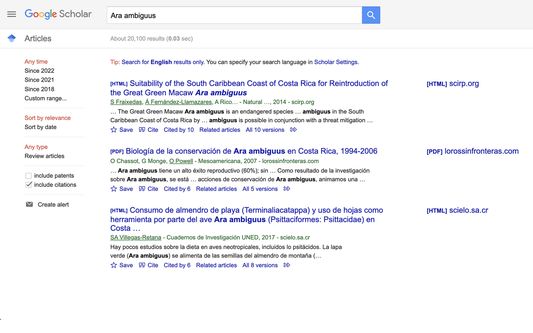
  1. Google Scholar (https://scholar.google.com/scholar?q=)
  2. Wikipedia (https://en.wikipedia.org/w/index.php?search=)
  3. Bug tracking page in work (https://jira.<orgdomain>.com/jira/browse/)
  4. Google Translate (https://translate.google.com/?tl=en&text=)
In order to add custom context menu of "Search with Google Scholar" the user will be adding following two information in QuickOWL:
  1. [Enter Display Name] -> Search Google Scholar
  2. [URL before selected text] -> https://scholar.google.com/scholar?q=
Once added, select a text from any page in Firefox browser and right click, the user can see "QuickOWL -> Search Google Scholar" context menu. If no text is selected QuickOWl context menu won't be displayed. So, the requirement is to select a text to activate QuickOWL custom context menu.

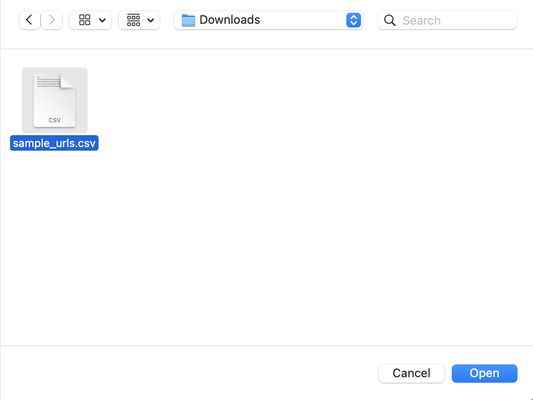
Following sample data can be downloaded, and imported into QuickOWL: https://drive.google.com/file/d/1Ab5pqjy4vgymDDlM3QgE1bfx7t8W8S2u/view?usp=sharing

Why yet another custom context menu search extension?

  1. QuickOWL uses latest Firefox add-on API guidelines, which means it has longer shelf life
  2. Uses least amount of privileges required:
    1. storage - required to store the user defined context menu URLs
    2. unlimitedStorage - to allow cumulative storage for the extension to expand beyond 5MB
    3. menus - required to add custom user defined URL entries in Firefox's context menu
    4. downloads - required to export current list of user defined URLs for the extension as .txt file
  3. Provides necessary alert messages to user to make it easy for the user to understand what is working and what is not
  4. Provides simplified Extension Options page to manage addition/deletion of custom context menu URLs
  5. Light weight by design, the Options page of extension uses only the required html & javascript to achieve the tasks. No heavy weight third party is being imported. It's developed in pure HTML, CSS & Javascript.
  6. Features detailed Help page to make it easy to understand about the functionality of the extension

Privacy:

  1. Though after installing the Permissions in Extension page says "Read your browsing history", it doesn't actually do any reading of browsing history. The extension focuses on sending the selected text to the user defined context menu URLs. No extra reading, no background activities.
  2. Currently the extension supports storage locally(https://developer.mozilla.org/en-US/docs/Mozilla/Add-ons/WebExtensions/API/storage/local in browser only, there is no option to sync the data across Firefox browsers (using Firefox account). One of the main intentions for that is; to keep the user data local.

Release Updates:

Release 0.1.6

  1. Updated the .csv based file export & import to use .txt format, because the .csv file exported with separator as pipe symbol | gets updated to use comma , when edited in .csv editors (like Microsoft Excel). Once the .csv file separator gets updated to comma, further import from that .csv file fails. So, now the .txt format has been made as defacto format for export and import.
  2. Help section has been updated about the usage of .txt file instead of .csv file
  3. An example on sample data of .txt file with separator as pipe | symbol has been added in Import URLs section
  4. Font size has been updated to use 1 rem instead of 14px
  5. Font family has been updated to use system fonts, based on an article from Hacker News (https://systemfontstack.com/)
  6. Extension title summary has been enhanced to refer to multiple web links
  7. Added a note on "Save Changes" button usage in case of "Add URL" & "Delete Selected URLs"

Release 0.1.4

  1. Changed the order of appearance of help section, to make it easy for users to copy paste sample inputs into the text fields
  2. Enhanced the content of help section
  3. Fixed unintended CSS styling for regular tables

Release 0.1.3

  1. Ironed out font settings across html pages of the extension
  2. Disabled logging of outputs in browser console using condition, the reasoning behind this to help develpers who regularly use browser console to diagnose issues. The output from QuickOWL extension may pollute the console.
  3. Fixed grammatical mistakes in options page
  4. Removed unused host permissions
  5. Fixed issue with clearing all URLs
  6. Fixed issue with number regex which earlier didn't allow decimal points

Release 0.1.2

  1. Improved the content of add-on store listing
  2. Improved the extension icon popup content
  3. Added sample data URL as part of add-on store listing main content
  4. Updated the Screenshots to reflect the new icon

Release 0.1.1

  1. Reduced the font size little bit to make the content fit within the screen and easy to read
  2. Changed the icon for the extension, to make it standout while getting listed in Firefox Addons page
  3. Removed background color for help section

Release 0.1.0

  1. First release of Extension with full set of features supporting import, export of URLs

Thanks: Special thanks to user @wOxxOm (https://stackoverflow.com/users/3959875/woxxom) who has helped to resolve some of the blocking issues while developing this extension.

ユーザー成長とダウンロード統計

Manifest V2 Add-on
提供元:
Prasanna
日間ユーザー:
12
バージョン:
0.3.8 最終更新日: 2026-06-08
バージョンコード:
6298185
作成日:
2022-04-26
リスク:
Low risk impact Moderate risk likelihood
権限:
サイズ:
133.55KB
メールアドレス:
bp*****@gmail.com
URL:
Webサイト
詳細説明:
詳細な説明を見る
ソース:
Firefoxアドオンストア
データ取得日:
2026-07-11
統計とランキングを比較:

開発者に問い合わせる

Chrome-Stats はこの Firefoxアドオン を所有していません。以下の情報を使用して、Firefoxアドオン 開発者にお問い合わせください。
開発元:
Prasanna
Firefoxアドオンストア
https://addons.mozilla.org/firefox/addon/quickowl/
電子メール:
bp*****@gmail.com
ウェブサイト:
https://quickowl.app

QuickOWLは安全ですか?

リスク影響度
リスク影響度は、拡張機能がアクセスできる追加の権限のレベルを測定します。低リスク影響度の拡張機能は多くの害を及ぼすことができませんが、高リスク影響度の拡張機能はパスワードの盗難、セキュリティ設定の回避、個人データへのアクセスなど、多くの被害を与える可能性があります。高リスク影響度の拡張機能は必ずしも悪意があるわけではありません。しかし、悪意を持つようになると、非常に有害になる可能性があります。

QuickOWLは最小限の権限しか必要としません。

リスク影響度分析の詳細
  • Medium Allows management of download operations but generally doesn't severely affect security unless misused.
リスク可能性
リスク可能性は、Firefoxアドオンが悪意を持つ可能性を測定します。これは、Firefoxアドオンストアにおける発行者とFirefoxアドオンの評判、Firefoxアドオンが存在している期間、およびFirefoxアドオンに関する他のシグナルによって決定されます。私たちのアルゴリズムは完璧ではなく、悪意のある拡張機能を検出する新しい方法を発見するにつれて変更される可能性があります。Firefoxアドオンをインストールする際には常に注意することをお勧めします。

QuickOWLはおそらく信頼できます。可能であれば他の発行者を優先してください。このアドオンをインストールする際は注意してください。

リスク可能性分析の詳細
  • High This extension has low user count. Unpopular extensions may not be stable or safe.
  • Medium **** ********* *** ******* ** *** **** * ******* *** ******* *** *** ** ****** ** *****
  • Low **** ********* *** ***** **** **** * ****** **** ***** ********** *** **** ****** ** ** ****** *** *****

Extension Guard
エクステンションガード

Extension Guardで使用中のすべての拡張機能を発見し、リスクを分析し、ブロックポリシーを適用します

ブラウザを安全にしましょう
完全なリスク分析の詳細を見るにはアップグレードしてください

ベストのQuickOWL代替案

QuickOWLに類似したFirefox add-onをいくつか紹介します: