

 English
 Español
 Français
 Português
 日本語
日本語 简体中文
简体中文 한국인
한국인
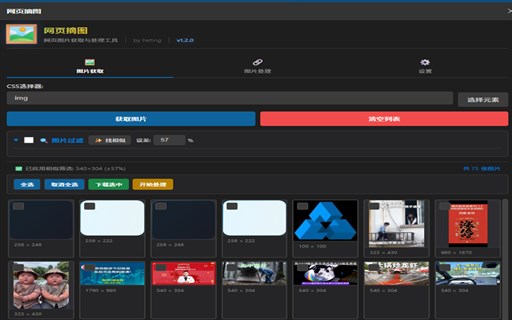
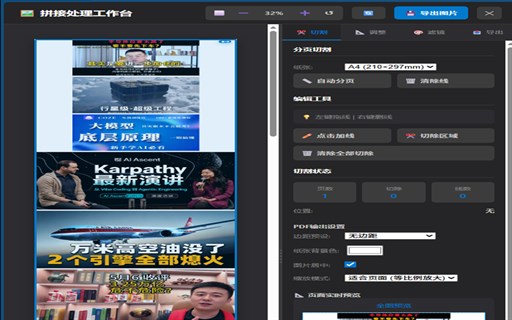
Features & Capabilities
User Growth & Download Statistics
Manifest V3 Add-on
- By:
- heting
- Users:
- 5
- Version:
- 1.2.1 Last updated: 2026-05-17
- Creation date:
- 2026-05-06

- Risk:
- Moderate risk impact High risk likelihood
- Permissions:
- Host permissions:
- <all_urls>
- <all_urls>
- Content scripts matches:
- <all_urls>
- <all_urls>
- Size:
- 192.66KB
- Full description:
- See detailed description
- Source:
- Edge Add-on Store
- Data ingested on:
- 2026-06-03
- Compare stats and ranking:
-
For Developers
Contact the developer
Chrome-Stats does not own this Edge add-on. Please use these information below to contact the Edge add-on developer.
Is 网页摘图 Safe?
Risk impact
Risk impact measures the level of extra permissions an extension has access to. A low risk impact extension cannot do much harms, whereas a high risk impact extension can do a lot of damage like stealing your password, bypassing your security settings, and accessing your personal data. High risk impact extensions are not necessarily malicious. However, if they do turn malicious, they can be very harmful.
网页摘图 requires a few sensitive permissions. Exercise caution before installing.
Risk impact analysis details
- Critical Allows access to all websites, posing a significant security risk as it can monitor and modify data from any visited site.
- High ******* ******* **** *** ****** ***** *** ***** ** ******* **** ********* ********* ** * *********** *****
- Medium ****** ********** ** ******** ********** *** ********* ******* ******** ****** ******** ****** ********
Risk likelihood
Risk likelihood measures the probability that an Edge add-on may turn malicious. This is determined by the publisher and the Edge add-on reputation on Edge Add-on Store, the amount of time the Edge add-on has been around, and other signals about the Edge add-on. Our algorithms are not perfect, and are subject to change as we discover new ways to detect malicious extensions. We recommend that you always exercise caution when installing an Edge add-on.
网页摘图 is recently added, and hasn't been around long enough for us to gather enough data to accurately assess its risk level.
Risk likelihood analysis details
- High This extension was recently updated in the past month. New updates may not be stable or safe.
- High **** ********* *** ******** ****** *** ********** *** *** ** ****** ** *****
- High **** ********* *** *** **** ****** ********* ********** *** *** ** ****** ** *****

Extension Guard
Discover every extension in use, analyze risks, and enforce blocking policies with Extension Guard
Secure Your Browser Upgrade to see full risk analysis details
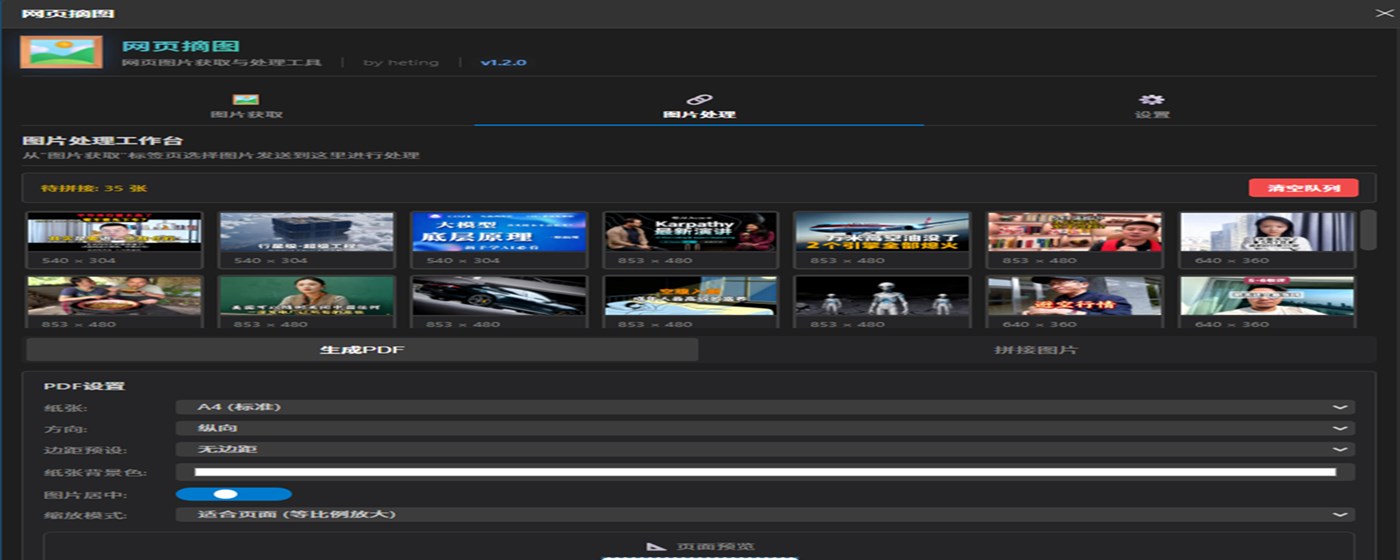
Promo Images
Best 网页摘图 Alternatives
Here are some Edge add-ons that are similar to 网页摘图:


image download
xavierc
 3K 3.70
  (3)
(3) 
最新图片下载器 - 图片批量下载工具
yzhao
2K 1.00 (2) 
洪绘存图 - 保存图片为指定格式 PNG JPG/截图/抓取图片
张洪Heo
129 0.00 (0) 
界图-图片批量下载
半木传媒
9K 3.60 (18) 
图片收集器
haozing
37 0.00 (0) 
图片批量下载助手
漫步云
28K 5.00 (6) 
专业图片下载神器
Capture Photo Dev Ltd.
828 0.00 (0) 
图看PicSee
Cfantasy
45 5.00 (1) 
拾图
李先生
32 0.00 (0) 
零泉
零泉
3K 3.00 (3) 
PS · 图片快拖助手
率君
5K 3.00 (4) 网页截图
SuperCopy
49K 4.80 (32)