


Download Wikipedia Reading Lists Enhanced
By: tunjos.co
Download Wikipedia Reading Lists Enhanced (current and past versions) for Edge
 English
 Español
 Français
 Português
 日本語
日本語 简体中文
简体中文 한국인
한국인
Latest Version:
1.3.2 Updated:
2 months ago
Ready to install?
Wikipedia Reading Lists Enhanced is available to install from Edge Add-on Store and for download from this page.
4
Users
No ratings yet
0
Total downloads
Available versions
You can find the current and older versions of Wikipedia Reading Lists Enhanced here. You can download the archived versions or inspect their source codes.
As a free user, you can download up to 3 latest versions.
Upgrade to download older versions
| Version | Download | Size | Download count | Timestamp |
|---|---|---|---|---|
| 1.3.2 | CRX · ZIP · Source code | 52.53KB | 0 | 2026-05-03 |
| 1.3.0 | CRX · ZIP · Source code | 50.66KB | 0 | 2026-04-26 |
| 1.2.1 | CRX · ZIP · Source code | 43.42KB | 0 | 2026-01-27 |
| 1.2.0 | Paid users only | 29.87KB | 0 | 2026-01-17 |
1.3.2 52.53KB
1.3.0 50.66KB
1.2.1 43.42KB
1.2.0 29.87KB
Paid users only
Install CRX file
An CRX file is the file format used for distributing and installing browser extensions in Google Chrome, Microsoft Edge, and other Chromium-based browsers. These extensions add functionalities and features to the Chrome browser, enhancing user experience by integrating additional tools directly into the browsing interface. Similar to an executable file, a CRX file contains all the components needed for an extension to run, including JavaScript code, images, CSS files, and other resources.
Option 1: The easy way (for Windows users only)
- Download and run Chrome-Stats Extension Helper file on your PC. This method will allow you to install Chrome extensions directly from chrome-stats.com in one click. You only need to do this once!
- Restart the browser for the changes to take effect.
- Download and install the Wikipedia Reading Lists Enhanced CRX file.
Option 2: Advanced method
- Download Wikipedia Reading Lists Enhanced CRX file.NOTE: Sometimes the browser may block downloading / installing CRX file from outside the Edge Add-on Store. If so, you may need to use option 1, or download the ZIP file instead.
- In the URL bar, go to
edge://extensions - Enable Developer mode.

- Drag and drop the downloaded Wikipedia Reading Lists Enhanced CRX file into the Extensions page
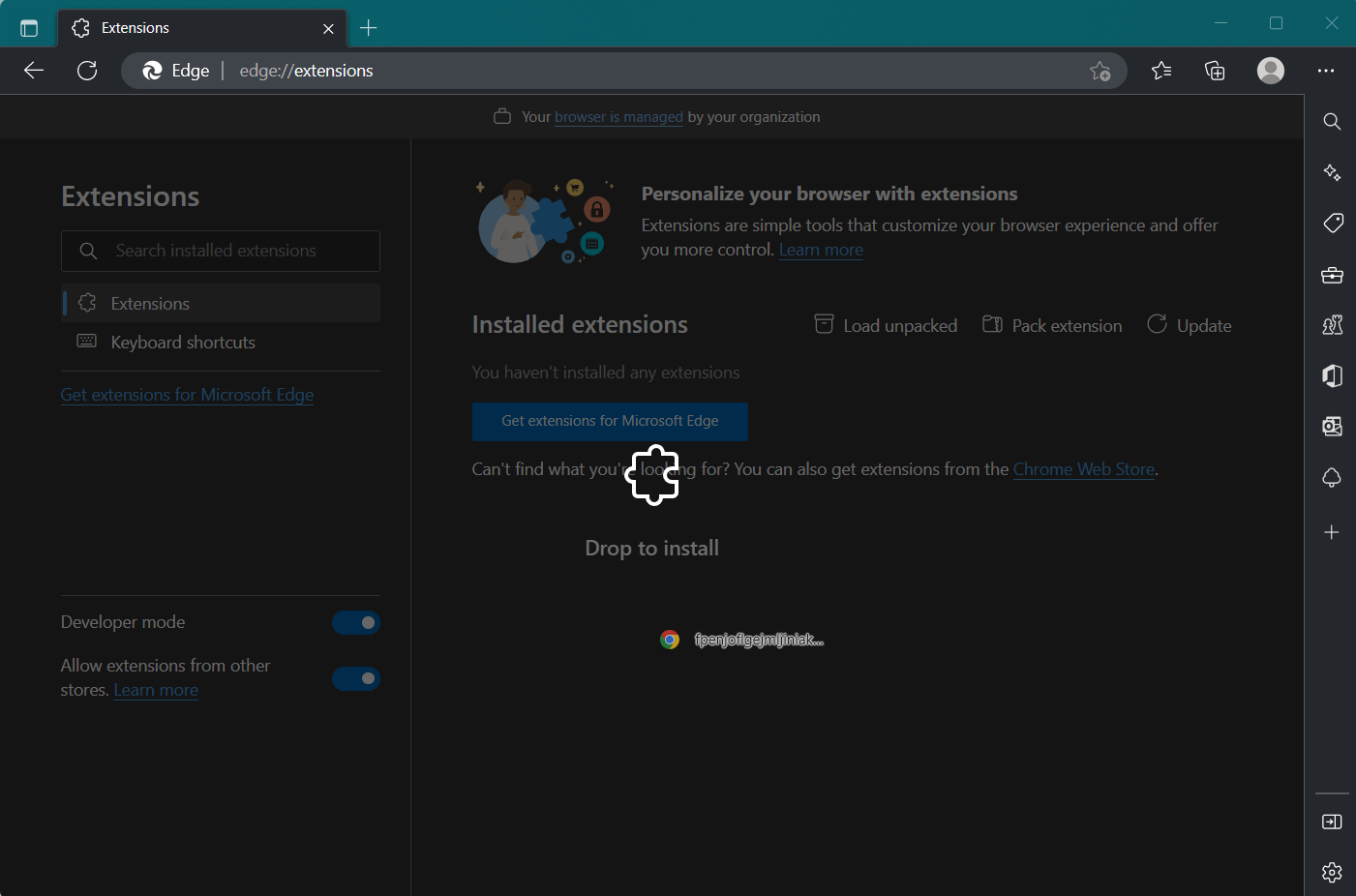
- When prompted, click Add extension to install Wikipedia Reading Lists Enhanced.
Install ZIP file
- Download and unpack the Wikipedia Reading Lists Enhanced ZIP file to a directory of your choice.
- In Edge browser, go to
edge://extensions - Enable Developer mode.
- Click on the Load Unpacked button.

- Select the directory of with the unpacked Wikipedia Reading Lists Enhanced ZIP file from step 1. Wikipedia Reading Lists Enhanced is now installed on your browser.
Best Wikipedia Reading Lists Enhanced Alternatives
Here are some Edge add-ons that are similar to Wikipedia Reading Lists Enhanced:

Reading List
Reading List
 9K 4.00
  (6)
(6) 
The New Wiki
Free Software Apps
560 3.50 (4) 
Wikiwand - Wikipedia Modernized
WikiPele LTD
3K 3.70 (10) 
Inoreader: Read-later and RSS extension
Innologica Ltd
19K 4.20 (12) 
Add to Sooner
arosiclair
11 0.00 (0) 
Mini bookmarks for the browser (reading list)
Vargvikingus
8 0.00 (0) 
EasyRead
i-Whismy
885 5.00 (1) 
Reading List
mengxl
557 4.80 (4) 
Assistant for Wikipedia
VectorRight
34 0.00 (0) 
Tabs aside
Eugene Fox
10K 4.40 (107) 
Wikipedia SidePanel by NNT
Noname technology
89 0.00 (0) 
Readup
reallyread.it, inc.
215 5.00 (2)