 English
 Español
 Français
 Português
 日本語
日本語 简体中文
简体中文 한국인
한국인

Features & Capabilities
User Growth & Download Statistics
- By:
- Andrew Schweig
- Rating:
- 4.50 (62)

- Version:
- 1.0.1 Last updated: 2015-02-18
- Version code:
- 837126276
- Creation date:
- 2015-02-18
- Compatible devices:
- Size:
- 401.00KB
- Full description:
- See detailed description
- Source:
- Apple Apps Store
- Data ingested on:
- 2026-06-24
- Compare stats and ranking:
- Performance Timer vs The Presentation Timer -Simple
- Performance Timer vs P-Timer
- Performance Timer vs OnStage Timer Pro
For Developers
Contact the developer
Chrome-Stats does not own this Apple app. Please use these information below to contact the Apple app developer.
User Reviews
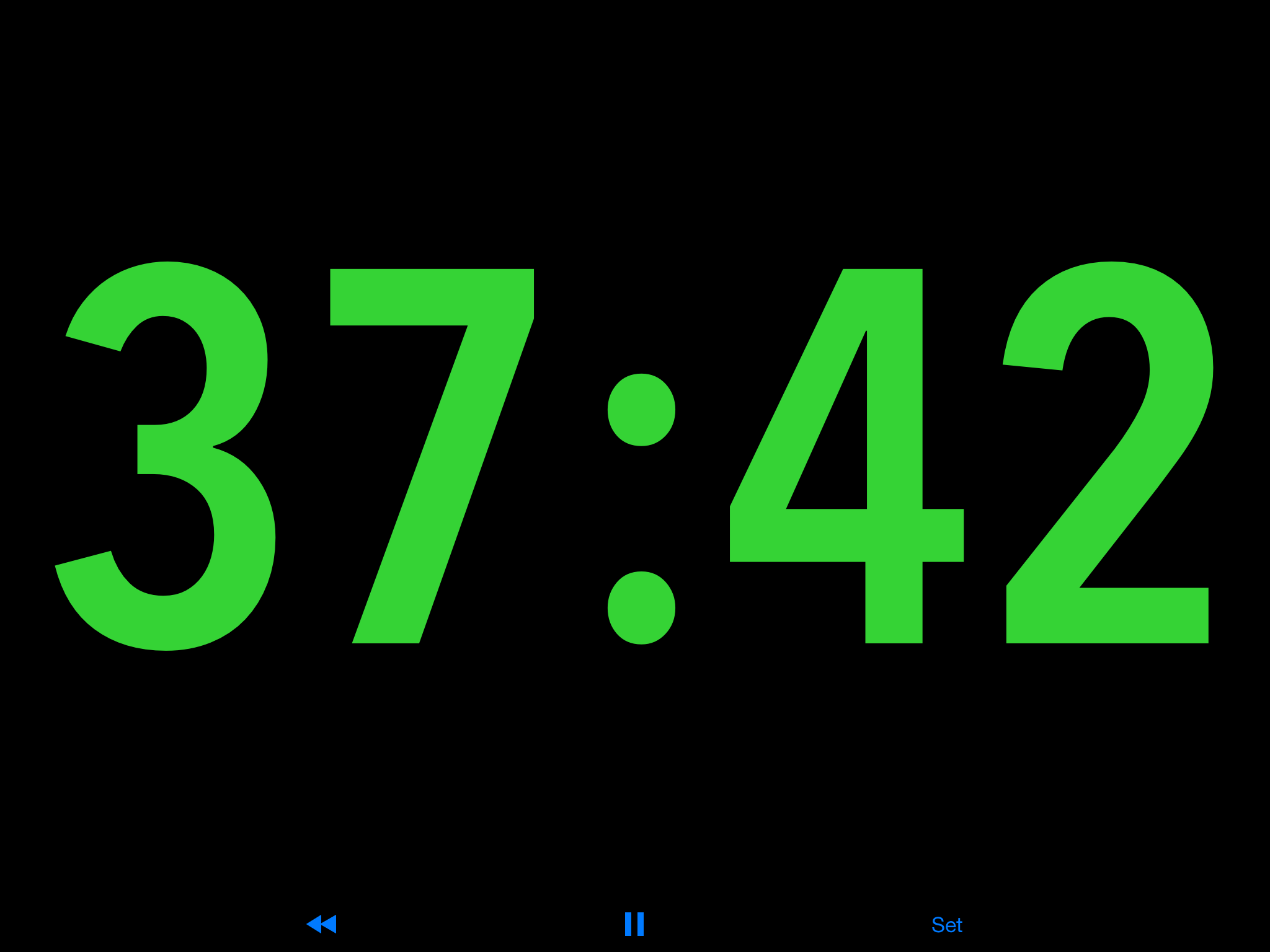
The timer is praised for its readable, high-visibility display and simple interface, making it ideal for live timing in events and presentations. It features a clear countdown that turns red at the end and continues as an overtime counter, with discreet, silent operation. Common drawbacks include a hard 99-minute limit, no count-up mode, no end chime, and limited rotation/orientation options. Improvements that could broaden its usefulness include longer durations, a count-up option, an optional alarm, and better orientation support. Pros
- Large, bright numbers that are easy to read from a distance.
- Simple, reliable, and stable interface that is easy to use in live settings.
- Clear countdown with a red time-up indicator and an ongoing overtime counter.
- Excellent visibility and usefulness for live events, conferences, meetings, and performances.
- Discreet operation with a silent countdown (no audible alarm) which is appreciated in client-facing contexts.
Cons
- 99-minute (1-hour) maximum limit, making it unusable for longer timers.
- No option to count up (only countdown) despite user interest.
- No built-in end alert/chime; no audible notification when time ends.
- Limited orientation/rotation support; display cannot be rotated to suit device setup.
Recent reviews
Perfect Size, simple interface, just needs the ability to count-up, stopwatch style!


by Ma*****, 2026-04-12
It is exactly what I was looking for to time myself during my client’s appointments. The change of color and the lack of sound makes it discrete. It does not make clients uncomfortable. It just keeps me on track.
by 98*****, 2026-04-02
• Large, bright numbers - perfect
• Countdown to zero - perfect
• Overtime counter - perfect
• Set time by minutes and seconds - maybe in the next update.
This is by far the best countdown timer I have found for my needs (timing a TV show production). Please include seconds in the settings and I will increase my rating to five stars.
Maybe include a setting where the user can change the color of the numbers — I would prefer red.
Finally, you’ve perfected the countdown timer. How about creating a similar stopwatch?
by st*****, 2025-08-17
Best Performance Timer Alternatives
Here are some Apple apps that are similar to Performance Timer:


The Presentation Timer -Simple
Vida Apps Incorporated
4.60  (9)
(9)
(9) 
P-Timer
Yoshiaki Onishi
0.00 (0)
(0) 
OnStage Timer Pro
Andy Arevalo
0.00 (0)
(0) 
Stage Timer - Event Countdown
Robin Nap
0.00 (0)
(0) 
Prod.Timer
Benjamin Satorius
0.00 (0)
(0) 
Show Timer Pro
Mark Neisser
0.00 (0)
(0) 
Show Timer: Colour Countdown
Charlie Jackson
0.00 (0)
(0) 
Stage Timer
MSDC TECHNOLOGIES LTD
3.90 (16)
(16) 
4321 Timer
Questwork Consulting Limited
0.00 (0)
(0) 
Presentation Clock
Shawn Welch
4.30 (95)
(95) 
StageCue Timer
Manabi Mate LLC
0.00 (0)
(0) 
Stage Timer: Performance Timer
Fenuku Kekeli
0.00 (0)
(0)