xHeader
Modify request and response headers. No ads, no malware.

Aperçu

Version :
2.0.3
Dernière mise à jour : 2026-08-31
Classement
#1,660,725
Général

Caractéristiques et capacités

Pairing is a camera away now: point your iPhone at the code on your computer and you are playing. Four phones can share one PC — and the ads are gone.

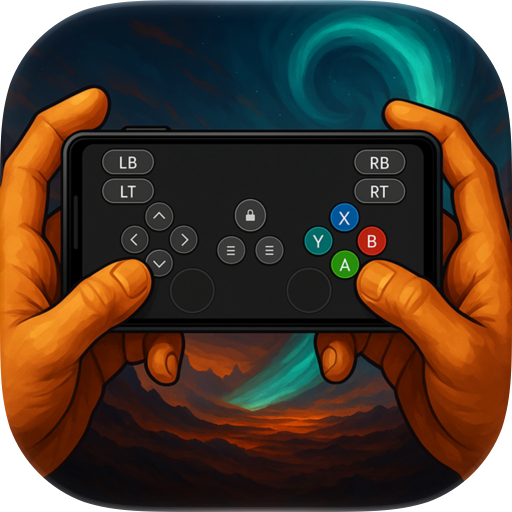
V-Pad turns your iPhone into a game controller for the computer in front of you. Twin analog sticks, a D-pad, four face buttons, shoulders and analog triggers — on a layout you can rearrange, resize and recolour until it fits your thumbs.

BEFORE YOU START V-Pad needs a small free program running on your computer: V-Pad Helper, for Windows and macOS, from vpadcontroller.com. Your phone reaches it over your own Wi-Fi — both devices on the same network, nothing in the cloud, no account, no sign-in.

Why not Bluetooth? iOS does not let a third-party app present itself as a Bluetooth gamepad. That is a platform rule, not a missing feature, and it is why every iPhone app in this category ships a desktop companion.

ON WINDOWS The helper creates a real virtual Xbox 360 controller. Games and Steam see an ordinary XInput pad — no key mapping, sticks and triggers stay analog.

ON macOS Apple grants no third-party app a virtual gamepad, so the pad is mapped to keyboard and mouse instead: left stick to WASD, D-pad to the arrows, right stick to the mouse, triggers to clicks. Games that insist on a real controller will not find one on a Mac.

22 LAYOUTS, READY TO PLAY Classic, Pro, Edge and Compact for the shape of your hands. Football, Tactical and Sci-Fi for the kind of game. Crimson Dragon and Gold Dragon for their own illustrated worlds. Plus a metal and neon set: Chrome, Gold, Rose Gold, Gunmetal, Obsidian, Sapphire, Emerald, Copper, Volt, Neon, Plasma, Circuit, Prism.

MAKE IT YOURS Drag any control where you want it. Pinch to resize. Change its colour and shape. Pick a backdrop for the app and a separate surface for the pad. Save your own layouts and open them straight from the home grid.

SHORTCUTS Bind a sequence of presses to a single control, with the timing recorded as you tap — up to five seconds per shortcut. One thumb, several inputs.

TILT TO STEER Racing Gyro turns the phone itself into a wheel: hold it in landscape and tilt. It drives the left stick, so any game that steers with a stick steers with your hands.

VOLUME KEYS AS BUTTONS Assign the physical volume keys to gamepad buttons. They only act as buttons on the gamepad screen and behave normally everywhere else.

TUNE THE FEEL Stick deadzone and response curve. Haptics set per group — face buttons, shoulders, triggers, system buttons, D-pad, sticks — each with its own strength. Triggers as analog drags or single presses. Press glow on or off.

TWELVE LANGUAGES English, Turkish, German, Spanish, French, Indonesian, Japanese, Korean, Portuguese, Russian, Chinese and Arabic.

FREE, WITH ONE OPTIONAL PURCHASE Every layout and every setting is free, with ads. V-Pad Premium is a single one-time purchase — not a subscription, nothing recurring: it removes every ad and unlocks saving your own custom layouts.

Privacy: no accounts, no servers of ours, and nothing you do in the app is reported back to us. Full policy at vpadcontroller.com/privacy.

Croissance des utilisateurs et statistiques de téléchargement

App
Par :
SAMET VOLKAN CAVUSOGLU
Version :
2.0.3 Dernière mise à jour : 2026-08-31
Code de version :
890480047
Date de création :
2026-08-25
Appareils compatibles :
Taille:
40.92MB
URL :
Site web ,Politique de confidentialité
Description complète :
Voir la description détaillée
Source :
Apple Apps Store
Données ingérées le :
2026-09-02
Comparer les statistiques et le classement :

Contacter le développeur

Chrome-Stats ne possède pas ce Application Apple. Veuillez utiliser ces informations ci-dessous pour contacter le développeur Application Apple.
Développé par :
SAMET VOLKAN CAVUSOGLU
Apple Apps Store
https://apps.apple.com/us/app/v-pad-virtual-gamepad/id6796475673
Site internet:
https://vpadcontroller.com

Meilleures alternatives V-Pad: Virtual Gamepad

Voici quelques Apple apps qui sont similaires à V-Pad: Virtual Gamepad :