PA feedback & ear training
Shows the bands most likely to feed back, in Hz. Monitor check, Analyzer, Metronome, Tuner and Speaker check are free. Full version: one-time purchase, no subscription.
Check1.2 shows the bands most likely to feed back, in Hz, using the iPhone microphone.
Built for people learning PA, people just starting out live, and anyone handed a microphone on the day at a small venue with no PA engineer.
When feedback howls in a gymnasium or a community hall, it shows you which frequency to reach for.
Use it anywhere a microphone goes out through a loudspeaker. No account, no subscription, no paywall on opening.
FEATURES
- Monitor Check: the bands most likely to feed back, before the show.
- Analyzer and Spectrogram: the same, live. Sideways for a larger graph.
- Stereo recording, no compressor and no limiter.
- Register your own voice, and a frequency ear training quiz.
- Metronome, Tuner and Speaker check. Free.
- The screen stays on while you check. Your hands are busy on site.
MONITOR CHECK (BEFORE THE SHOW)
From 15 seconds of silence and a recording of your voice, it lists the bands most likely to feed back, as a number and a word, like "about 250 Hz (muddy)". While recording, a green, yellow or red lamp warns you when feedback is close. Hum and hiss are reported in words too. Register your own voice and it also reports muddy (200-500 Hz), boomy low end (63-125 Hz), harsh (2-5 kHz) and sibilance (5-8 kHz).
A tone that stays after your voice stops is close to feedback. It listens 6 seconds to tell it from reverberation. Results stay on your iPhone (20 free, no limit in the full version), with the venue name and a note, so you can compare next time.
What you do next is the real work. Turn the level down. Change the direction of the speakers or the microphone. If it still feeds back, cut the band you found with EQ, a little at a time, while you listen. On a mixer with no exact frequency control, cut the nearest one: HIGH, MID or LOW. The screen says the same, so you can read it out to the person at the mixer.
ANALYZER (DURING THE SHOW)
4096 points, 50 Hz to 18,000 Hz in steps of about 11.7 Hz, redrawn about 23 times a second, on Apple's own Accelerate. Peaks are read between the steps, so you get "about 3149 Hz".
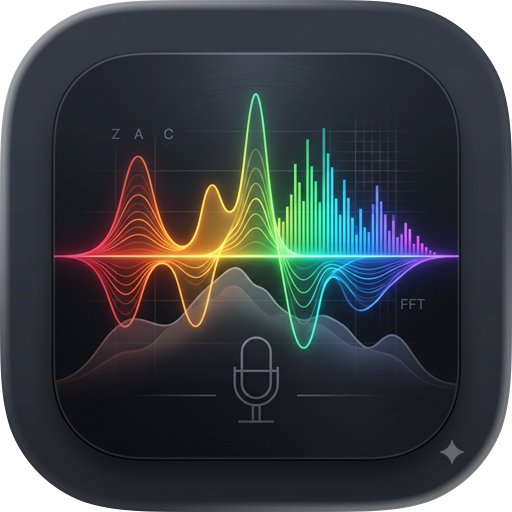
- Green line: the sound now. White: Peak Hold. Orange dashed: the strong band.
- When a tone stands out from the ones around it and keeps standing out, a solid red line points at it. Musical notes are told apart by their harmonics and get no red line.
- Drag the screen to read the frequency there. Pick an instrument (All, Drums, Bass, Guitar, Vocals, Piano) for notes written for it.
- If the top of the waveform goes flat, it tells you it is clipping.
FREQUENCY QUIZ
Name the frequency of a sine tone, or listen to a band track with and without EQ and name the band that changed. Plug in headphones, switch to Advanced (full version), and 63 Hz and 125 Hz join in.
HOW TO USE
- Stay silent for 15 seconds while Monitor Check measures the room.
- Record your voice.
- Press "See results" and wait 6 seconds without speaking.
- Read the bands most likely to feed back, and what to do next.
- Fix the level and the speaker and microphone directions.
PRICING
The download is free. Monitor Check, Analyzer and voice registration are always free. Stereo recording is free up to 5 minutes, 5 files. The quiz is free for 2 sets a day. The one-time Full version lifts those limits, makes the quiz unlimited and adds Advanced (21 tones, 63 Hz to 16 kHz) and A/B in four genres. Use Restore Purchases on a new phone.
PRIVACY
Recording, analysis, voice registration, results and venue notes all stay on your iPhone. The app never sends them anywhere on its own. The only network use is Apple's in-app purchase. No ads, no tracking.
NOTES
This app is not a measuring instrument. Start quiet and raise the level slowly. Built-in stereo recording works on supported models only; others record in mono, and the app tells you first. Below 150 Hz the iPhone microphone cannot measure accurately, so feedback detection is off there; the Analyzer still draws it. dB is not calibrated, so this is not a sound level meter.
Chrome-Stats does not own this Apple app. Please use these information below to contact the Apple app developer.

 English
 Español
 Français
 Português
 日本語
日本語 简体中文
简体中文 한국인
한국인

 (2)
(2)