New in 1.1.0:
Network Tools (DNS, HTTP, port scan, WHOIS), an iCloud-synced AI prompt library, a guided prompt composer, and live CPU/memory graphs.
107 tools, one price.
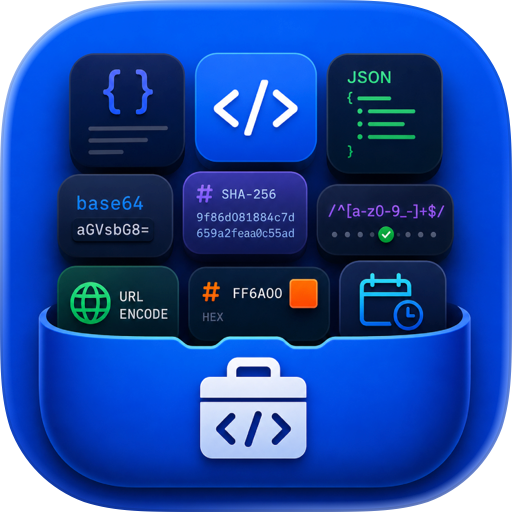
100+ developer tools in one native app for Mac, iPhone, and iPad. Format JSON, decode a JWT, test a regex, hash a string — offline, on your device.
DevGantry is a toolbox, not a website. No browser tabs, no upload spinners, no ads next to your API keys. Everything runs locally unless a tool clearly says otherwise.
ONE PURCHASE, EVERYTHING INCLUDED
Pay once and own it forever. No subscription, no account, no per-tool unlocks. Every current tool, every future tool, and every update is included — on Mac, iPhone, and iPad.
100+ TOOLS ACROSS 11 CATEGORIES
• Formatting — JSON, SQL, CSS, JavaScript, HTML, XML
• Encoding — Base64, Base32, Base58, Ascii85, Punycode, CRC checksums
• Generators — UUID / ULID / NanoID, passwords, QR codes, fake data, .gitignore
• Converters — timestamps, timezones, number bases, color, units, CSV / YAML / JSON, cron, chmod, and 15 more
• Web — URL tools, JWT decode & sign, Basic Auth, HTTP status & MIME lookups, cURL to code
• Text — diff, case convert, regex tester, slugify, Markdown preview, string inspector
• Security — hashing, HMAC, TOTP / 2FA, AES, certificate decoder
• Network — DNS lookup, HTTP inspector, port scan, WHOIS, IPv4 / IPv6, subnet math, MAC tools
• Image — EXIF viewer, metadata strip, resize & convert, barcodes, BlurHash, data URIs
• AI — a synced prompt library, plus a guided composer that builds prompts section by section
• Brazil — CPF, CNPJ, PIS, CNH, Título, RENAVAM, CEP lookup
BUILT FOR FLOW
• ⌘K command palette to jump to any tool instantly
• ⇧⌘V smart-detection reads your clipboard and opens the right tool, pre-filled
• A macOS menu bar item and a rebindable global hotkey
• Home Screen widgets and Shortcuts / App Intents automation
• Drag a file straight in, or pick from the Photo Library on iPhone and iPad
YOUR WORK, EVERYWHERE
Save any result to history and it syncs across Mac, iPhone, and iPad through your own iCloud account — no DevGantry account, no third-party server. Pin the keepers into a permanent snippet library.
PRIVATE BY DESIGN
No accounts, no analytics, no crash reporting, no ads, no trackers.
Only five features ever reach the network — CEP lookup, What's My IP, HTML Preview, Link Preview, and Network Tools, which contacts only the hosts you type in. Each one says so in the app. Everything else is fully offline.
Secrets stay out of your history: TOTP keys, encryption keys, and passwords are never recorded.
TRULY NATIVE
Built entirely in SwiftUI with SF Symbols — quick to launch and at home on macOS, iOS, and iPadOS.
Available in English, Português (BR), Español, Français, and Deutsch.
YOUR WORK, EVERYWHERE
Save any result to history and it syncs across Mac, iPhone, and iPad through your own iCloud account — no DevGantry account, no third-party server. Pin the keepers into a permanent snippet library.
PRIVATE BY DESIGN
No accounts, no analytics, no crash reporting, no ads, no trackers.
Only five features ever reach the network — CEP lookup, What's My IP, HTML Preview, Link Preview, and Network Tools, which contacts only the hosts you type in. Each one says so in the app. Everything else is fully offline.
Secrets stay out of your history: TOTP keys, encryption keys, and passwords are never recorded.
TRULY NATIVE
Built entirely in SwiftUI with SF Symbols — quick to launch and at home on macOS, iOS, and iPadOS.
Available in English, Português (BR), Español, Français, and Deutsch.
Pay once. Work offline. Keep your data yours.
Chrome-Stats does not own this Apple app. Please use these information below to contact the Apple app developer.

 English
 Español
 Français
 Português
 日本語
日本語 简体中文
简体中文 한국인
한국인



 (0)
(0)