AI quota and usage dashboard
Track AI API usage, tokens and spend in one dashboard. Official OpenAI and Anthropic organization reporting, any HTTPS JSON endpoint, plus manual trackers.
UsageLens puts your AI usage in one place: a single dashboard and a configurable Home Screen widget that shows how much of your allowance you have used.
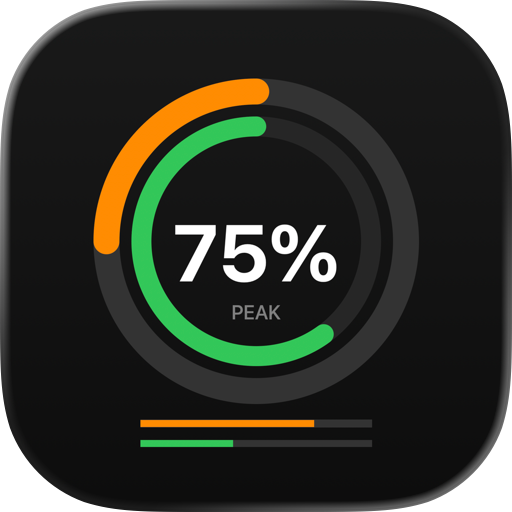
The main view is a quota ring, not a battery icon. One glance tells you where you stand.
FOUR WAYS TO TRACK
• OpenAI Platform — connect an organization Admin API key and follow total tokens, model requests, or spend in USD through the official organization usage and cost endpoints.
• Anthropic Claude Platform — connect an organization Admin API key and follow total tokens, requests, or cost through the official Usage and Cost Admin API.
• Custom REST — point UsageLens at any authorized HTTPS endpoint that returns JSON. Map used, limit, remaining, reset time and cost with simple paths such as quota.used or data[0].usage. Ideal for an internal AI gateway or a broker service.
• Manual tracker — for plans with no reporting API, keep your own count. Update it in the app or with the "Log AI Usage" Shortcut, without opening the app.
WHAT IT LOOKS LIKE
• Dashboard with overall quota pressure across every provider you track.
• Per-provider detail: used, limit, remaining, reset time, cost, request count and input/output token breakdown.
• Usage history chart once two samples have been collected.
• Home Screen and Lock Screen widgets in four sizes, showing one provider or your overall pressure, as a percentage, remaining or used.
• Threshold warnings at 70%, 85% and 95% of any limit you set.
BUILT TO KEEP YOUR KEYS SAFE
• API keys are stored in the iOS Keychain and are never written to the file the widget reads.
• The widget is read-only and cannot reach your credentials.
• Custom endpoints are HTTPS only, with request timeouts and a 2 MB response cap.
• Error messages never echo your keys or authorization headers.
• Privacy mode hides exact amounts in widgets while keeping the quota ring visible.
• No account, no analytics, no tracking. Your data stays on your device.
WHAT USAGELENS DOES NOT DO
Please read this before buying into expectations it cannot meet.
The OpenAI and Anthropic connectors report usage for an API organization. They do not report ChatGPT or Claude consumer subscription message allowances, because those providers do not publish an API for them — Anthropic's Admin API is explicitly unavailable to individual accounts. If you want to follow a consumer plan, use a manual tracker, or point the Custom REST connector at an endpoint you control.
UsageLens does not read other apps, does not scrape provider websites, and never asks for your browser cookies or session tokens. It reads official APIs, endpoints you configure yourself, and numbers you enter by hand.
A quota limit is a budget you define. It may not match the limit your provider enforces for billing.
Background refresh is best effort. iOS decides when background work and widget updates actually run; pull to refresh in the app is always immediate.
REQUIREMENTS
An OpenAI or Anthropic organization Admin API key is required for those connectors. Custom REST needs an endpoint you are authorized to call. Manual trackers need nothing at all.
Chrome-Stats does not own this Apple app. Please use these information below to contact the Apple app developer.


 English
 Español
 Français
 Português
 日本語
日本語 简体中文
简体中文 한국인
한국인


 (0)
(0)