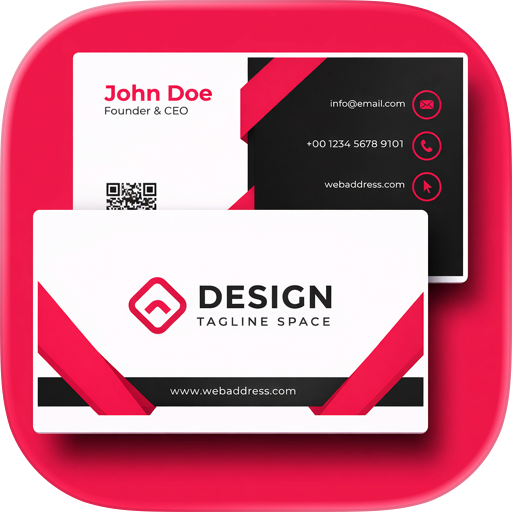
Create professional business cards easily on your smartphone or tablet.
Simply enter your name, company, job title, contact information, and other details to create a clean and easy-to-read business card. No computer or specialized design software is required.
The app is suitable for employees, business owners, executives, freelancers, self-employed professionals, sales representatives, consultants, creators, engineers, and other professionals.
You can add your name, company, department, job title, address, phone number, email address, website, and other information. The back of the card can include QR codes, social media accounts, business details, service information, and short messages.
Created business cards can be saved as images or PDF files for printing and sharing. You can also quickly update your company, position, or contact information whenever needed.
This app can be used for:
・Corporate and professional business cards
・Business cards for executives and business owners
・Business cards for freelancers and self-employed professionals
・Business cards for sales representatives and consultants
・Business cards for creators, designers, and engineers
・Business cards for events, exhibitions, and networking
・Business cards for different jobs, companies, or departments
・QR code business cards for websites and social media
■ Features
・Easy business card creation
Create a business card by entering your basic information.
No design knowledge or technical skills are required.
・Smartphone and tablet support
Create and edit business cards without using a computer.
Update your information even while away from your desk.
・Simple interface
The app has a clean and intuitive design.
Even first-time users can create and edit business cards easily.
・Business card information
Add your name, company, department, job title, address, phone number, email address, website, and other details.
Choose only the information you want to display.
・Layout adjustment
Adjust text, images, and other elements to create a clear and organized business card.
・Text customization
Change text size, alignment, and displayed content.
Highlight your name and organize your contact information.
・Color customization
Change background and text colors to match your company, brand, or preferred style.
・Images and logos
Add a company logo, profile image, or other image to your business card.
・Front and back support
Create both sides of your business card.
Use the front for basic information and the back for additional details.
・QR code support
Create QR codes for websites, social media, portfolios, booking pages, and other URLs.
Recipients can quickly access your information with their smartphones.
・Social media information
Add accounts such as X, Instagram, and Facebook to your business card.
・Website information
Add your company website, service website, portfolio, or other URLs.
・Messages
Add a short introduction, tagline, business description, or service information.
・Preview
Check the appearance of your business card while editing and adjust the content and layout.
・Multiple business cards
Create and manage separate business cards for different companies, jobs, departments, or activities.
・Save as an image
Save your business card as an image for reviewing or digital sharing.
・PDF export
Export your business card as a PDF file for saving, sharing, and printing.
・Easy printing
Print your business card directly from your smartphone or tablet.
・Sharing
Share your business card by email, messaging apps, and other services.
・Import
Import saved data and continue editing at any time.
Reuse an existing business card and update only the necessary information.
・No account required
No account creation or login is required.
Start creating business cards immediately after installing the app.
Create, edit, save, share, and print business cards with simple and intuitive controls.
Chrome-Stats does not own this Apple app. Please use these information below to contact the Apple app developer.


 English
 Español
 Français
 Português
 日本語
日本語 简体中文
简体中文 한국인
한국인

 (776)
(776)