Smart multi‑company invoicing
Create beautiful invoices in minutes. Manage multiple companies, currencies and clients, add legal signatures and export clean PDFs ready to send.
You run a serious business. Your invoices should look the same.
Invoice Maker is a professional invoice app for freelancers, small businesses and agencies who work with multiple clients, multiple companies and multiple currencies – all in one clean interface.
Create and send beautiful, legally‑sound invoices in minutes, straight from your iPhone or iPad.
Highlights
Multiple companies in one app
Multiple currencies, including your own custom ones
Professional PDF invoices (A4 or Letter)
Legal signatures and detailed bank details
Client & item library for ultra‑fast invoicing
Templates & layouts for unique branding
Auto‑save drafts so you never lose your work
Multi‑company, multi‑currency
Run several businesses from a single app:
Add companies with logo, address, phone, email, website and structured bank details
Each company has its own invoice numbering (e.g. ACME-0001, ROMA-0001)
Support for major currencies:
USD, EUR, GBP, SGD, HKD, IDR, RUB, KZT and more
Plus custom currencies: define your own code and symbol
Every invoice is locked to the currency you choose at creation.
Smart invoice editor
The invoice editor is split into clear sections:
Company & Status
Choose issuing company, set status (Draft, Sent, Paid, Overdue) and pick a layout style
(Classic, Modern, Minimal, Elegant, Bold, Business, Compact, Airy).
Client
Add or reuse clients with name, email, phone and address. Auto‑fill by email and save for later.
Invoice details
Smart invoice number per company, issue & due dates, chosen currency.
Items & services
Line items with quantity, price and auto total. Pull services/products from company items.
Discount (%) and taxes by type (VAT, GST, Sales Tax, Service Tax, Custom) with full breakdown.
Additional
Notes and payment terms (e.g. “Payment due within 14 days.”).
Signature
Add signing person (first name, last name, position) and attach drawn or text signatures.
Save multiple signatures and pick per invoice.
Professional PDF invoices
Invoices are rendered on‑device using PDFKit:
A4 or Letter format
Company header with logo and contacts
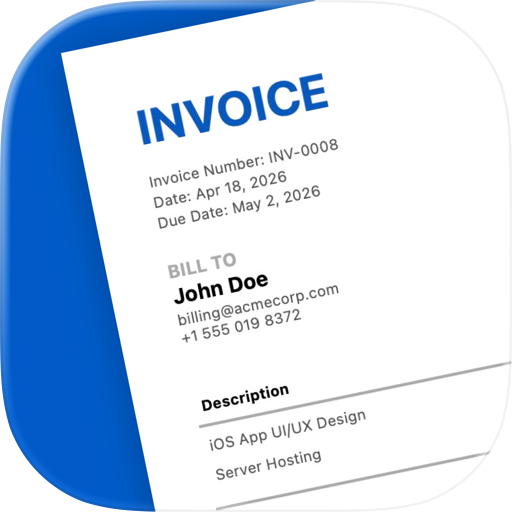
“Bill To” block with client data
Item table with quantities, prices and totals
Subtotal, discount, tax and final total
Bank details block
Signature block with name and position
Automatic status watermark (DRAFT, PAID, OVERDUE; none for SENT)
You can Preview PDFs in the app and Share & Send via Mail, Messages, WhatsApp, Files and more.
Free users see an extra “Invoice Maker” watermark in PDF previews.
Premium removes this branding and unlocks full export.
Dashboard & analytics
The Dashboard helps you stay in control:
Filter income by status (All, Draft, Sent, Paid, Overdue)
Choose range (Day, Week, Month, Year, All time)
See a clean income chart (iOS 16+) and total revenue
Switch companies and open recent invoices in one tap
Clients, items and templates
Subscription Plans:
- Payment will be charged to your App Store Account at confirmation of purchase.
- Your subscription will automatically renew unless auto-renew is turned off at least 24 hours before the end of the current subscription period.
- Your account will be charged for renewal within 24 hours prior to the end of the current subscription period. Automatic renewals will cost the same price you were originally charged for the subscription.
- Manage or cancel your subscription from your user settings in the App Store at any time after purchasing.
- Any unused portion of a free trial will be forfeited if you purchase a subscription.
Privacy Policy: https://sunteame.com/privacy-policy/
Terms of Use: https://sunteame.com/terms-of-service/
If you have questions or feature requests, use the support link in the app to contact us.
Chrome-Stats does not own this Apple app. Please use these information below to contact the Apple app developer.


 English
 Español
 Français
 Português
 日本語
日本語 简体中文
简体中文 한국인
한국인



 (1)
(1)