
Sea Calendar: Countdown Widget Apple

Sea Calendar: Countdown Widget

Custom Wallpaper, Todo Planner

Overview

Version:
1.0
Last updated: 2026-07-24
Ranking
#2,024,399
Overall

Features & Capabilities

Plan your schedule, customize your habit tracker, and add countdown widgets on your home screen with beautiful calendar planner app. Keep track of what matters with ease!

Turn your phone into magical calendar planner. Sea Calendar: Countdown Widget allows you to seamlessly combine functional productivity with stunning aesthetics. Plan, check and custom your schedule with many color that express your personalized. Set up clean, minimalistic Home Screen widgets that keep you focused on what matters most. Open the app to view your dates, manage events, and track important countdowns all in one place.

KEY FEATURES

  • Custom Calendar Access a readable, personalized calendar designed for planning. Tailor your daily schedule by customizing detailed plans, categorizing tasks into specific sections, and color-coding your events inside the custom calendar app.

  • Widget Studio: Live Countdown Widgets Keep an eye on your upcoming events directly from your Home Screen with Sea Calendar. Design beautiful, distraction-free widgets that countdown to the big day—whether it’s an upcoming concert, a loved one's birthday, or a vacation you are looking forward to. Add countdown widgets in your home screen to remember important event!

  • Built-in Event Editor & Sync

  • Calendar Sync: Seamlessly connect and sync with Google Calendar.
  • Full Event Manager: Easily add, edit, or delete events with titles, custom dates/times, and tailored notes.
  • Smart Reminders: Receive real-time push notifications before your events begin. Tapping a notification brings you straight to your calendar.
  • Flexible Recurrence: Set up repeating schedules (daily, weekly, monthly, and more) with absolute ease.
  • Deep Visual Customization Make your device uniquely yours with a powerful editor featuring live previews:
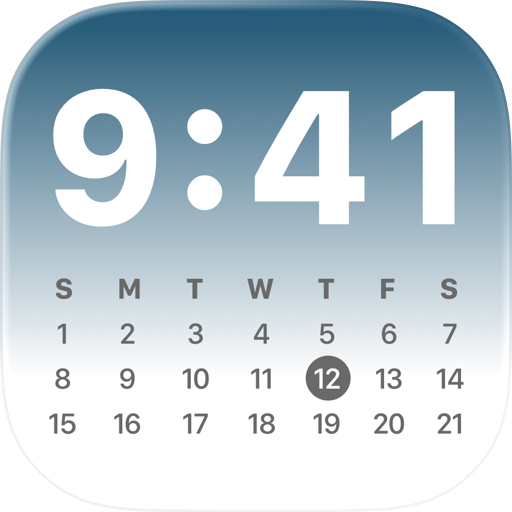
  • Multiple Calendar Formats: Choose from Agenda/Schedule view, Classic Month grid, Full Year overview or unique Life Progress trackers.
  • Custom Layouts: Personalize your in-app view by adjusting colors, dim levels, and choosing your preferred start to the week (Monday or Sunday).
  • Countdown Style: Choose from multiple widget templates, beautiful color gradients, and multiple custom icons.

PRIVACY FIRST Your schedule is your business. All calendar data and processing happen locally on your own device. Sea Calendar: Countdown Widget does not collect, store, or track your personal events or private information.

Terms of Use: https://sites.google.com/view/term-service-sea-calendar/home Privacy Policy: https://sites.google.com/view/privacy-sea-calendar/home

User Growth & Download Statistics

App
By:
Kien Quyet Vu
Version:
1.0 Last updated: 2026-07-24
Version code:
887624668
Creation date:
2026-07-24
Compatible devices:
Size:
132.69MB
URLs:
Website ,Privacy policy
Full description:
See detailed description
Source:
Apple Apps Store
Data ingested on:
2026-08-05
Compare stats and ranking:

Contact the developer

Chrome-Stats does not own this Apple app. Please use these information below to contact the Apple app developer.
Developed by:
Kien Quyet Vu
Apple Apps Store
https://apps.apple.com/us/app/sea-calendar-countdown-widget/id6785787470
Website:
https://qvkios.github.io/

Best Sea Calendar: Countdown Widget Alternatives

Here are some Apple apps that are similar to Sea Calendar: Countdown Widget: