The full job-site workflow is free — capture, organize, search, map, compare and export. No account, no subscription. One optional one-time unlock for power features.
Turn every job-site photo into proof. Master Camera stamps the where, when, and which-way into every shot, files it under the right job as you shoot, and finds it again months later — even by the text visible in the photo.
Built for tradespeople, contractors, inspectors and surveyors who are tired of scrolling a camera roll full of unlabelled photos when a client, builder, or insurer asks "show me." And it's free to use — no account, no subscription, no paywall on the day-to-day workflow.
STAMP THE FACTS ONTO THE PHOTO
You choose exactly what gets burned into the image: GPS coordinates, UTM coordinates, street address, timestamp, GPS accuracy, altitude, bearing, lens, zoom, shutter speed, ISO and flash. Set it once per project and every shot carries the same record — plus your logo — so the facts survive even after the photo leaves your phone.
CAPTURE THE CONTEXT WHILE IT'S FRESH
The moment you take a shot, add what it is: file it into the right project, tag it, type a note — or just talk, and your voice note is transcribed on your device. Get the details down while you remember them, so a photo is never a mystery weeks later. A few seconds now saves an hour of guesswork.
FIND ANY SHOT IN SECONDS
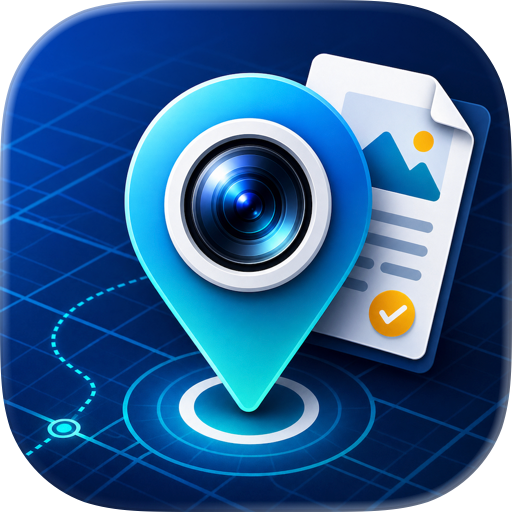
Search by note, tag, custom field, job, or street address — and by text in the photo itself, like a serial number on a boiler plate or a label on a panel. Or browse the map and see every geotagged shot pinned to its job site.
REPLICATE THE EXACT SHOT — nobody else does this
Pick any earlier photo and Master Camera walks you back to it. An on-screen compass points you to the exact GPS spot it was taken, then ghost guides in the viewfinder turn green as your direction, level, and tilt line up with the original. The result is a true like-for-like after shot — no more "close enough" before-and-afters that don't quite match. (Premium)
SHOW THE BEFORE AND AFTER
Compare any two shots side by side and export the composite with a labelled banner — the proof a job's done, in a single image you can hand to a client or drop in a report.
• PROVE IT: 12 kinds of capture data, from GPS and UTM to altitude — stamped on the image
• FILE IT NOW: project, tags, notes and voice notes added the moment you shoot — before you forget
• KEEP WORK SEPARATE: captures live in the app's own library, never in your personal camera roll
• FIND IT LATER: weighted search, text-in-photo (OCR) search, and a job-site map
• REPLICATE THE SHOT: return to the exact GPS spot, direction and tilt of any earlier photo (Premium)
• BEFORE & AFTER: show changes over time — export a labelled side-by-side in one tap
• MORE THAN PHOTOS: video, document scanning with auto-capture, and live QR reading
• SHOOT IT STRAIGHT: grid, level and compass guides in the viewfinder; launch from the Camera Control button
• MARK IT UP: stamp photos APPROVED, PASSED or FAILED, add arrows, shapes and your own stickers
• BRAND IT AUTOMATICALLY: set your logo once per project — it's baked into every photo you take
• SEND IT ANYWHERE: share sheet or zip export with your filename format intact
PRIVATE BY DESIGN
Job photos live in Master Camera's own library, completely separate from your personal camera roll — hand your phone to a client without worrying what's one swipe away. No account. No backend servers. No analytics. Everything you capture stays on your device until you choose to share it.
FREE FOR THE FULL WORKFLOW — NO SUBSCRIPTIONS
Everything above is free: capture, organize, search (including text-in-photo), the map, compare, scan, mark up and export. No account to create, no trial that expires, no monthly fee. If you want more room to grow, a single one-time purchase unlocks unlimited stacks, unlimited tags, up to 6 custom fields per stack, custom filename formats, and Replicate — and it's yours for life.
If your camera roll is where job photos go to get lost, put Master Camera on your home screen instead.
Chrome-Stats does not own this Apple app. Please use these information below to contact the Apple app developer.

 English
 Español
 Français
 Português
 日本語
日本語 简体中文
简体中文 한국인
한국인


 (0)
(0)