
ClipPace: Video Speed Editor Apple

ClipPace: Video Speed Editor

Speed Up & Slow Motion
xHeader
Modify request and response headers. No ads, no malware.

Overview

Version:
1.0.0
Last updated: 2026-06-15
Ranking
#1,461,924 ▼ 359,244
Overall

Features & Capabilities

Change video speed with a simple, lightweight editor.

ClipPace is a video speed editor that helps you speed up, slow down, and export videos as MP4. Change the speed of an entire video, or use Pro to preview one selected section and export the full video with only that section at a different speed.

Use it for lectures, tutorials, work videos, sports clips, cooking videos, pet videos, travel clips, and social media edits.

◆ Main Features • Change the speed of an entire video • Speed presets: 0.25x, 0.5x, 0.75x, 1.25x, 1.5x, 2x, 3x, 5x, and 10x • Preview your video before exporting • Export as MP4 • Save to Photos • Share to Files • Standard pitch preservation • Option to change pitch with speed • Mute audio when exporting • Export progress display • Video processing is performed on device

◆ Who Should Use This App • Anyone who wants to change video speed quickly • Anyone who wants to speed up lectures, tutorials, or work videos • Anyone who wants to create fast-motion clips • Anyone who wants to slow down part of a sports, cooking, pet, or travel video • Anyone who wants a simple speed editor without a complex timeline • Anyone who wants to prepare videos for social media

◆ Basic Features ClipPace lets you change the speed of an entire video, use the main speed presets, export MP4 videos, save to Photos, share to Files, use standard pitch handling, and export without audio.

There is no export count limit. No watermark is added to exported videos. No third-party ads are shown.

◆ ClipPace Pro ClipPace Pro unlocks more flexible video speed editing features.

ClipPace Pro is available as a one-time in-app purchase.

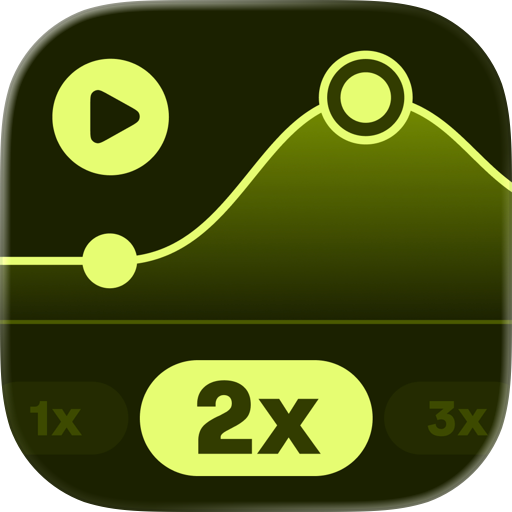
• Preview one selected section and export the full video with that section at a different speed • Set custom speeds from 0.1x to 20x • For very high section speeds, audio inside the edited section may be omitted for stable export

With ClipPace Pro, you can go beyond whole-video speed changes, preview the section you selected, and export an MP4 where the full video remains intact and only that section changes speed.

Pricing may vary by country or region. Please check the actual price shown on the App Store.

[ClipPace Pro] • ClipPace Pro is available as a one-time in-app purchase. • For refund requests, please follow Apple's guidance.

◆ About Video Processing Video speed changes and export processing are performed on device. Your original video is not modified. Edited videos are saved as new files.

◆ Terms of Use https://www.codepaint.app/terms-clippace

◆ Privacy Policy https://www.codepaint.app/privacy-policy-clippace

User Growth & Download Statistics

App
By:
Codepaint Inc.
Version:
1.0.0 Last updated: 2026-06-15
Version code:
886917831
Creation date:
2026-06-14
Compatible devices:
Size:
28.55MB
URLs:
Website ,Privacy policy
Full description:
See detailed description
Source:
Apple Apps Store
Data ingested on:
2026-07-19
Compare stats and ranking:

Contact the developer

Chrome-Stats does not own this Apple app. Please use these information below to contact the Apple app developer.
Developed by:
Codepaint Inc.
Apple Apps Store
https://apps.apple.com/gb/app/clippace-video-speed-editor/id6777622474
Website:
https://www.codepaint.app/

Best ClipPace: Video Speed Editor Alternatives

Here are some Apple apps that are similar to ClipPace: Video Speed Editor: