ChibiFun turns a single portrait into a polished campus uniform look. All information is processed locally on your device, every photo and generated work only stays on your local device, and when you actively delete a work the related information is removed. Because of this, the app does not collect any facial data, and no facial information is ever shared with any third party.
Two creative tools in one app
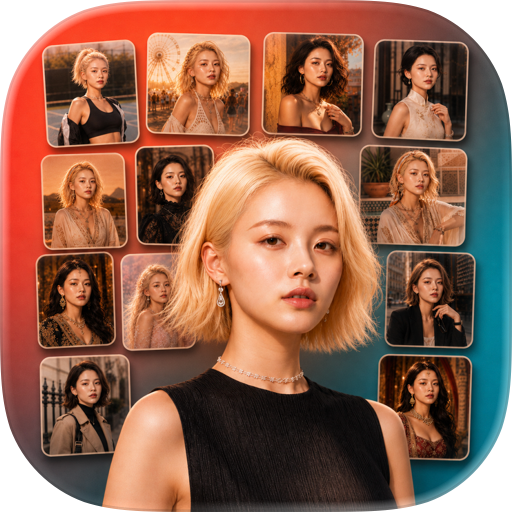
Image to Image lets you upload a portrait and turn it into a still photo featuring a polished Korean campus school uniform look. An AI model rebuilds only the outfit while keeping the original face, expression, and skin tone, so the result still looks like you.
Image to Video takes the same kind of portrait and generates a short clip with a smooth 360 degree spin while the outfit gradually changes into the matching campus uniform. The clip keeps the original face and feels natural in motion, so the highlight is your own portrait in a brand new style.
Local first, always
All information is processed locally on your device. The photos you pick, the previews you see, and the campus-style images and short clips you create only stay on your local device. There is no off-device profile and no facial database. Because everything is handled in this local way, ChibiFun does not collect any facial data, and no facial information is ever shared with any third party.
A clean and simple workflow
Pick a photo from your library or take a new one with the camera. Choose Image to Image for a still portrait or Image to Video for a short clip. Wait a little while the AI model finishes the campus uniform look. Open My Works to preview, save to the photo album, share to your favorite apps, or delete the result. No extra steps and no hidden menus.
My Works as your private library
Every successful generation lands in My Works, organized so you can browse all results, only images, or only videos. Tap any item to open a detail view, watch the short clip, or zoom in on the still. Save what you love to your photo album, share with friends, or remove anything you no longer want. All information only stays on your local device, and once you actively delete a work, it is gone from the app.
Designed for clear portraits
The campus uniform look performs best with a clear, well-lit, front-facing portrait of a single person. Friendly tips inside the app remind you of this whenever you start a new generation, helping you get a natural and pleasing result on the first try.
Privacy you can verify
ChibiFun is built around a simple promise. All information is processed locally, information only stays on your local device, and when you actively delete a work the related data is removed from the app. That is why ChibiFun does not collect any facial data, does not build a face profile, and does not share any facial information with third parties. The Settings screen also links to the Privacy Policy and Terms of Service so you can read every detail at your own pace.
Why people choose ChibiFun
A focused experience with two clear creative tools. A consistent campus uniform style that keeps the original face. A local works library with preview, save, share, and delete in one place. A privacy-first design that puts your photos under your control. A clean and friendly interface that is easy to use from the first open.
Make a campus uniform portrait, spin it into a short clip, and keep everything on your device. With ChibiFun, your face stays yours.
Subscription Plans:
Monthly plan, Price: $8.99 / 1 Monthly ,
6-Month plan, Price: $35.99/ 6-Month
Yearly plan, Price: $59.99/ Yearly
User Agreement
https://chibifun.com/contract/UserAgreement.html
Privacy Policy
https://chibifun.com/contract/PrivacyPolicy.html
Subscription Terms
https://chibifun.com/contract/SubscriptionAgreement.html
Chrome-Stats does not own this Apple app. Please use these information below to contact the Apple app developer.


 English
 Español
 Français
 Português
 日本語
日本語 简体中文
简体中文 한국인
한국인 3.60
3.60

 (4)
(4)