
Apperture: Remote Desktop Apps Apple

Apperture: Remote Desktop Apps

By: LAND MK 1 App
Big apps on small screens

Overview

Version:
1.0.0
Last updated: 2026-06-18
Ranking
#1,680,110 ▼ 530,737
Overall

Features & Capabilities

To celebrate the launch of Apperture, we are offering a one-time, early-adopter offer: A lifetime unlock with no subscription! Afterwards, it's yearly subscriptions.

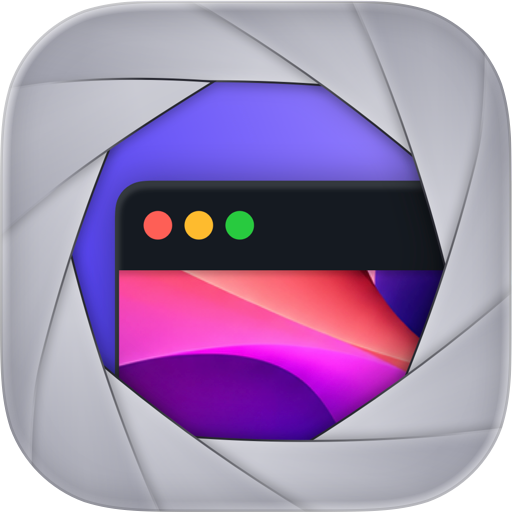
Apperture lets you see and control one Mac app right from your iPhone — not your whole desktop. Apperture mirrors just the app that matters, full-screen on your phone, so it feels like the app is running in your hand.

Traditional screen sharing puts a 27-inch desktop on a 6-inch screen and makes you pan, zoom, and hunt for windows. Apperture takes the opposite approach: pick a single running Mac app and it fills your iPhone with a sharp, low-latency live view sized for the screen you're actually holding.

BUILT FOR DEVELOPERS • Mirror the iOS Simulator and it feels native: touches map directly, and rotating your phone rotates the simulated app. • Keep working while your Mac builds and runs. Perfect for agent-assisted coding — let Claude Code or your favorite agent build and launch the app on your Mac, then review and interact with the result from anywhere in the house. • Stream any Xcode-launched Mac app with its real window chrome intact.

FULL CONTROL, NOT JUST A VIEW • Tap, drag, long-press for right-click, two-finger scroll — touch input translated naturally to the Mac. • Type with the iPhone keyboard, including full Unicode text entry. • Browse and run the Mac app's real menu bar commands from a searchable, touch-friendly palette. • Send clipboard text securely between devices. • Fit-width, fit-height, and readable-zoom layout modes in portrait and landscape.

PRIVATE BY DESIGN • No accounts. No cloud relay. Your screen never touches our servers. • Pairing starts with a short-lived QR code on your Mac, and the Mac owner must explicitly approve every phone. • Connections work only over private networks — your Wi-Fi or your own VPN such as Tailscale. Public endpoints are rejected by design. • Every session is encrypted. Pairing trust is stored in the device Keychain and never synced to the cloud. • Review or revoke paired devices anytime. The Mac keeps a local 30-day session history — device, time, and app names only, never keystrokes or screen contents.

GOOD TO KNOW • Apperture requires the free companion Mac app from runapperture.com. It's notarized by Apple and distributed directly because it uses Screen Recording and Accessibility permissions the Mac App Store doesn't allow. • Away from home, you'll need a VPN to reach your Mac — Tailscale takes about five minutes to set up, works beautifully, and is free for personal use. • Your Mac does all the work, so it needs to be on, awake, and logged in. Apperture is a viewer and controller for your own Mac, not a way to run Mac apps on iPhone. • Apperture streams one selected window at a time — that focus is the point.

Terms of Use: https://www.apple.com/legal/internet-services/itunes/dev/stdeula/

User Growth & Download Statistics

App
By:
LAND MK 1
Version:
1.0.0 Last updated: 2026-06-18
Version code:
885249287
Creation date:
2026-06-18
Compatible devices:
Size:
11.03MB
URLs:
Website ,Privacy policy
Full description:
See detailed description
Source:
Apple Apps Store
Data ingested on:
2026-07-22
Compare stats and ranking:

Contact the developer

Chrome-Stats does not own this Apple app. Please use these information below to contact the Apple app developer.
Developed by:
LAND MK 1
Apple Apps Store
https://apps.apple.com/br/app/apperture-remote-desktop-apps/id6766278792?l=en-GB
Website:
https://runapperture.com

Best Apperture: Remote Desktop Apps Alternatives

Here are some Apple apps that are similar to Apperture: Remote Desktop Apps: