Features & Capabilities

Want to create AI images but struggling with prompts?

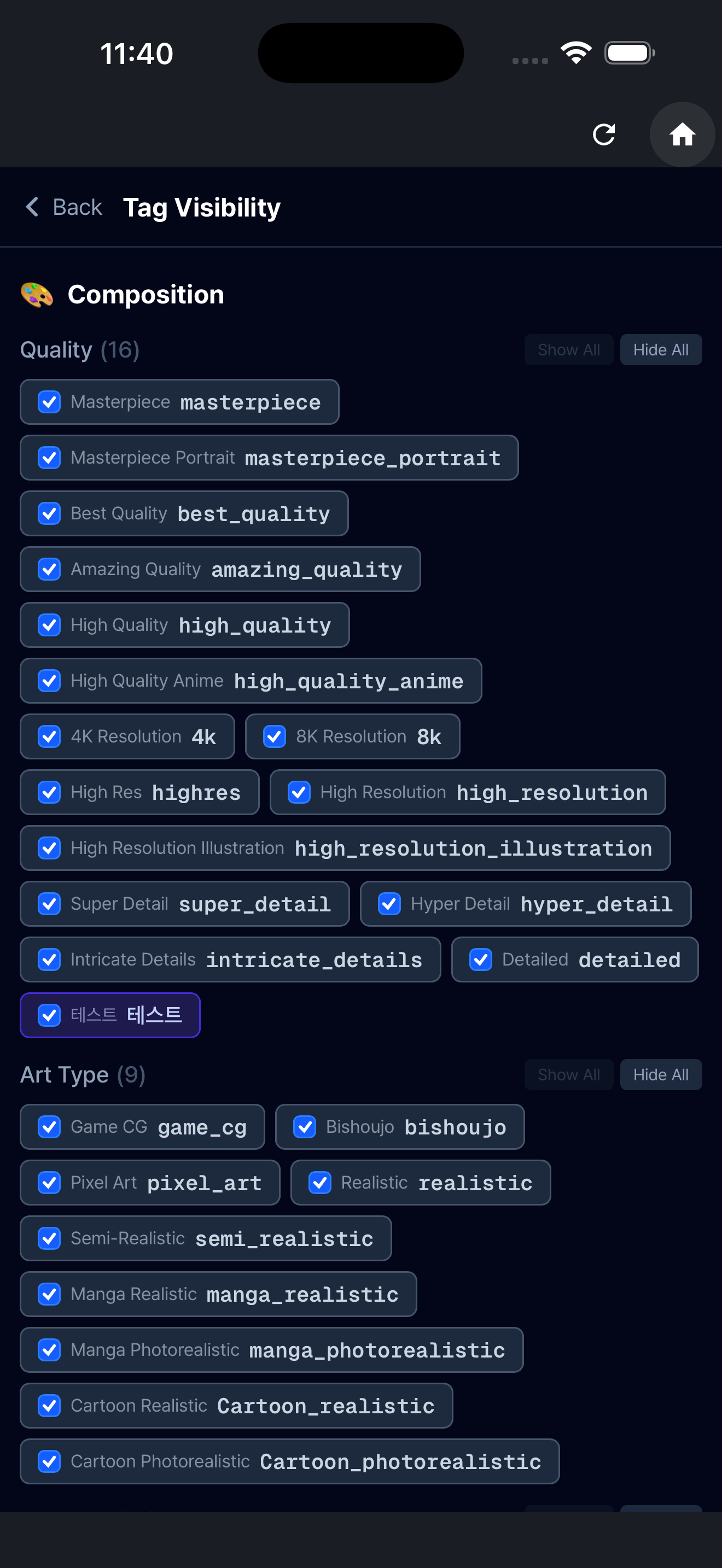
Promgrammer gives you 1700+ tags organized by category — build prompts with just a few clicks. No need to memorize tags. Just browse, click, and done.

HOW TO USE

  1. Browse categories or search for tags
  2. Tap a tag to add it to your prompt automatically
  3. Drag to reorder tags
  4. Hit copy and paste into your favorite image generation app

18 TAG CATEGORIES

  • Composition: close-up, wide shot, bird's eye view, framing
  • Theme: fantasy, cyberpunk, watercolor, anime, oil painting
  • Focus: depth of field, bokeh, blur, tilt-shift
  • Background: city, forest, ocean, space, ruins, classroom
  • Character Background: aura, sparkles, petals, magic circle
  • Body Type: height, build, musculature, proportions
  • Appearance: hairstyle, eye color, skin tone, scars, freckles
  • Pose: standing, sitting, kneeling, jumping, floating
  • Facial Expression: smile, wink, tears, surprised, angry
  • Action: running, dancing, fighting, reading, cooking
  • Colors: warm tone, cool tone, monochrome, pastel, neon
  • Negative: low quality removal, deformed hands, extra limbs
  • Clothing: dress, armor, uniform, casual, swimwear, kimono
  • Accessories: glasses, earrings, crown, sword, wings, halo
  • Angle: front, side, back, three-quarter, from below
  • Age: child, teen, young adult, middle-aged, elderly
  • Lighting: backlight, neon, golden hour, rim light
  • Texture: smooth, metallic, glass, fabric, stone, wood

All tags shown in 4 languages: Korean, English, Japanese, Chinese.

KEY FEATURES

  • Real-time Search — search by tag name, category, or subcategory
  • Favorites — save frequently used tags and filter to show only favorites
  • Custom Tags — create your own tags and categories for personal combinations
  • Prompt Saving — save completed prompts with notes for future reference
  • Image Gallery — attach generated images to saved prompts
  • Drag & Drop — rearrange category order, auto-saved to your account
  • Tag Hiding — hide unused tags for a cleaner screen
  • History — previously copied prompts auto-saved
  • One-Click Copy — copy your assembled prompt to clipboard instantly

RECOMMENDED FOR

  • Beginners just starting with AI image generation
  • Creators tired of searching for tags every time
  • Users who find writing English prompts difficult
  • Those who want to manage prompts and result images together
  • Power users who want custom workflows with personalized tags

GET STARTED

All core features are free to use. Sign in to unlock favorites, prompt saving, custom tags, and image gallery.

Better prompts make better images.

Contact: siwooeo@gmail.com Website: https://www.promgrammer.com

User Growth & Download Statistics

App
By:
SiU Ahn
Version:
1.0.3 Last updated: 2026-05-01
Version code:
885168978
Creation date:
2026-04-29
Compatible devices:
Size:
21.21MB
URLs:
Website ,Privacy policy
Full description:
See detailed description
Source:
Apple Apps Store
Data ingested on:
2026-06-11
Compare stats and ranking:

Contact the developer

Chrome-Stats does not own this Apple app. Please use these information below to contact the Apple app developer.
Developed by:
SiU Ahn
Apple Apps Store
https://apps.apple.com/kr/app/promgrammer/id6764082868?l=en-GB
Website:
https://www.reactiveworks.dev

Best Promgrammer Alternatives

Here are some Apple apps that are similar to Promgrammer: