
Features & Capabilities

Finally, a calculator that works the way you think! Ever wonder why your calculator gives you a different answer than you expected? Our app solves that with Dual Calculation Logic:

Mode 1: The Math Professor (Smart Mode) - For complex equations, this mode uses the correct mathematical rules, prioritizing multiplication and division (PEMDAS/BODMAS). You get the accurate, scientific result every time. Example: 2+2x2 = 6

Mode 2: The Adding Machine (Normal Mode) - For everyday use, this mode calculates strictly from left to right. If you prefer 2 + 2 before you multiply, this is the mode for you. Example: 2+2x2 = 8

You choose your method. Never get the wrong answer again because of calculation confusion!

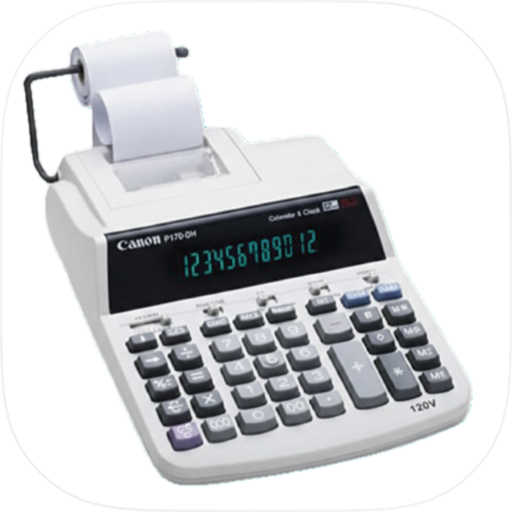
Cal Tape Calculator is not just a calculator; it is your smart tape calculator that lets you see, edit, and annotate your calculations easily while tracking your daily expenses, tax, and GST.

This simple and easy-to-use app comes with all the features you need for fast and clear calculations. Whether you need a basic calculator, a calculator with history, a widget for quick access, or an advanced calculator, our layout has it all. This app does more than basic math, helping you handle all kinds of calculations with ease.

Use Tape Calculator while shopping, budgeting, or doing finance - enter prices as you go to stay on track. Tap "View Tape History" to revisit or reuse any of your past calculations. The app shows up to five lines and a separate total for clear readability. Format and precision update instantly based on your Settings - no need to retype.

Features:

  • Essential Functions Add, subtract, multiply, and divide with ease for daily calculations.

  • Large Display & Buttons Enjoy a clear view of all features with big buttons you won't miss.

  • History Tracking View your calculation history to double-check and edit anytime.

  • Memory Function Save previous results and access them whenever you need.

  • Percentage Calculator Quickly calculate tips, discounts, and ratios with built-in percentage tools.

  • Custom Themes Personalize your calculator with themes you love.

  • Multi-Window Support Boost productivity by using multiple calculator windows on your device.

  • Unlimited number of entries - enter 8,999+ rows effortlessly

  • Edit any previous number at any time - click it to enter Edit mode

  • Press '+' or '=' to exit Edit mode and recalculate instantly

  • Backspace or CE button corrects mistakes without restarting

  • Print current calculation or full tape history - perfect for documentation

  • Restore cleared calculations using Retrieve Last option

  • View tape history anytime - retains up to 11 last calculations

  • Continue adding entries even after pressing '='

  • Choose decimal precision - auto-converts to 2 or 3 decimals on-the-fly

  • Displays results with localized formats:

    • USA: 75,125,005.01
    • Italy: 75.125.005,01
    • France: 75 125 005,01
    • India: 7,51,25,005.01
  • Supports percent calculations and running totals

  • Auto-saves progress on exit - stays in memory when needed

  • Add numbers up to 9,999,999,999,999,999

  • Resulting totals up to 99 quadrillion+: 99,631,110,471,113,520.99

User Growth & Download Statistics

App
By:
Ashok Patel
Version:
5.0.5 Last updated: 2026-06-27
Version code:
887496272
Creation date:
2026-06-19
Compatible devices:
Size:
49.45MB
URLs:
Website ,Privacy policy
Full description:
See detailed description
Source:
Apple Apps Store
Data ingested on:
2026-07-02
Compare stats and ranking:

Contact the developer

Chrome-Stats does not own this Apple app. Please use these information below to contact the Apple app developer.
Developed by:
Ashok Patel
Apple Apps Store
https://apps.apple.com/ru/app/calc-tape-calculator-lite/id6762531901?l=en-GB
Website:
https://calctapecalculator.com

Best Calc Tape Calculator Lite Alternatives

Here are some Apple apps that are similar to Calc Tape Calculator Lite: