
ProDocktive: iOS Desktop Mode Apple

ProDocktive: iOS Desktop Mode

External Screen Dock Browser

Features & Capabilities

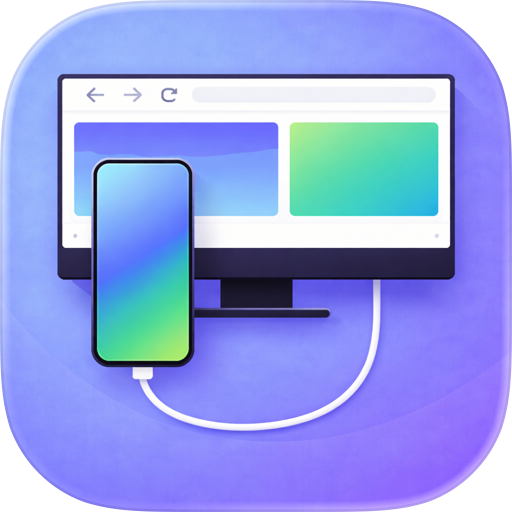
Turn your iPhone into a desktop computer. Connect to any external monitor or AR glasses for a massive, zero-latency multi-window web workspace. No Mac or PC required.

ProDocktive: The Future of Pocket Computing Turn your iPhone into a pro-grade desktop workstation.

ProDocktive is a powerful computing assistant that extends your iPhone to any external display - AR Glasses, Monitors, or TVs - powering a high-performance desktop environment using your phone's native silicon. Your iPhone becomes the engine, the trackpad, the air mouse, and the spatial hand tracker.

Whether you are traveling, in a cafe, or at home, ProDocktive transforms your mobile device into a full productivity hub. No Mac or PC required.

THE ULTIMATE AR & XR GLASSES COMPANION Unlock spatial productivity with your XREAL, VITURE, or Rokid glasses. Experience a massive, private, multi-window desktop in your field of view. Perfect for focused work in public spaces where privacy and screen real estate are paramount. Infinite Real Estate: Avoid simple screen mirroring. Experience a massive virtual desktop that allows for true, immersive multitasking. Privacy by Design: Work on sensitive projects or emails in public spaces with total confidence. No one can see your screen but you. Spatial Interaction: Use the Air Mouse or Hand Tracking for a futuristic interaction experience that feels straight out of science fiction.

CONNECT ANY DISPLAY ProDocktive supports almost any setup for maximum flexibility: AR Glasses: Plug in for an instant, private cinema-sized workstation. USB-C / HDMI: Wired, zero-latency output to any monitor or desk display. AirPlay: Wireless freedom! Connect instantly to compatible TVs and monitors for zero-friction browsing.

REVOLUTIONARY INPUT MODES We have re-imagined desktop interaction with modes tailored for every situation: Air Mouse: The gold standard for mobile-to-desktop navigation. Point your iPhone like a laser to move the cursor with natural, physical precision. Hand Tracker (BETA): Experience true spatial computing. Use your iPhone's camera to control your desktop with simple hand gestures - ideal for hands-free browsing. Liquid Trackpad: Transform your entire screen into a premium, multi-touch trackpad with support for native gestures like scroll, swipe, and pinch-to-zoom. External Support: Pair your favorite Bluetooth keyboard and mouse directly to your iPhone for an uncompromised workstation feel.

PRO-GRADE DESKTOP FEATURES Sync Assistant: Overcome mobile browser limitations. Our unique interaction bridge lets you verify and refresh problematic webviews instantly. Pin to Dock: Save frequently used browser sessions directly to your desktop dock for lightning-fast access later. Native Desktop UI: ProDocktive renders a unique desktop UI optimized for large-scale displays and precision input.

PERFORMANCE & PRIVACY Built for Speed: Unlike remote desktop solutions that rely on internet speed, ProDocktive operates entirely on-device, eliminating lag and compression common in other apps. Native Rendering: By offloading rendering to your iPhone's high-performance GPU, we provide a responsive environment that is as fast as your phone. Secure by Design: ProDocktive renders every pixel locally on your iPhone's silicon. Your data stays on your device, and your desktop moves with you.

REQUIREMENTS & SUPPORT Requires iOS 18+ for native display scaling and advanced gesture support. Compatible with USB-C/HDMI adapters and AirPlay displays.

Privacy Policy: https://prodocktive.com/privacy Terms of Use (EULA): https://www.apple.com/legal/internet-services/itunes/dev/stdeula/

User Growth & Download Statistics

App
By:
Gautam Sukhramani
Rating:
4.10
(7)
0.10
Version:
1.4.2 Last updated: 2026-06-05
Version code:
886462100
Creation date:
2026-04-20
Compatible devices:
Size:
36.52MB
URLs:
Website ,Privacy policy
Full description:
See detailed description
Source:
Apple Apps Store
Data ingested on:
2026-06-10
Compare stats and ranking:

Contact the developer

Chrome-Stats does not own this Apple app. Please use these information below to contact the Apple app developer.
Developed by:
Gautam Sukhramani
Apple Apps Store
https://apps.apple.com/us/app/prodocktive-ios-desktop-mode/id6762341245
Website:
https://prodocktive.com/

Best ProDocktive: iOS Desktop Mode Alternatives

Here are some Apple apps that are similar to ProDocktive: iOS Desktop Mode: