iPhone as a PC barcode scanner
Turn your iPhone into a barcode reader for your PC. Scan codes and enter them on your PC automatically with Koyomi-Link.
Scaflow is an app that lets you use your iPhone as a barcode reader for your PC.
With Scaflow, you can scan barcodes on your iPhone and automatically enter them on your PC. It helps streamline PC input without needing a dedicated handheld scanner.
PC connection uses the desktop app Koyomi-Link. Connect your iPhone and PC to the same Wi-Fi network, then scan the QR code displayed in Koyomi-Link to set up the connection easily.
This update improves image scanning and history features. You can read barcodes and QR codes contained in images selected from your photo library and save them as history. For images that are difficult to read, the app tries multiple correction processes such as brightness and contrast adjustments to improve detection.
The update also adds progress display during image scanning, a view for checking images that failed to scan, and restoration of the last viewed history page.
■ Main Features
・Fast barcode scanning
・Automatically enter scanned content on your PC
・QR code connection with Koyomi-Link
・Scan barcodes and QR codes from images
・Progress display during image scanning
・Save scan history
・Check recent history
・View history details
・Copy, resend, and delete from history
・Check images that failed to scan
・Manage history by page
・Restore the last viewed history page
・Export history as CSV
・Simple and intuitive operation
■ Supported Barcodes
Scaflow supports major barcode formats including JAN / UPC / Code128 / GS1-128 / Code39 / ITF / Codabar / QR Code / Data Matrix / PDF417 / Aztec.
For Codabar / NW-7, you can change how start and stop characters are handled in settings.
■ PC Connection
A desktop app called Koyomi-Link is required for PC connection.
Connect your iPhone and PC to the same Wi-Fi network, then scan the QR code displayed by Koyomi-Link to set up the connection.
For details, please visit the official website.
https://shopkoyomi.com/app/scaflow/
■ Image Scanning
You can select images from your photo library and read barcodes or QR codes contained in them.
For images that are difficult to read, the app tries multiple correction methods such as brightness and contrast adjustments.
If an image does not contain a barcode or scanning fails, it can also be saved as failed history. In the history detail screen, you can check a thumbnail of the image that failed to scan.
■ History Features
Scanned barcodes can be saved as history.
On the scan screen, you can quickly check recent history, and in the history list you can organize records by page.
From history details, you can copy the value or resend it to your PC.
You can also share history as CSV, making it useful for later review and organization.
■ Recommended For
・People who want to improve barcode input work
・People who want to use an iPhone instead of a handheld scanner
・Inventory management and workflow improvement
・Reading barcodes and QR codes from images
・Checking scanned barcodes later
・Saving and sharing history as CSV
・Switching input sequences depending on the task
■ Pro Version
The Pro version provides the following features:
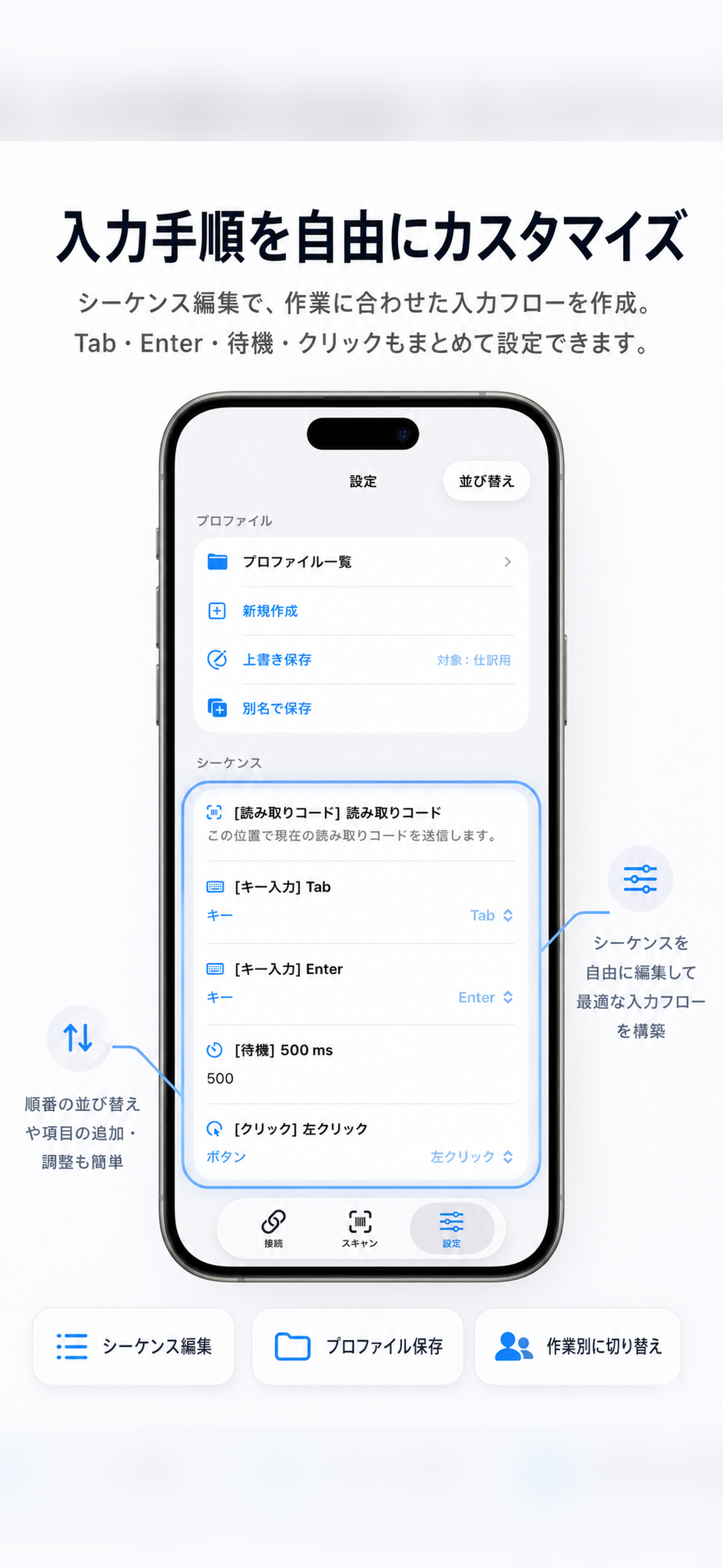
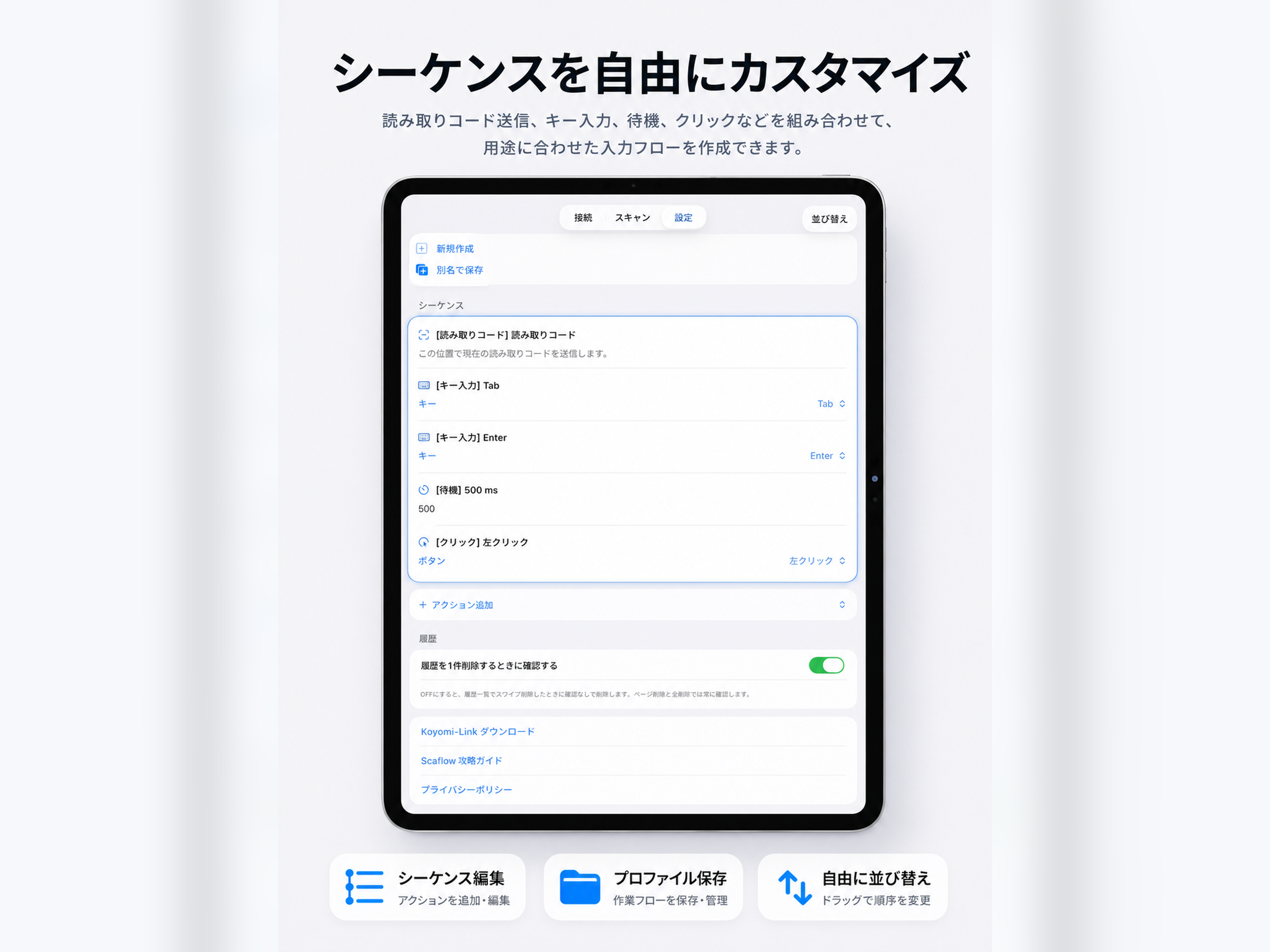
・Freely edit sequences
・Add text input and key operations
・Change input order
・Duplicate, delete, and reorder sequence rows
・Profile features
- Save profiles
- Load profiles
- Duplicate profiles
- Rename profiles
- Reorder profiles
- Overwrite profiles
- Create new profiles
■ Notes
・Your PC and iPhone must be connected to the same Wi-Fi network
・Initial setup is required on the Koyomi-Link side
・Image scanning accuracy depends on image brightness, focus, angle, and barcode condition
Chrome-Stats does not own this Apple app. Please use these information below to contact the Apple app developer.

 English
 Español
 Français
 Português
 日本語
日本語 简体中文
简体中文 한국인
한국인








 (10)
(10)