Turn your phone into a powerful file server. Share files, notes, and more across devices instantly — now with Online Mode to access your files from anywhere in the world
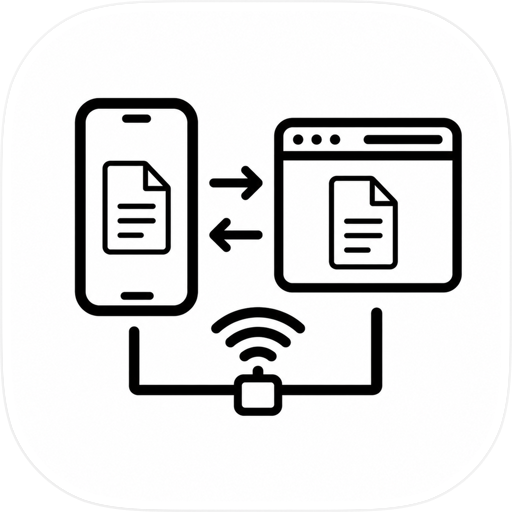
FlashDrive Pro turns your phone into a powerful wireless file server. Share files instantly with any computer on the same network using just a web browser.
No internet. No cloud. No app installation needed on the other device.
How It Works
Open FlashDrive Pro on your phone.
Share files or folders from the Files tab.
Scan the QR code or enter the URL on any computer.
Browse, upload, download, and manage files directly from the browser.
Works over Wi-Fi or Personal Hotspot. No router required.
Free Features
• Share any file or folder from your phone to any browser
• Upload files from your computer with drag and drop
• Download individual files or all files as a ZIP archive
• Create folders, rename files, and delete files from the browser
• Connect instantly with a QR code
• Works over Wi-Fi or Personal Hotspot
Pro Features
• Shared Notepad — a real-time collaborative editor synced between phone and browser
• Task Board (Kanban) — manage tasks with To Do, In Progress, and Done columns
• Shared Tables — create spreadsheet-like tables with CSV export
• Live Camera — stream your phone camera to any browser
• Cloud Sharing — upload files and share them with anyone using a link
• Nearby Transfer — direct device-to-device file sharing
• Send Files — share through AirDrop, WhatsApp, Email, and more
• QR Download Links — generate QR codes for instant file access
• Clipboard Sync — copy on your phone and paste in the browser
• Instant Drop Transfer — send files between connected browsers
• PIN Protection — secure access with a 4 to 6 digit PIN
Privacy & Security
• Local-first — your files stay on your network by default
• No accounts or sign-up required
• Cloud-shared files expire automatically after 7 days
• PIN protection for server access
• Selective sharing — only the files you choose are visible
Works Everywhere
• Wi-Fi — connect both devices to the same network
• Hotspot — use your phone’s Personal Hotspot when Wi-Fi is unavailable
• Any browser — Chrome, Safari, Firefox, Edge on Mac, Windows, or Linux
• No app needed on the receiving device
Subscription Information
FlashDrive Pro is free to download with basic file sharing features. Unlock all features with Pro:
• FlashDrive Pro Monthly: $4.99/month
• FlashDrive Pro Yearly: $39.99/year (save 33%)
• Payment will be charged to your Apple ID account at confirmation of purchase
• Subscription renews automatically unless cancelled at least 24 hours before the end of the current billing period
• You can manage subscriptions in Settings > Apple ID > Subscriptions
Terms of Use: https://flashdrive.pro/terms.html
Privacy Policy: https://flashdrive.pro/privacy.html
Chrome-Stats does not own this Apple app. Please use these information below to contact the Apple app developer.


 English
 Español
 Français
 Português
 日本語
日本語 简体中文
简体中文 한국인
한국인


 (0)
(0)