For Complex Excel & CSV Data
New: Dashwell — all-in-one money app for Mac, iPad & iPhone (banking + Wallet on iPhone). Compare apps at dashwellsolutions.com/compare.
Dashwell Portfolio turns complex Excel and CSV data into clear, private dashboards — no subscription, brokerage login, or cloud account. Import a broker export or spreadsheet, drag widgets into place, and keep everything on your Mac and iPad.
SEE THE WHOLE PICTURE — PORTFOLIO AND ASSETS TOGETHER
Investments in one place; home inventory, rentals, and equipment often stuck elsewhere. Dashwell Portfolio closes that gap — allocation, top movers, dividends, earnings, and expiring options on your portfolio dashboard. With Enhanced Custom Mode, build matching dashboards for home or business assets.
EARLY SUPPORTERS (VERSION 6.0)
If you purchased this app before version 6.0, Enhanced Custom Mode is included automatically when you update — no additional purchase. App Support shows "included (early Dashwell Portfolio supporter)."
PORTFOLIO DASHBOARD (INCLUDED)
Dashwell Portfolio is free to download with no subscription. Core portfolio features at no extra cost:
• Import positions from Fidelity, Schwab, and generic broker CSVs
• Drag-and-drop widgets — summary, top movers, allocation, dividends, earnings, options expiring
• Multi-account — Taxable, IRA, Roth, 401(k), HSA, and 529
• Tax-lot cost basis (FIFO or weighted average) with per-lot day change
• Options tracking with normalized symbols (OSI, Compact, Schwab formats)
• Historical price database for accurate day-over-day change
Every widget shows its data source: import, API, or cache.
IMPORT FROM YOUR BROKER — VERIFIED
Fidelity and Schwab exports are verified with guided Import Positions wizard. Generic CSV covers E*TRADE, Vanguard, IBKR, Robinhood, and others. Positions are your authoritative source; transactions and watchlists are optional.
OPTIONAL MARKET DATA (FREE API KEYS)
Add your own key to enrich your dashboard. All four providers offer free tiers for personal use. Keys live in your device Keychain — never on our servers.
• Alpha Vantage — delayed quotes and historical prices
• Tiingo — delayed quotes, historical prices, dividend info, ex-dividend dates
• FMP — delayed quotes, dividends, upcoming earnings, sector info
• Massive — delayed quotes, historical prices, options snapshots
Free tiers use delayed data (not real-time). Dashwell Portfolio works fully offline without any key.
ENHANCED CUSTOM MODE — ONE-TIME $4.99 (KEEP IT FOREVER)
Upgrade once — unlocked permanently on your Apple ID across Mac and iPad. No subscription. Two capabilities in one unlock:
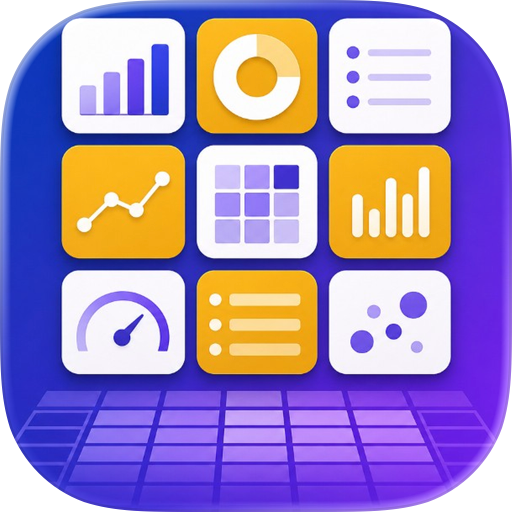
CUSTOM DATA SPACES — dashboards for anything tabular: home inventory, rentals, collections, project trackers. Six widget types plus reports; attach photos, PDFs, and receipts to any row.
UNIVERSAL ETL IMPORT — Excel (.xlsx), SQLite, and messy CSV/TSV with auto table detection; transform on import; save pipelines as profiles for one-click re-imports.
One-time $4.99 — no recurring fees.
IMPORT FROM DASHCSV
Switching from DashCSV? Use Import from DashCSV (More → Import on iPad; File → Import on Mac). Custom modes need Enhanced Custom Mode.
UPGRADE TO DASHWELL
Dashwell is now on the App Store for Mac, iPad, and iPhone — Portfolio, Stocks, Banking, budgets, and Custom dashboards together, plus Apple Wallet capture on iPhone. On Mac, your Dashwell Portfolio data copies over automatically the first time you launch Dashwell. Your portfolio files open in Dashwell too. Compare apps: https://dashwellsolutions.com/compare
PRIVATE BY DESIGN
• Local SQLite database on your device — no cloud account required
• No analytics, no tracking, no login
• Optional password protection for exported files
• Optional iCloud sync Mac ↔ iPad (off by default) — Join Code pairs Mac and iPad; portfolio syncs; layout per device
Dashwell Portfolio helps you organize and analyze your own data. It is not investment advice. Always verify imported figures against your broker's official statements.
Use of this app is subject to the Terms of Use at app website
Requires macOS 15.6 or iPadOS 17.0 or later.
Chrome-Stats does not own this Apple app. Please use these information below to contact the Apple app developer.

 English
 Español
 Français
 Português
 日本語
日本語 简体中文
简体中文 한국인
한국인


 (0)
(0)