Your personal course designer. Lay out slaloms, drills & custom paths with AR — right where you train. No setup guesswork, just precision.
ConesPilot — AR Cone & Marker Placement
Turn any open space into a precision training course. ConesPilot uses Augmented Reality to help you design, visualize, and lay out cone patterns directly in the real world — no tape measures, no guesswork.
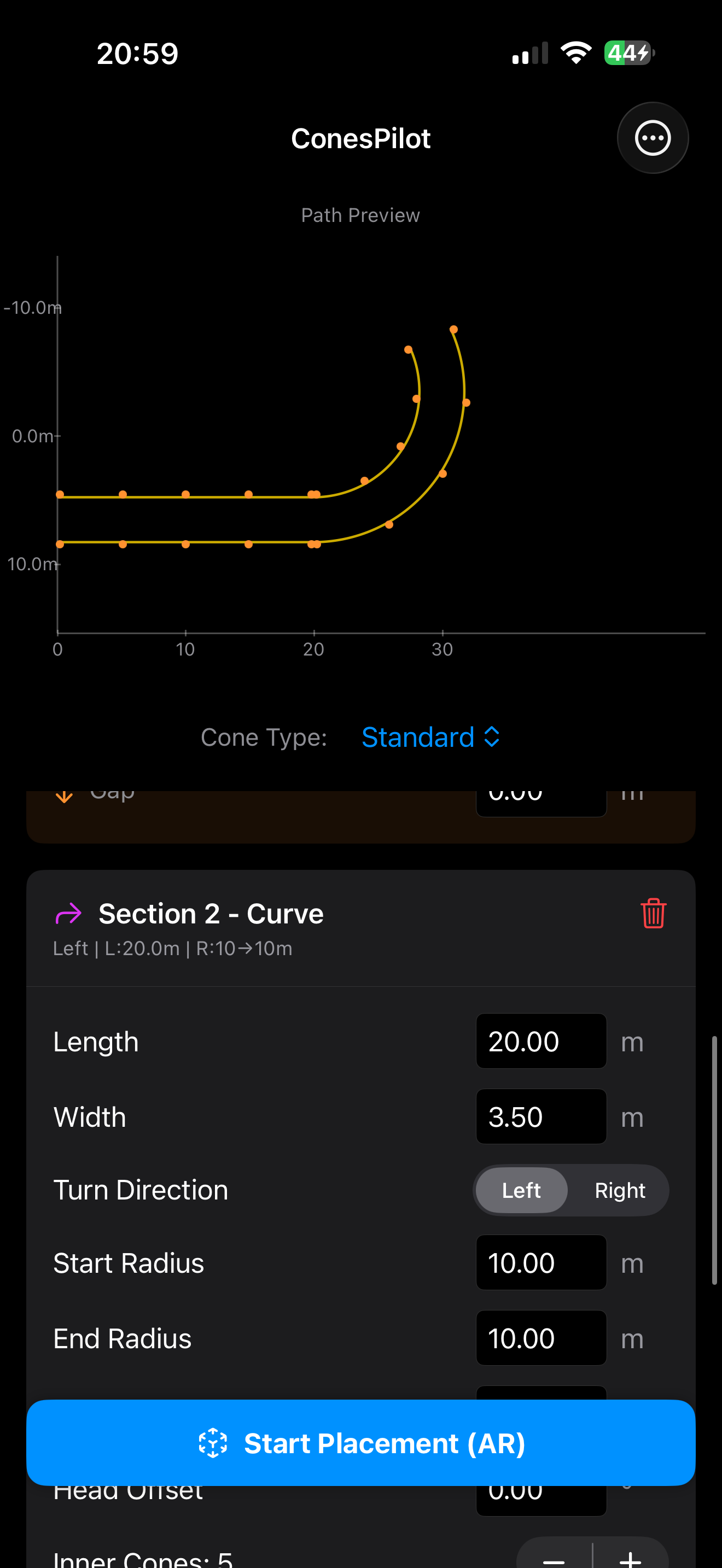
DESIGN YOUR COURSE Build custom training layouts with an intuitive course editor. Combine different section types to create the perfect path:
Single Lane (Slalom) — classic weaving patterns with adjustable spacing and amplitude
Double Lane — parallel cone rows for lane-change and agility drills
Curves — variable-radius turns with independent inner/outer cone counts Chain multiple sections together to create complex, multi-segment courses.
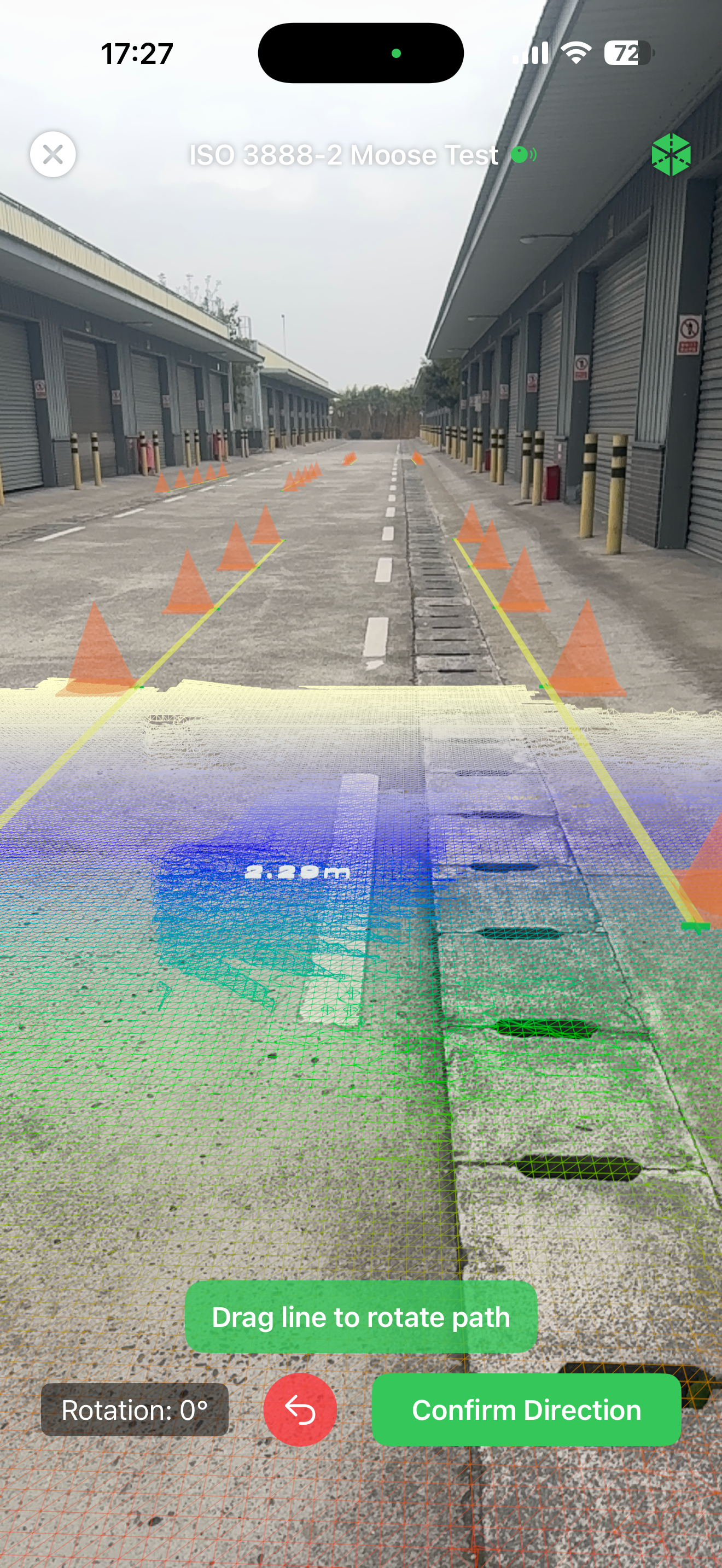
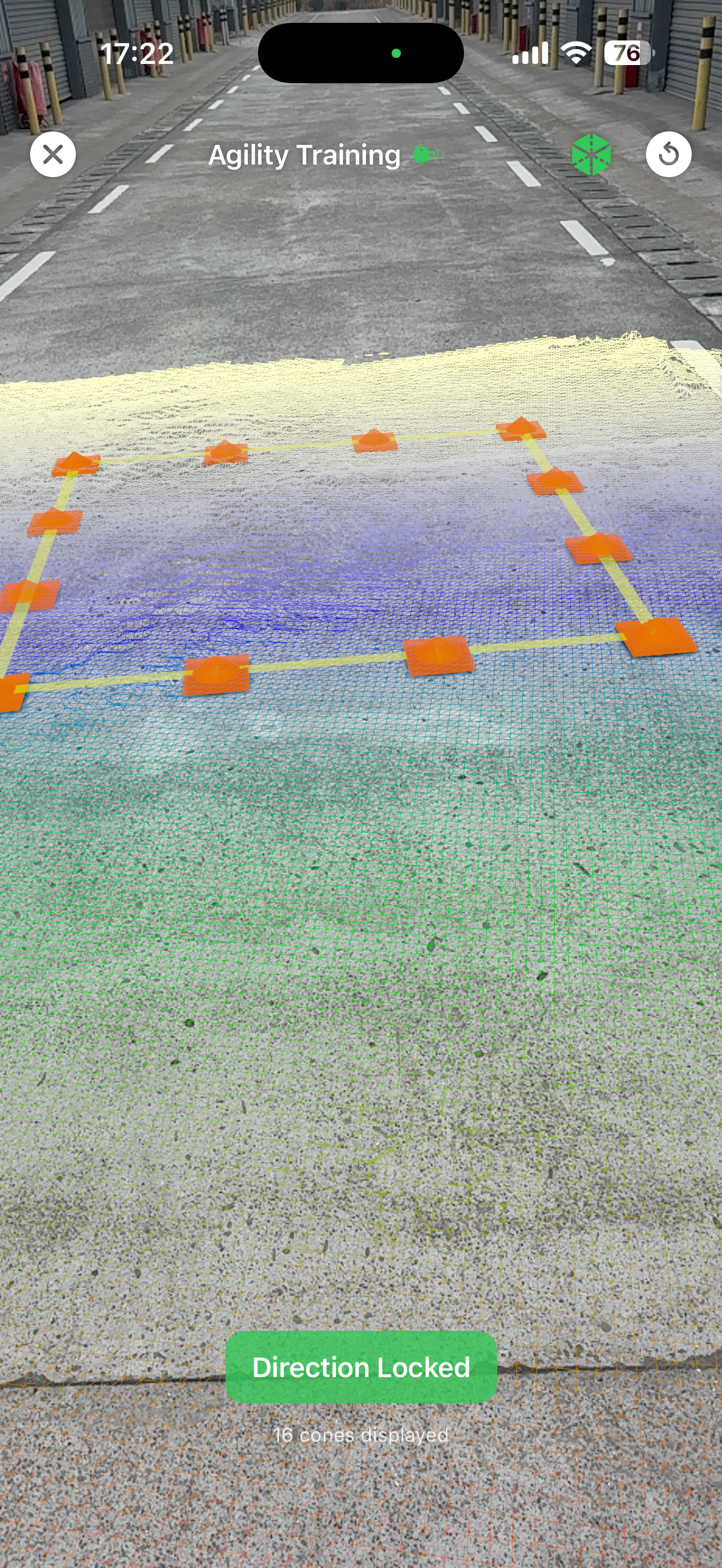
PLACE WITH AR PRECISION Walk to your training area, tap to set your origin, and watch your course appear in augmented reality. ConesPilot overlays guide wires, boundaries, and cross markers on the real ground so you know exactly where each cone goes.
Smart Reticle with magnetic snap — locks onto target positions for fast, accurate placement
LiDAR enhanced — devices with LiDAR get ground-level depth confidence feedback for even better accuracy
Proximity hiding — confirmed cones fade as you approach, revealing the cross marker underneath
Live verification — track your progress as you place each cone ("Verified: 3/10")
MULTIPLE CONE TYPES Choose the marker that matches your sport:
Standard Cone (20cm radius, 50cm tall)
Small Marker Disc (10cm radius, 8cm tall)
Skating Cone (5cm radius, 15cm tall)
No Cones — display only guide wires and cross markers for minimal visual clutter
SAVE, SHARE & REUSE Save your favorite layouts and load them instantly. Export courses as JSON files to share with teammates, coaches, or training partners. Import shared layouts with one tap.
BUILT FOR YOUR SPORT Whether you're setting up a speed slalom course for inline skating, an agility ladder for football training, a gymkhana layout for motorsport, or a custom drill for any other discipline — ConesPilot adapts to your needs.
FEATURES AT A GLANCE
Augmented Reality cone placement with centimeter-level guidance
Multi-section course builder (slalom, lane change, curves)
4 cone types including a "No Cones" guide-wire-only mode
Smart magnetic reticle for fast verification
LiDAR depth confidence feedback
Save, load, export & import course configurations
Preset course library for quick starts
Metric and Imperial unit support
Localized in 11 languages: English, 简体中文, 繁體中文, 日本語, Deutsch, 한국어, Español, Français, Português, हिन्दी, العربية
Works on iPhone and iPad
Chrome-Stats does not own this Apple app. Please use these information below to contact the Apple app developer.

 English
 Español
 Français
 Português
 日本語
日本語 简体中文
简体中文 한국인
한국인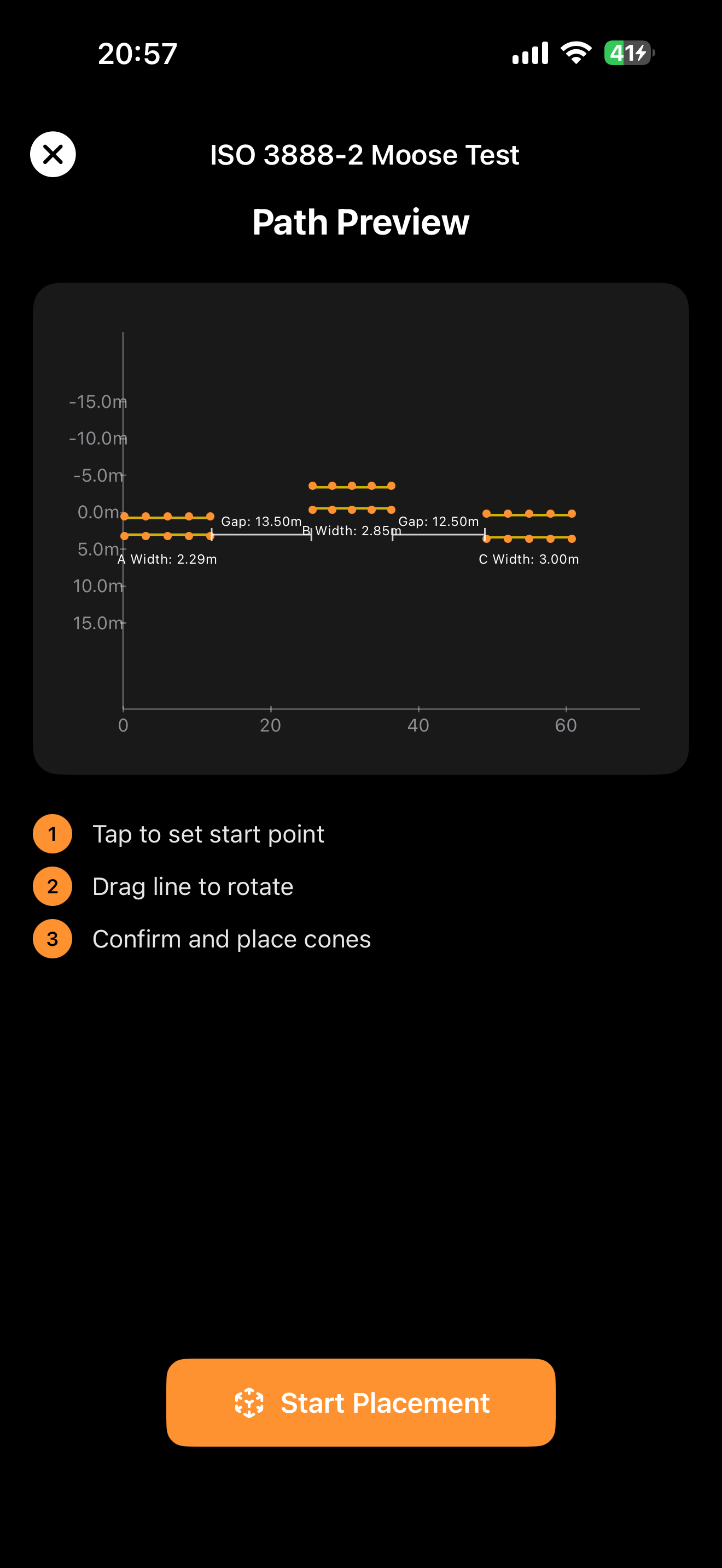




 (14)
(14)