
Imogo: File & Format Converter Apple

Imogo: File & Format Converter

By: Umit UZ
Fast Media & Document Toolkit

Features & Capabilities

Imogo is a powerful, high-speed file converter built for efficiency. Transform images, documents, audio, and video files instantly—right on your device. With no cloud uploads and no account requirements, you can convert your media in seconds using a clean, professional interface.

Whether you are converting PNG to JPG for faster sharing, turning complex text into PDFs, or transforming high-quality MOV videos into universal MP4s, Imogo provides the performance you need without any complexity.

Note: Audio conversion exports to high-quality M4A format. All other categories (Images, Documents, Video) support full bidirectional conversion between their supported formats.

HOW IT WORKS:

  1. Select any file from your storage or photo library.
  2. Choose your desired target format from the menu.
  3. Tap Convert—your file is ready in an instant.

SUPPORTED CONVERSIONS:

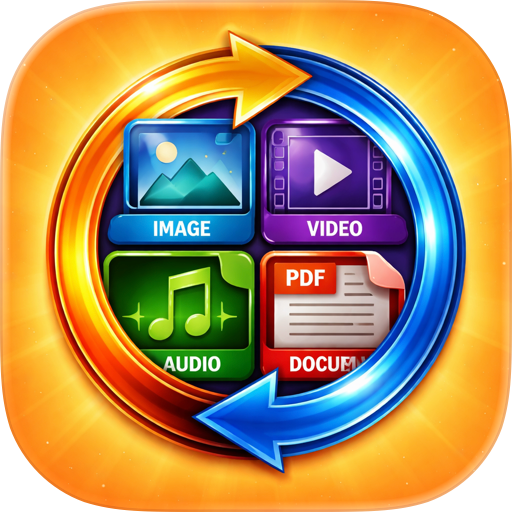
Images: • Bi-directional: JPG, PNG, HEIC, and GIF • High-speed processing with optimized output • Create looping GIFs from static image files

Documents: • Convert between PDF, TXT, and RTF formats • Transform multiple images into a single PDF • Extract text from PDF documents effortlessly • Professional layout preservation for all exports

Audio: • Import: MP3, WAV, AAC, and M4A • Export: Optimized M4A (MPEG-4 Audio)

Video: • Bi-directional: MP4 and MOV • Pro-grade exports with maximum quality

KEY FEATURES:

• Instant Conversion Engine — All processing happens locally for maximum speed. • Direct Access — No accounts, no subscriptions, and no advertisements. • Full History — Keep track of every conversion with smart search and detailed logs. • Auto-Cleanup — Manage your storage by automatically removing old files after 7-90 days. • Data Export — Save your entire conversion history as a professional CSV file. • Native Sharing — Export files directly to any app via the iOS share sheet. • Quick Preview — View your converted files immediately using built-in tools.

WHY IMOGO? Imogo is designed for users who need a fast, reliable, and straightforward tool. By running all conversions directly on your device, it eliminates the need for slow uploads and external servers. It’s built with SwiftUI for a modern, responsive experience that works seamlessly on both iPhone and iPad.

• Fast, responsive performance • No ads or hidden fees • No account creation required • Professional, clean design

TECHNICAL EXCELLENCE: • Built with Swift 6 and SwiftUI for peak efficiency • Powered by AVFoundation, PDFKit, and Core Graphics • Fully optimized for iOS 17+ and Dynamic Type

User Growth & Download Statistics

App
By:
Umit UZ
Version:
1.0.2 Last updated: 2026-05-27
Version code:
886183502
Creation date:
2026-01-28
Compatible devices:
Size:
4.80MB
URLs:
Website ,Privacy policy
Full description:
See detailed description
Source:
Apple Apps Store
Data ingested on:
2026-06-15
Compare stats and ranking:

Contact the developer

Chrome-Stats does not own this Apple app. Please use these information below to contact the Apple app developer.
Developed by:
Umit UZ
Apple Apps Store
https://apps.apple.com/us/app/imogo-file-format-converter/id6758352217
Website:
https://umituz.com/projects/development-tech/imogo

Best Imogo: File & Format Converter Alternatives

Here are some Apple apps that are similar to Imogo: File & Format Converter: