
Features & Capabilities

Convert images to professional PDFs in seconds. Create, sign, and share PDF files easily with a fast and secure image to PDF converter.

Image to PDF Converter – Smart, Fast & Professional PDF Creator

Image to PDF Converter is a smart and reliable app that helps you turn images into professional PDF documents in seconds. Designed for simplicity and performance, this app allows you to convert photos, scanned images, and screenshots into high-quality PDFs anytime, anywhere. Whether you are a student, office worker, freelancer, or business professional, Image to PDF Converter makes document creation easy and efficient.

With this app, you can convert images such as JPG, PNG, and photos captured from your camera into clean and well-formatted PDF files. It is ideal for creating PDFs from receipts, invoices, notes, contracts, ID cards, forms, certificates, and other important documents. Simply select one or multiple images, arrange them in the correct order, and generate a PDF with just a few taps.

Image to PDF Converter offers advanced tools to enhance your documents. You can adjust page size, orientation, margins, and layout before converting images into PDFs. The app ensures excellent output quality with clear text and sharp images, making your PDFs suitable for printing, sharing, and professional use.

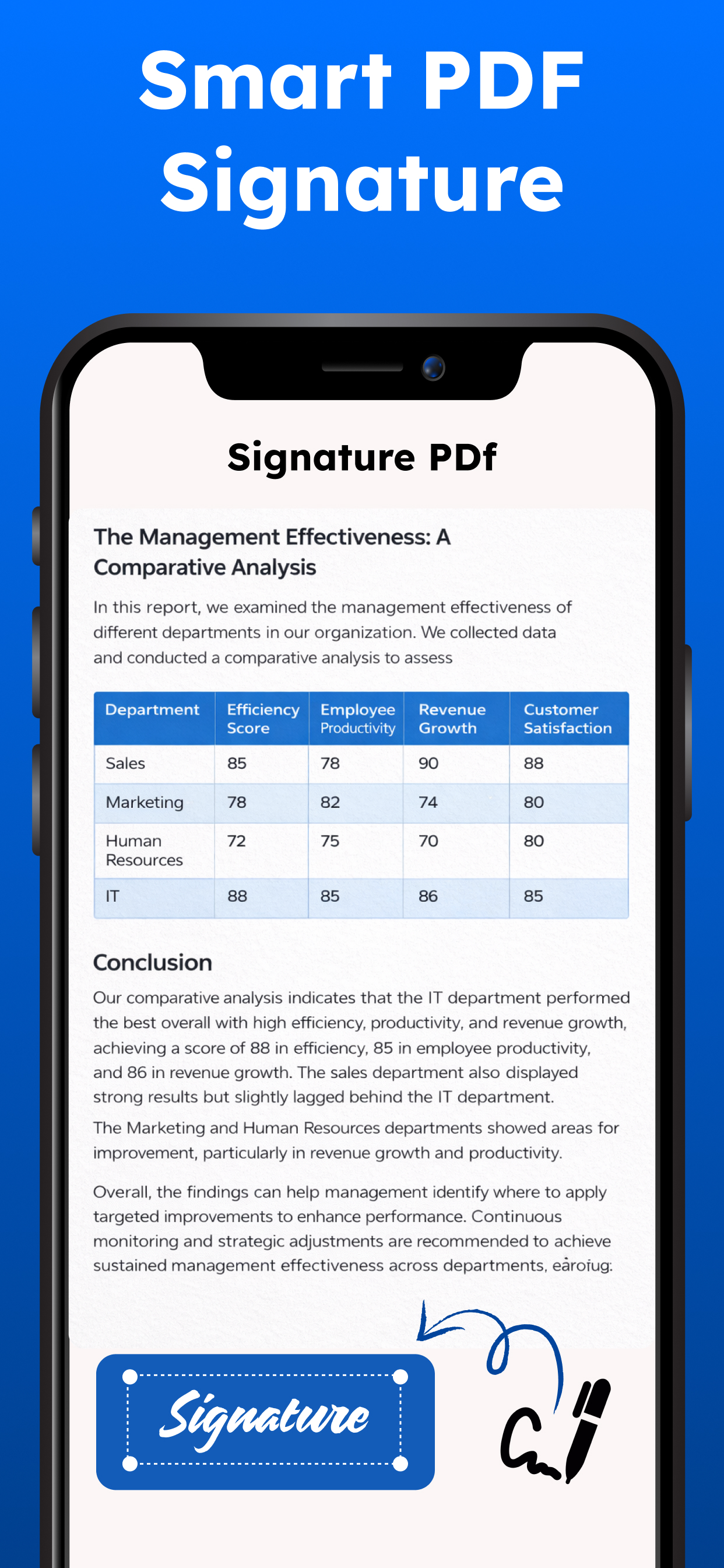
The built-in PDF signing feature allows you to add your signature directly to PDF files. Sign documents digitally without printing or scanning, saving time and effort. This feature is especially useful for contracts, forms, and official documents that require quick approval.

Managing your files is simple and organized. Save generated PDFs securely on your device, rename files, and access them anytime. Share PDFs easily via email, cloud storage services, or messaging apps. The app is optimized for fast processing, ensuring smooth performance even when converting multiple images or large files.

Key features include fast image to PDF conversion, high-quality output, multiple image support, PDF signing, easy file management, and smooth sharing options. With a clean interface and user-friendly design, Image to PDF Converter is suitable for both beginners and advanced users.

Download Image to PDF Converter today and experience a powerful, secure, and easy way to create, sign, and share PDF documents from your images.

Free & Paid Features

Our image to pdf converter and scanner app provides both free and premium features. Basic scanning are available for free, while some advanced tools and enhancements require a paid subscription.

Privacy policy: https://health-fitness-pro.fit/privacy

Terms of use: https://health-fitness-pro.fit/terms

User Growth & Download Statistics

App
By:
ESPRESSO TECH (SMC-PRIVATE) LIMITED
Version:
1.2 Last updated: 2026-05-20
Version code:
885907278
Creation date:
2026-01-21
Compatible devices:
Size:
18.82MB
URLs:
Website ,Privacy policy
Full description:
See detailed description
Source:
Apple Apps Store
Data ingested on:
2026-07-15
Compare stats and ranking:

Contact the developer

Chrome-Stats does not own this Apple app. Please use these information below to contact the Apple app developer.
Developed by:
ESPRESSO TECH (SMC-PRIVATE) LIMITED
Apple Apps Store
https://apps.apple.com/es/app/image-to-pdf-converter-sign/id6757256450?l=en-GB
Website:
https://health-fitness-pro.fit

Best Image to PDF Converter & Sign Alternatives

Here are some Apple apps that are similar to Image to PDF Converter & Sign: