
Home Design AI:Interior Design Apple

Home Design AI:Interior Design

Room Planner & Decor AI

Features & Capabilities

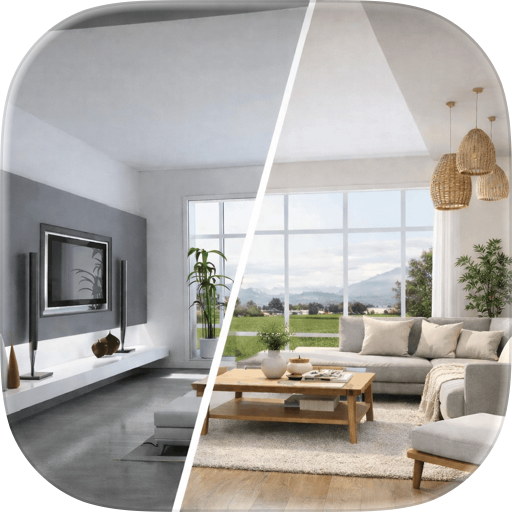
AI Wall Design is a smart visualization app that helps you visualize your living space before making any actual changes. This Wall design app allows you to see how different wall, floor, and ceiling designs would look in your own environment. Anyone looking forward to making changes to their space design can use our app. This Wall design app helps you visualize how a wall will look after your desired changes.

Key Features Customize Your Space: Click a photo of your wall, floor, ceiling, or upload image and select your desired inventory to visualize how the renovation will look. Get Wall Design ideas with AI Features: Simply provide instructions or prompts of the wall design, floor style, or ceiling paint to visualize your ideas. Preview Trending Walls: Browse the extensive library of wall designs categorized as per different spaces. Preview the style you like and try it out on the go. Save and Share: You can save the designs and easily share them with friends, family, or anyone you want. History: Keep track of the wall, flooring, or ceiling redesigns you generate at a single place.

Explore Trending Wall Design Ideas AI wall design app comes with a wide array of options to help you choose a perfect wall design for different places. Our app offers designs that match your taste and lifestyle, including elegant textures, artistic patterns, minimal finishes, and contemporary paint styles. You can explore trending wall ideas for: Living rooms Bedrooms Study rooms Kitchens Bathrooms Gaming rooms AI Wall Design is a valuable resource for surface-level styling. The app works on visible surfaces. It does not change furniture, room layouts, or structural elements. Customize Your Space with Inventory One of the most powerful features of AI Wall Design is its ability to work with real spaces. You can either upload an existing photo or capture one directly using your camera. The AI Wall design app intelligently analyzes the image and lets you customize it with precision. Once your photo is ready, browse through an extensive design inventory and apply different wall designs, flooring options, or ceiling styles. It includes one free design preview. After the free preview is used, a weekly subscription is required to continue generating wall designs, including AI-based previews and manual customization features. Subscription Plan: Weekly plan:8.99$ As you choose your preferred inventory, the AI wall design app will make the custom changes to your wall that you can save instantly. In addition, with just a simple text prompt, you can generate customized visuals for: AI Wall Design: Describe your ideal wall look and watch it come to life Flooring Redesign: Experiment with tiles, wooden floors, marble styles, and more Ceiling Paint Design: Visualize ceiling colors, textures, and design concepts

So, what are you waiting for? Download the AI Wall Design app now to bring wall design ideas into visuals and explore countless design options.

Privacy Policy: https://conteza.com/privacy-policy.html Terms of Use: https://conteza.com/terms-and-conditions.html

User Growth & Download Statistics

App
By:
Conteza LLC
Version:
1.6 Last updated: 2026-06-05
Version code:
886091200
Creation date:
2026-02-09
Compatible devices:
Size:
265.04MB
URLs:
Privacy policy
Full description:
See detailed description
Source:
Apple Apps Store
Data ingested on:
2026-06-07
Compare stats and ranking:

Contact the developer

Chrome-Stats does not own this Apple app. Please use these information below to contact the Apple app developer.
Developed by:
Conteza LLC
Apple Apps Store
https://apps.apple.com/sa/app/home-design-ai-interior-design/id6757147660

Best Home Design AI:Interior Design Alternatives

Here are some Apple apps that are similar to Home Design AI:Interior Design: