
Features & Capabilities

TV remote for Samsung Smart TV with 48 quick-access presets and unlimited collections. Full iPad support with optimized layouts. One-time purchase, no subscription.

TV Presets is a professional remote control app for Samsung Smart TVs, featuring powerful channel presets for instant switching, and full iPad support with optimized layouts.

Perfect replacement for lost remotes or families who want simple, shared TV control with personalized channel collections.


WHAT'S INCLUDED

Base App • Full remote control functionality • 3 customizable channel presets • Auto-connect on launch • Save, import & share preset collections • Full iPad support with optimized layouts • One-time purchase, no subscription, no ads

Premium Upgrade (optional in-app purchase) • Unlock all 48 preset slots • 2 pages of 24 presets each • Perfect for families who want more organization • One-time purchase, yours forever


FEATURES

Full Samsung TV Remote Control • Complete remote functionality for Samsung Smart TVs (2016+) • Volume, channels, navigation, menu access • Faster reconnect when you return to the app • Automatic reconnect when a command needs the TV connection • Wake-on-LAN support for turning TV on remotely • Works well as a primary or replacement remote

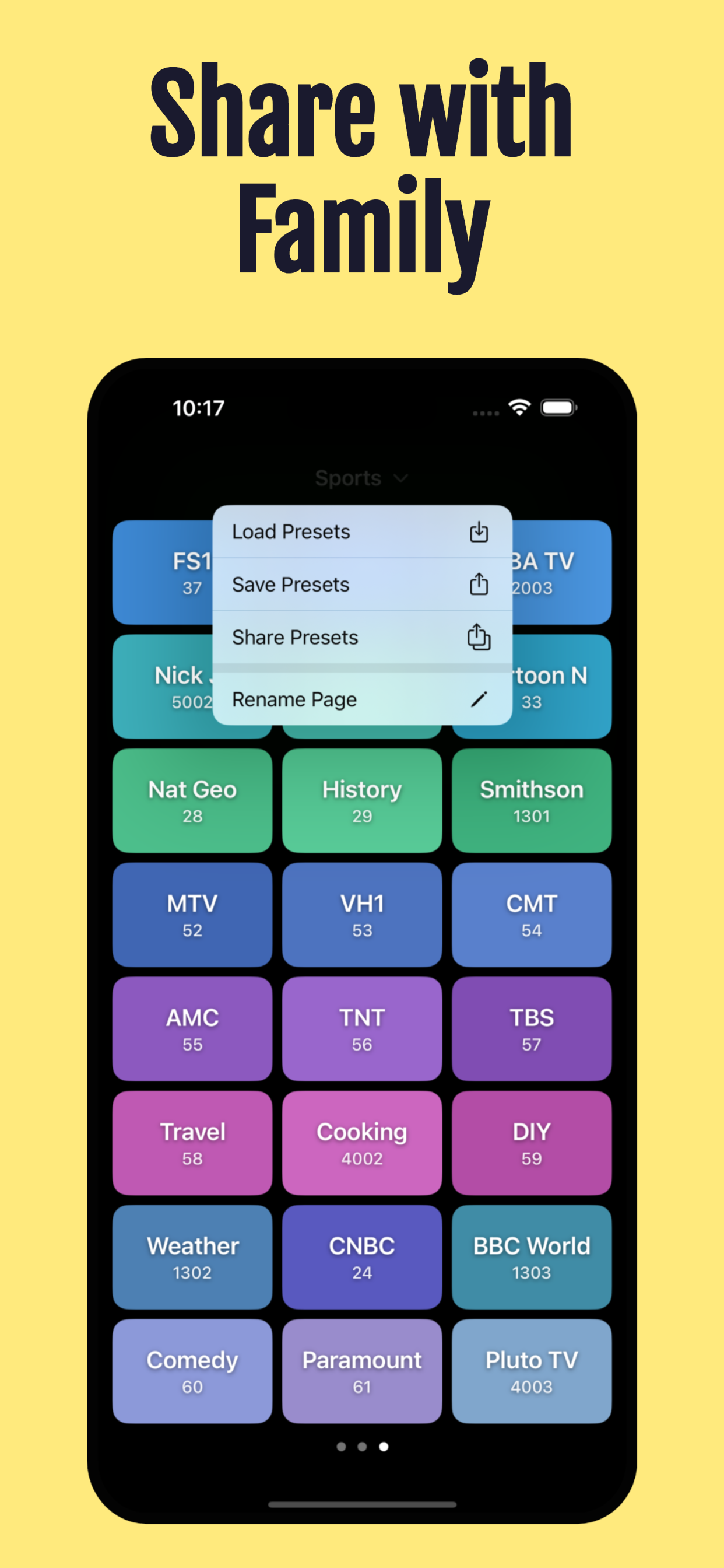
Channel Presets (3 to 48) • Save favorite channels for one-tap access • No more scrolling through guides or memorizing numbers • Name and color-code each preset for easy recognition • Drag and drop to rearrange and group channels • Copy presets between pages for quick setup • Perfect for Samsung TV Plus, cable, satellite, and OTA channels

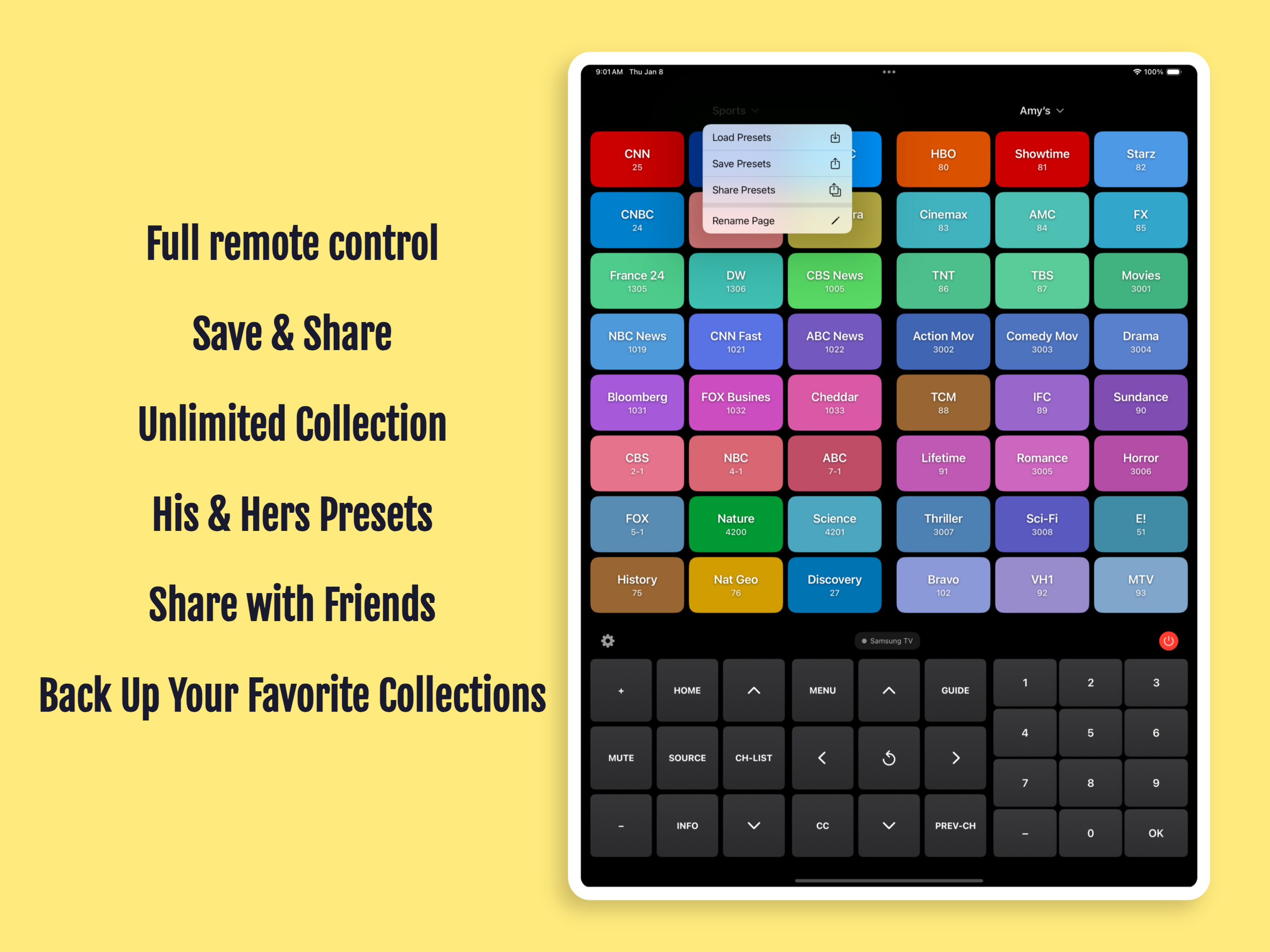
Unlimited Preset Collections • Create separate collections for different scenarios • Sports, News, Kids, Movies—organize however you want • Export preset layouts to files • Import presets on another device • Share setups with family and friends via AirDrop, email, WhatsApp • Perfect for backups or multi-TV homes

Full iPad Support • Optimized layouts for portrait and landscape • View presets and remote controls side-by-side • Large buttons designed for iPad screens • Split-screen layouts put everything within reach • See all 48 presets at once in landscape mode


PERFECT FOR

• Samsung TV Plus and streaming channel fans • Sports enthusiasts switching between games • News watchers who flip channels frequently • Cable, satellite, and over-the-air TV users • Families who want simple shared remote control • Multi-TV homes with different setups per room • Anyone who lost their Samsung remote


COMPATIBILITY & PRIVACY

• Samsung Smart TVs (2016 or newer) • Requires same WiFi network as TV • iOS 17.6 or later (supports iOS 26) • iPhone and iPad Universal app • No account required • No tracking or data collection • All data stays on your device


SUPPORT

Questions or issues? Contact support@semore-software.com

*TV Presets is not affiliated with or endorsed by Samsung Electronics. Samsung and Samsung Smart TV are trademarks of Samsung Electronics Co., Ltd.

By using this app, you agree to Apple's standard End User License Agreement (EULA): https://www.apple.com/legal/internet-services/itunes/dev/stdeula/

User Growth & Download Statistics

App
By:
Semore Software
Version:
2.1.1 Last updated: 2026-05-20
Version code:
885884076
Creation date:
2025-12-09
Compatible devices:
Size:
7.84MB
URLs:
Website ,Privacy policy
Full description:
See detailed description
Source:
Apple Apps Store
Data ingested on:
2026-07-15
Compare stats and ranking:

Contact the developer

Chrome-Stats does not own this Apple app. Please use these information below to contact the Apple app developer.
Developed by:
Semore Software
Apple Apps Store
https://apps.apple.com/tn/app/tv-presets-remote-control/id6756217121
Website:
https://semore-software.com/

Best TV Presets • Remote Control Alternatives

Here are some Apple apps that are similar to TV Presets • Remote Control: