Send from HTTP POST, CLI, MCP
Free Sandbox tier included. Push content to display boards via HTTP, CLI, GitHub Action, or MCP. Panel-targeted routing. Multi-layout rendering. Real-time.
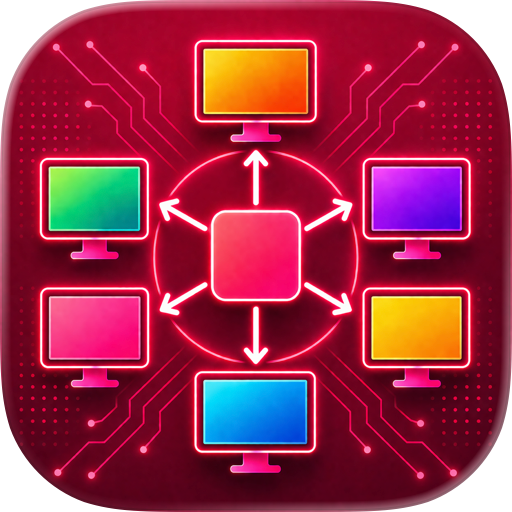
Push To Display turns any device into a programmable shared display board. Send structured content through a simple HTTP API, CLI, or GitHub Action and see it rendered in real time.
WHAT IT DOES
Create boards, bind display devices, issue API keys, and send content payloads via API, CLI, MCP or GitHub Action. The app receives and renders those payloads with display-focused layouts and panel-specific targeting.
FOUR LAYOUT PRESETS
• Full Screen — one message fills the entire display
• Stacked (Top + Bottom) — two horizontal panels
• Side by Side (Left + Right) — two vertical panels
• 2x2 Grid — four panels for multi-stream visibility
PANEL-TARGETED ROUTING
Updates can target specific panels (1–4) so one region updates without replacing the entire board.
MULTIPLE INTEGRATION CHANNELS
• HTTP API — one endpoint, structured payloads, instant delivery
• CLI (pushtodisplay) — send from terminal, pipe scripts, manage boards
• GitHub Action — push deployment status, build results, and alerts from CI/CD workflows
• MCP Server — AI agents and coding agents (Claude Code, Cursor, Codex) can send updates and manage boards natively
WHO IT'S FOR
• AI agent and coding agent operators — route agent outputs to visible boards
• DevOps teams — CI/CD status walls, deployment dashboards
• Operations — on-call room displays, queue boards
• IT managers — shared awareness displays across offices
• Manufacturing — shop-floor boards for line status and alerts
• Healthcare — clinic guidance displays, queue flow, room readiness
• Event teams — real-time signage fed by automation tools
HOW IT WORKS
- Sign in — your first board is created and device bound automatically
- Try the web playground to send your first update — no code needed
- For automation, push via API, CLI, MCP, or GitHub Action
- Content appears on the display in real time
BUILT FOR AUTOMATION AND AI AGENTS
Push To Display is API-first and agentic-ready. Integrate with CI/CD pipelines, monitoring tools, or any system that can make HTTP requests. Use the CLI to pipe scripts and automate from the terminal. Connect AI agents — Claude Code, Cursor, Codex, or any MCP-compatible agent — through the built-in MCP server so they can send updates, manage boards, and route content to specific panels without custom glue code. Structured payloads support text blocks with display options including alignment, text size, weight, color, and background.
KIOSK MODE
Lock the display and hide the settings button. The screen shows only your board content — no navigation, no exit. Perfect for unattended displays in lobbies, shop floors, and event spaces.
REAL-TIME DELIVERY
Messages arrive instantly via WebSocket. No polling. No delays. Content updates the moment your API call completes.
COMING SOON
• n8n node
• Zapier connector
• Power Platform connector
GETTING STARTED
Download the app and sign in — your free Sandbox tier includes 1 board and 1,000 messages. Start pushing content in minutes. Manage boards, API keys, and devices from the app or the web at https://pushtodisplay.com. Full API documentation available at https://pushtodisplay.com/docs.
Terms of Use: https://pushtodisplay.com/terms
Privacy Policy: https://pushtodisplay.com/privacy
Chrome-Stats does not own this Apple app. Please use these information below to contact the Apple app developer.

 English
 Español
 Français
 Português
 日本語
日本語 简体中文
简体中文 한국인
한국인


 (1)
(1)