Add recipient watermarks to your sensitive documents and private images before sharing to deter their misuse
Add clear watermarks before sharing sensitive documents.
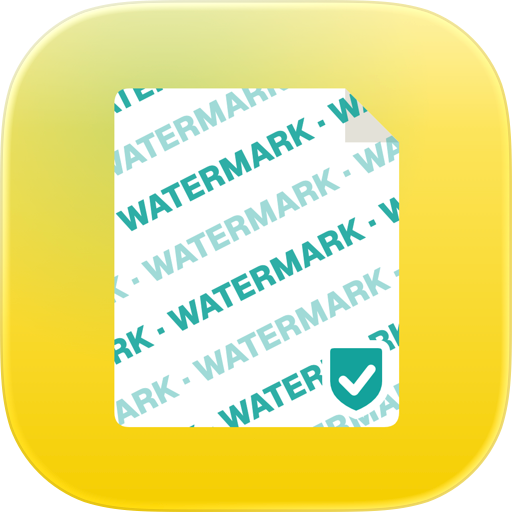
CVOR helps you label files with recipient-specific watermarks so documents carry clear context wherever they go.
Instead of sending unmarked PDFs or images, you can add visible notes like: “Shared with Bank XYZ for Loan Application on 12 Mar 2025.”
This creates accountability and discourages unauthorised reuse. CVOR is not a cloud storage platform.
All watermarking and file processing happen directly on your device.
What You Can Do With CVOR?
Secure PDFs & Images (CVOR Guard)
Protect sensitive files before they leave your device.
CVOR Guard includes:
• Recipient specific watermarking
• Add visible context such as: “Shared with Bank XYZ for Loan Application on 12 Mar 2025”
This creates accountability and discourages misuse.
PDF tools:
Scan, Merge, Split, Compress PDF files
Personal Data History & File Manager
• Organise education, address, employment, and travel records in one place
• Quickly access for applications or verification
• View file sharing history and manage favourites
What else does CVOR do?
Job Match & Review (CVOR Scout)
CVOR Scout is an on-device job discovery and matching tool. You control the inputs, CVOR handles the private processing.
It allows you to:
• Fetch job listings within the app using your own API credentials
• Match roles against your resume or CV directly on your device
• See clear relevance categories: Strong / Moderate / Weak / Poor
• Read plain-language explanations for each match
• Open application links in your default browser
• Generate job-specific prompts to help tailor your CV and prepare for interviews
• Optionally track applications locally
• Decide what to apply for — without pressure or manipulation.
All matching and analysis happen entirely on your device.
Pricing
Free to download & try.
Premium Plan (Yearly Subscription):
• Core PDF tools
• Recipient watermarking
• Full on-device job matching and explanations
• Unlimited access to all CVOR features
Your subscription supports ongoing privacy-first development.
Who CVOR Is For?
CVOR is built for people who want clarity, control, and fewer tools in their career workflow.
Useful for:
• Consultants, contractors, and international applicants managing IDs, visas, or financial files
• Privacy conscious individuals, creators, etc.
• Professionals handling sensitive CVs and documents
• Students and early-career applicants
• Job seekers reviewing roles before applying
What CVOR Does Not Do
CVOR does not:
• Act as a job board, recruiter or marketplace
• Sell, share, or broker personal data
• Track users across apps or websites
• Rank users or guarantee interviews or job outcomes.
Privacy by Design
• Local-first processing
• User-owned data and infrastructure
• Zero centralised data collection
• No ads. No tracking. No accounts required.
Support & Contact
Have questions or feedback? Contact us at support@cvor.io.
Legal
By using CVOR, you agree to our Privacy Policy and Terms of Service. Refer to our website to view them. https://cvor.io/privacy-policy
https://cvor.io/terms-of-service
Disclaimer
• CVOR Guard adds secure, visible watermarks to deter unauthorised use and distribution. It does not guarantee immunity from watermark removal. Use responsibly.
• CVOR Scout requires user-provided API credentials to fetch job listings within the app.
• CVOR does not host, supply, or resell job listings.
• All job matching and scoring occur locally on your device.
Start instantly — no CVOR account required.
CVOR - One app to share your documents safely
Chrome-Stats does not own this Apple app. Please use these information below to contact the Apple app developer.

 English
 Español
 Français
 Português
 日本語
日本語 简体中文
简体中文 한국인
한국인

 (0)
(0)