

 English
 Español
 Français
 Português
 日本語
日本語 简体中文
简体中文 한국인
한국인


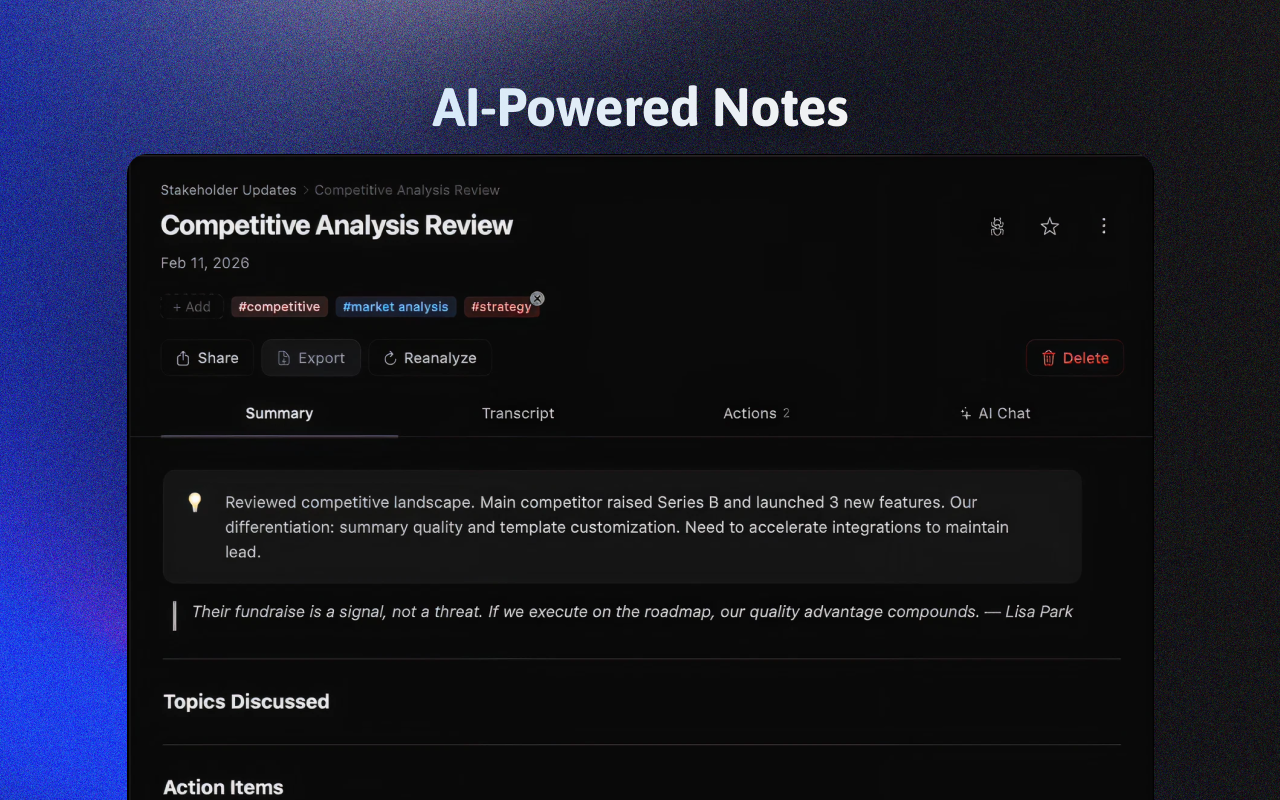
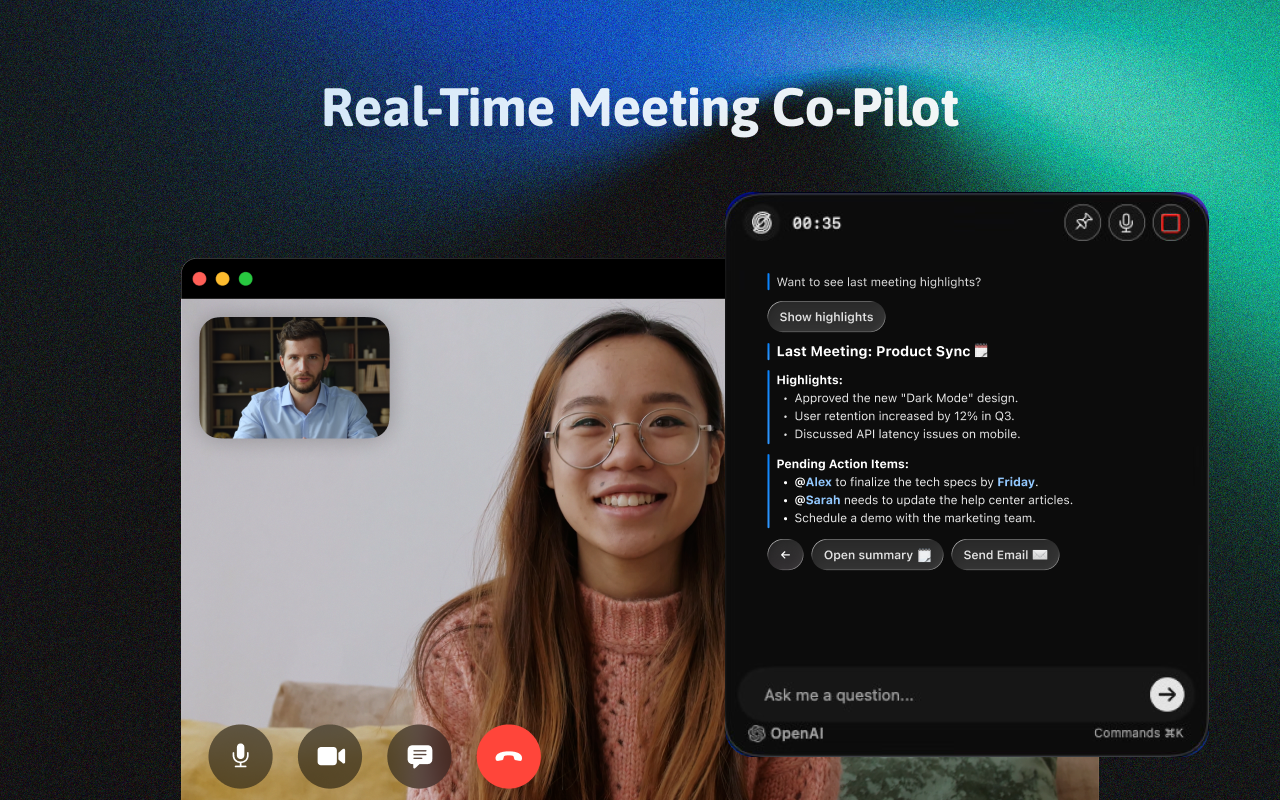
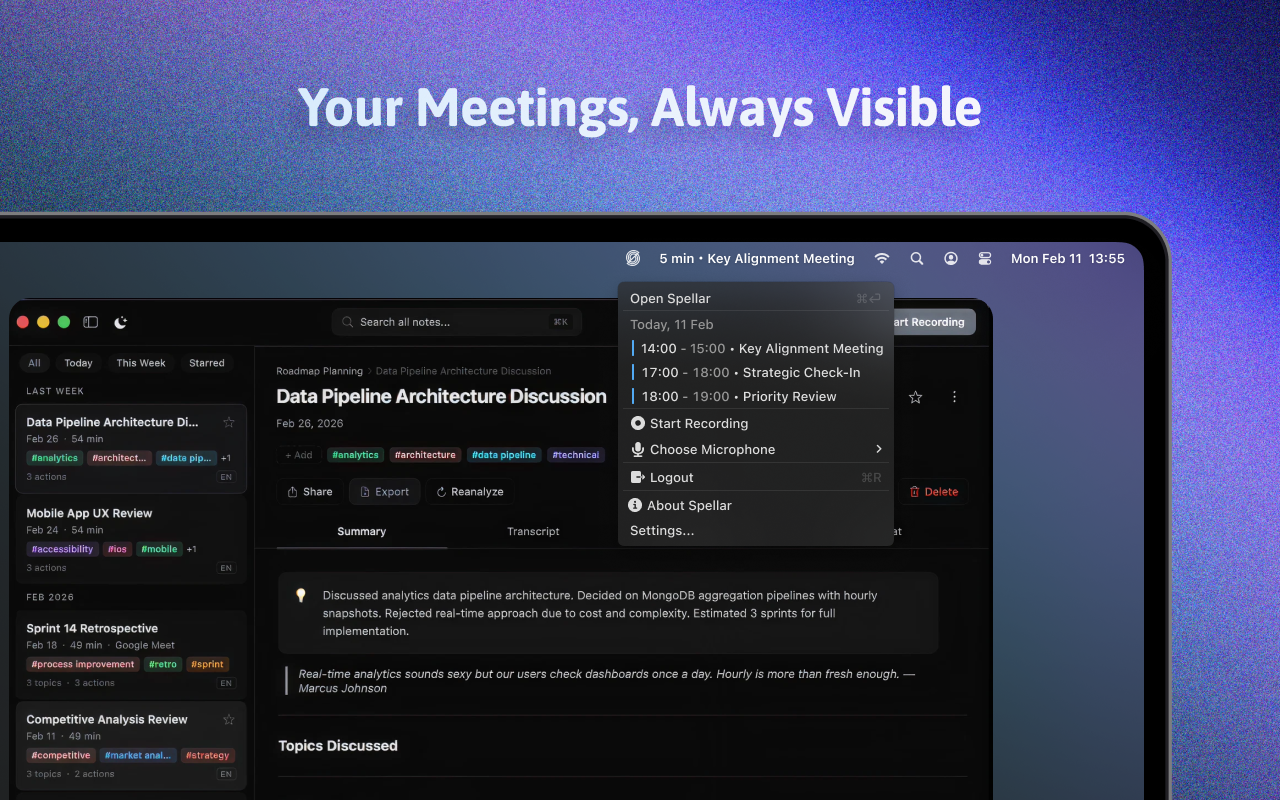


Features & Capabilities
User Growth & Download Statistics
App
- By:
- Spellar AI
- Rating:
- 4.70 (24)

- Version:
- 3.3.0 Last updated: 2026-06-26
- Version code:
- 887460933
- Creation date:
- 2023-12-04
- Compatible devices:
- Size:
- 152.12MB
- URLs:
- Website ,Privacy policy
- Full description:
- See detailed description
- Source:
- Apple Apps Store
- Data ingested on:
- 2026-07-03
- Compare stats and ranking:
- Spellar: AI Meeting Note Taker vs Spiky AI: Transcript and Notes
- Spellar: AI Meeting Note Taker vs Spark: AI Note Taker, Summary
- Spellar: AI Meeting Note Taker vs Rec.aI: Private AI Voice Notes
For Developers
Contact the developer
Chrome-Stats does not own this Apple app. Please use these information below to contact the Apple app developer.
User Reviews
I just upgraded to a lifetime subscription because Spellar has genuinely given me peace of mind. During meetings I do not have that low level anxiety about missing something important. I can stay present in the conversation and trust that everything is being captured clearly and accurately in the background.
What I appreciate most is how simple it is. There is no clunky setup, no confusing settings, it just works. The sync between the iOS and Mac apps feels seamless, so whether I am at my desk or on the go I know my notes and recordings are right there and up to date.
Spellar has quickly become one of those quiet, essential tools I rely on every day. It has reduced my mental load, helped me follow up more reliably, and made my meetings feel more focused and productive. Upgrading to a lifetime plan felt less like a purchase and more like locking in a core part of my workflow.

by Da*****, 2025-12-10
I've been using speller for a while on desktop, and I can honestly say that it changed the way I participate in meetings. I couldn't be happier. I have Spellar on every device I might conference with, and I love to be able to chat with AI during and after the call to extract insights and ideas beyond what the comprehensive summaries provide. Definitely check it out and give it a try. 🥂
by ni*****, 2025-04-01
So, I can honestly say that this is the... The fourth meeting assistant tool that I have used, and many I've used extensively and have pushed to the limits. And I've been absolutely shocked by this app in particular. I had never heard of Spellar, but I signed up for the set app subscription, which you're crazy not to do, by the way. So, I figured since it was part of a basket of 250 apps, that it might be helpful, but not as good as some of the other tools that I had used, such as Fathom, Poised, Spoke, and Fireflies. We've actually even developed our own meeting assistants using the OpenAI API and low-code automation tools. And I have to give the nod to Spellar as the champ when it comes to all of those particular apps. Here's why I say that.
Number one, you don't have to invite Spillar into the actual meeting. It just runs on your computer at the same time. I like that because sometimes it feels clunky that I use multiple different tools and have team members in a meeting when I want to keep things simple.
by Co*****, 2024-09-25
Best Spellar: AI Meeting Note Taker Alternatives
Here are some Apple apps that are similar to Spellar: AI Meeting Note Taker:

Spiky AI: Transcript and Notes
Spiky AI
5.00  (3)
(3)
(3) 
Spark: AI Note Taker, Summary
雅茹 杨
4.70 (7)
(7) 
Rec.aI: Private AI Voice Notes
Oliwer Losvik
0.00 (0)
(0) 
Smart Notes-AI Meeting Summary
Anas Kayssi
0.00 (0)
(0) 
Speakwise - AI Note Taker
Setter AI LLC
4.40 (40)
(40) 
Plume AI: Pro Audio Note Taker
CORY SMITH
2.50 (13)
(13) 
Scriba.AI
Ellorra Mohanty
0.00 (0)
(0) 
Scribe: AI Meeting Note Taker
MC Company
0.00 (0)
(0) 
Speakr — AI Voice Notes
Aleksei Egin
0.00 (0)
(0) 
AI Note Taker from Audio: Rec+
DivMulTech
4.50 (4)
(4) 
SummarizeX: AI Note Taker
Soft Radix
1.00 (1)
(1) 
Notabook - AI Note Taker
燃 温
5.00 (2)
(2)