
特徴と機能

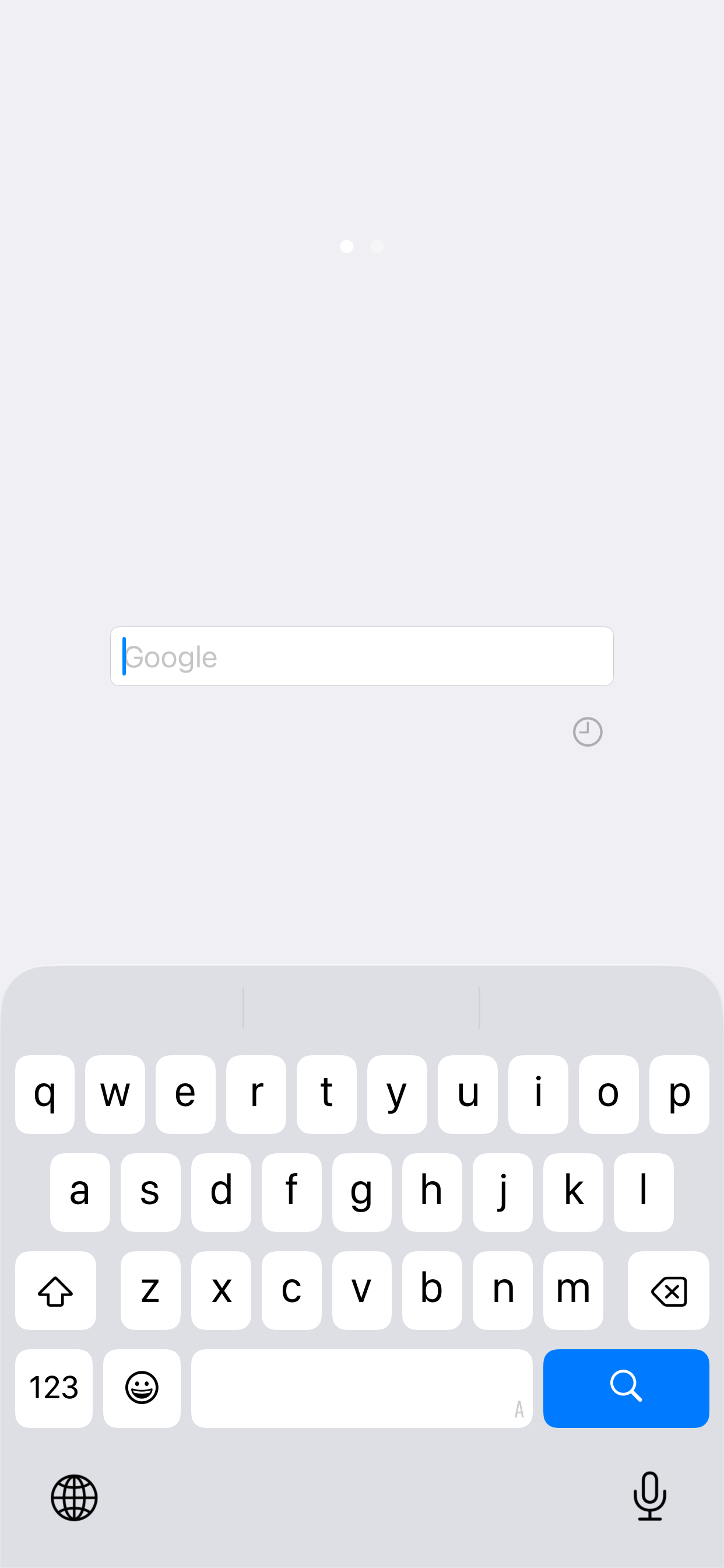
Just Quick Search is helper app to your search very quickly.

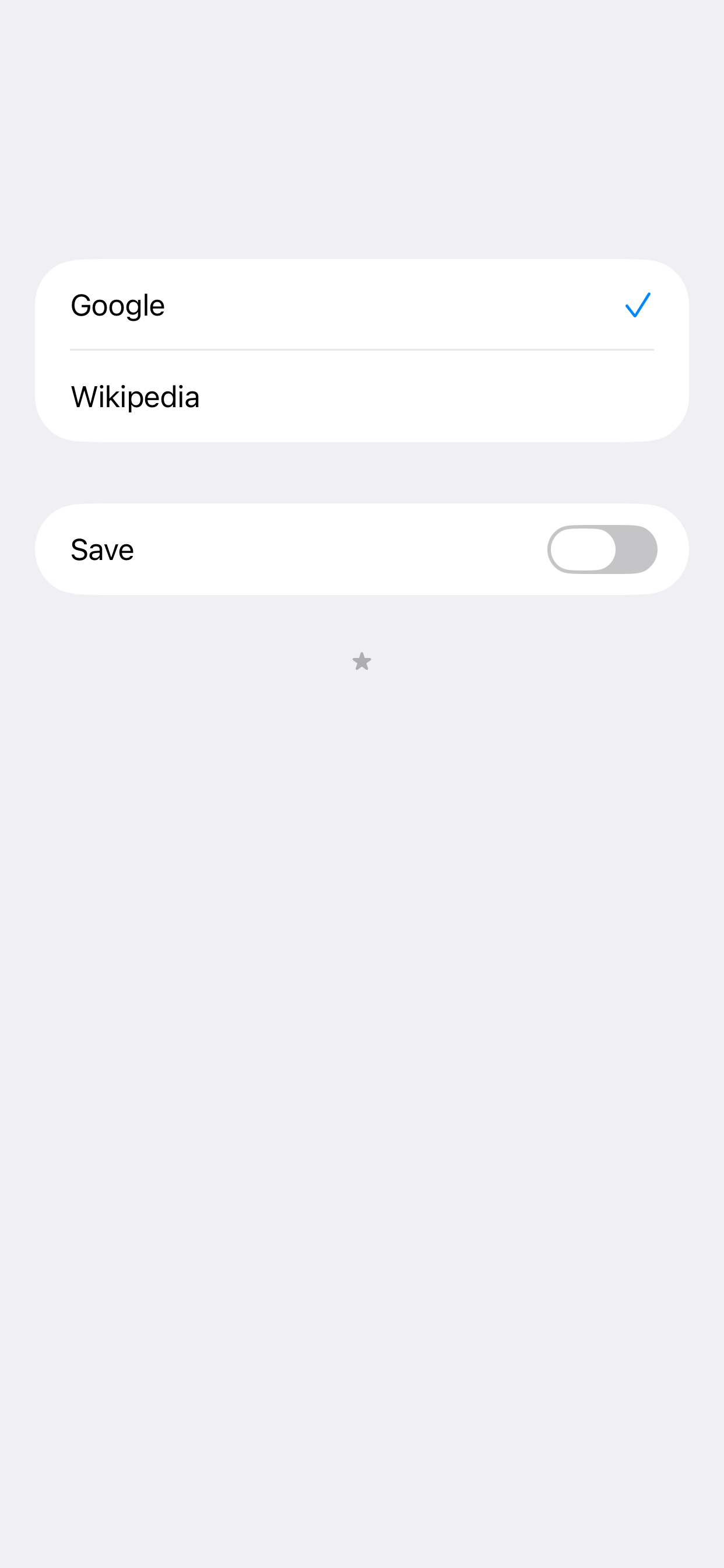
Search Targets

  • Google
  • Wikipedia
  • In addition to the above, you can add search targets.

You can input quickly

  • You don't need to scroll.
  • You don't need to tap the text field.
  • When application resumed, text field is empty and you can input immediately.

Save Switch

  • ON: When application launch or resume, the search target is you selected last.
  • OFF: When application launch or resume, the search target is the top.

History

  • Keywords you enter are recorded.
  • Max 300 items.
  • Can delete all.
  • Can delete selectively.

Autocomplete

  • Input candidates will be displayed in a two-stage.
  • Top: from History.
  • Bottom: from Web.

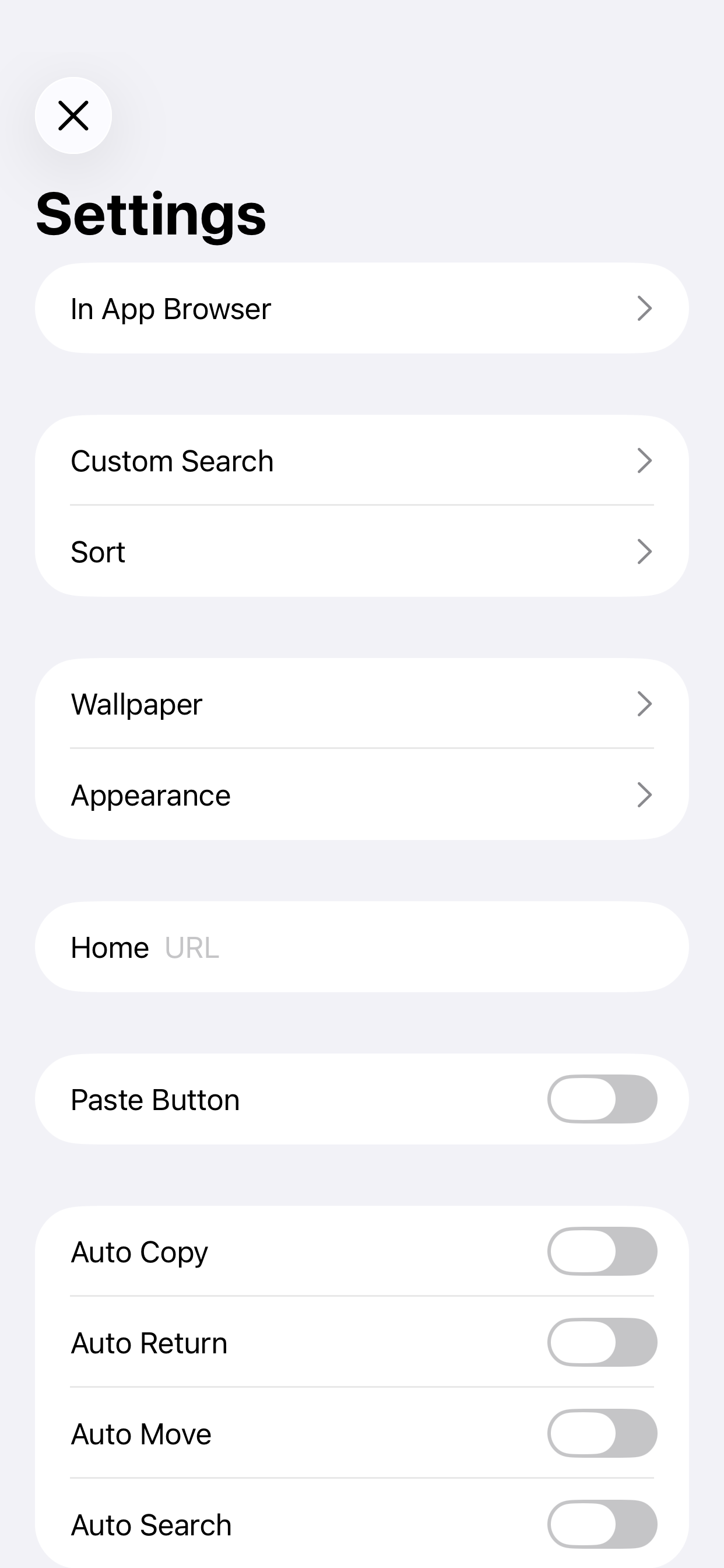
Settings

  • The view shows when you tap the "STAR" button at the bottom of the right screen.

In App Browser

  • You can make settings related to the in app browser.
  • In app browser's URL Scheme is "jqs".

Custom Search

  • You can customize the search targets.
  • The number of search targets you can add is unlimited.
  • For more information, please visit the support page.

Sort

  • You can sort search targets.

Wallpaper

  • You can set the wallpaper.
  • Optimal image size is the pixel size of the device.
  • Ex) iPhone 16 Pro: 2,622 x 1,206 pixels.

Appearance

  • You can select the appearance, default or light or dark.

Home

  • You can specify the URL of Home page.
  • In the search screen, when the text field is empty and you tap the "Search" button, the home page will be displayed.

Paste Button

  • Paste button to the search screen will be displayed.
  • When you tap the Paste button on the search screen, the contents of the clipboard will be pasted into the text field.

Auto Copy

  • When execute search, the contents of the text field will be copied to the clipboard.

Auto Return

  • When select the search target, go back to the search screen automatically.

Auto Move

  • Automatically displays the search target selection screen when the application is launched or restarted.

Auto Search

  • When launching from the custom URL scheme or notification center, the search is execute automatically.

Open URL

  • When you execute a search with the URL is entered, open the URL directly.
  • For more information, please visit the support page.

Hide Page Control

  • Hide page control in search screen.

Support

  • Jump to the support page of this app.

Custom URL Scheme

  • Custom URL Scheme is "justquicksearch".

justquicksearch://

  • Launch this app.

justquicksearch://${keyword}

  • With the ${keyword} has been entered, this app is launched.

EULA

ユーザー成長とダウンロード統計

App
提供元:
Mill White
評価:
5.00
(5)
バージョン:
4.2 最終更新日: 2025-10-15
バージョンコード:
878854045
作成日:
2012-02-16
対応デバイス:
サイズ:
9.01MB
URL:
Webサイト ,プライバシーポリシー
詳細説明:
詳細な説明を見る
ソース:
Apple Apps Store
データ取得日:
2026-06-03
統計とランキングを比較:

開発者に問い合わせる

Chrome-Stats はこの Appleアプリ を所有していません。以下の情報を使用して、Appleアプリ 開発者にお問い合わせください。
開発元:
Mill White
Apple Apps Store
https://apps.apple.com/kr/app/just-quick-search/id493517420?l=en-GB
ウェブサイト:
http://justquicksearch.com.s3-website-ap-northeast-1.amazonaws.com/index.html

ベストのJust Quick Search代替案

Just Quick Searchに類似したApple appをいくつか紹介します: