
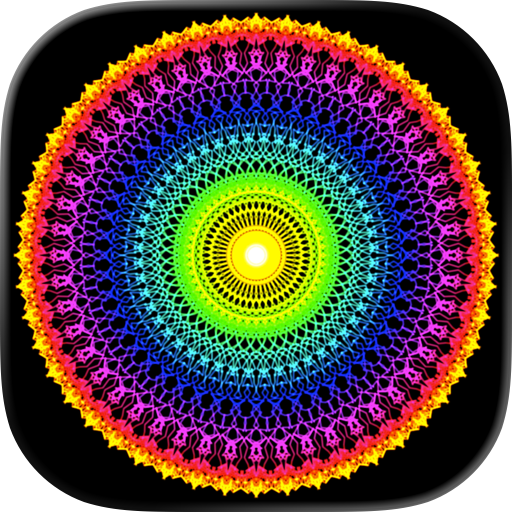
 English
 Español
 Français
 Português
 日本語
日本語 简体中文
简体中文 한국인
한국인Overview
Features & Capabilities
User Growth & Download Statistics
App
- By:
- Luke Bradford
- Rating:
- 4.60 (70)

- Version:
- 10.4 Last updated: 2026-07-26
- Version code:
- 888806175
- Creation date:
- 2009-08-22
- Compatible devices:
- Size:
- 12.66MB
- URLs:
- Website ,Privacy policy
- Full description:
- See detailed description
- Source:
- Apple Apps Store
- Data ingested on:
- 2026-09-06
- Compare stats and ranking:
- Symmetry Lab: kaleidoscope art vs Symmetry Lab Classic
- Symmetry Lab: kaleidoscope art vs Symmetry Artist
- Symmetry Lab: kaleidoscope art vs MirrorDraw: Kaleidoscope Art
Ranking
For Developers
Contact the developer
Chrome-Stats does not own this Apple app. Please use these information below to contact the Apple app developer.
User Reviews
Users praise the app for its rich creative toolkit, meditative feel, and recent gallery improvements, plus a capable free version. The main complaints are the lack of an in-app save feature, a cluttered drawing area, persistent drawing bugs, no zoom, and limited color/brush options. Pros
- Rich set of creative options and effects (kaleidoscope, mirrors, rotations) that keep art creation varied.
- Fun and meditative to use with a well-designed, satisfying interface.
- Gallery feature added in the latest version, improving viewing of your work.
- Free version offers many features, making it accessible.
- Saving/exporting on-device via screenshots or camera roll (a convenient workaround to save work).
Cons
- No built-in save/export feature; users frequently request a save button.
- UI/menu is cluttered and takes up drawing space; no option to hide it.
- Bugs affecting drawing (errant dot connections, pen/zoom issues).
- No zoom functionality; limited scaling controls.
- Limited color and brush options; desire for more colors and brush sizes (and occasional color layering issues).
Recent reviews
(Previous review is on the SymLab basic threads)
I can’t tell you how many times I’ve deleted an app bc devs have forgotten their consumers loyalty, the people who trusted in the app from launch and up to app upgrade rollouts —
symmetry lab just did exactly what I thought they’d do, which is, remember the users who’ve trusted in the app from the outset.
It’s 2026, yeh? — but I’ll go wide and call it 30+/- years that AppStore and PlayStore marketers have been able to put all their User data/response to work to improve the app and their user’s experiences and trust.
so thank you!

by So*****, 2026-06-09
Gallery in the latest version makes a huge difference
by St*****, 2026-05-08
Best Symmetry Lab: kaleidoscope art Alternatives
Here are some Apple apps that are similar to Symmetry Lab: kaleidoscope art:

Symmetry Lab Classic
Luke Bradford
0.00  (0)
(0)
(0) 
Symmetry Artist
小燕 陈
0.00 (0)
(0) 
MirrorDraw: Kaleidoscope Art
Tatsuya Tobioka
0.00 (0)
(0) 
Color Touch - Zen Symmetry
Ragnar Vutt
0.00 (0)
(0) 
Mandala Studio - Art Creator
Notake Shoji
0.00 (0)
(0) 
Symmetry Studio: Mandalas
Nisha Jain
0.00 (0)
(0) 
Kaleido: Visual Soundscapes
Philipp Ollmann
0.00 (0)
(0) 
Symmetry Drawing App
Andrei Kazmin
1.00 (2)
(2) 
Twin Motion
Yongjie HU
0.00 (0)
(0) 
Kaleidoscope - Drawing
Anmol Saxena
4.00 (2)
(2) 
Mandala Maker: symmetry doodle
Damien Bell
4.60 (9,512)
(9,512) 
Symmetry Sketch
伟 孙
0.00 (0)
(0)