Features & Capabilities

​​GoLinks® improves productivity by helping teams access and share resources fast with easy-to-remember short links called go links. The same intuitive, secure go links that you use and love on your desktop are now easily accessible on your mobile device! The GoLinks iOS app lets you access information from anywhere.

Go link solutions are used by companies like Google to help employees work faster and smarter. Get started with the GoLinks iOS app today to boost productivity!

Features include:

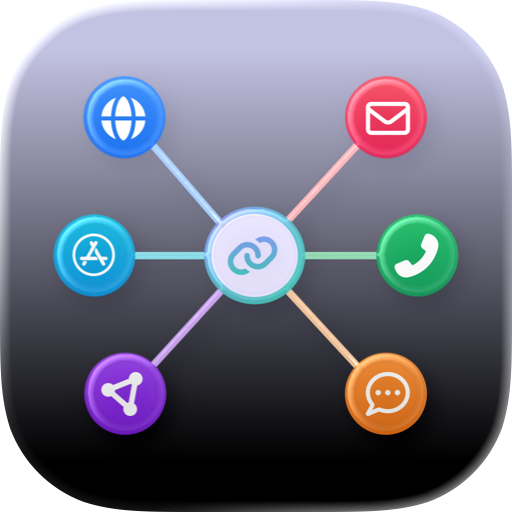
Redirect on mobile Open go links from your mobile dashboard and seamlessly redirect to the native application or website.

Type go links in Safari With our Safari mobile extension, type go/keyword commands in your Safari mobile browser to navigate right to a resource, just like on desktop.

Share resources on the go With a single tap, easily share go links from the app to contacts and to apps like Slack and email.

Search your mobile library Quickly search for go links by name, keyword, or tag. Select a search result to jump right into a resource. The search bar will also provide you with a list of your most recent searches for faster access to commonly used links.

Filter to find resources fast From your GoLinks dashboard, apply quick filters to easily sort your library and find resources by favorites, recently used, top, and more.

View and search for tags View all of your existing tags by department, topic, project, or any custom classification and easily search for go links by tag.

Make changes to your library Based on your role and workspace settings, take actions on go links like editing, deleting, or viewing details including the go link description, URL, and creator. You can also pin or unpin, favorite or unfavorite, or lock and unlock go links and see these changes reflected on your mobile and desktop dashboards.

Save information from anywhere Click to share a mobile resource right to the GoLinks application. We’ll pre-populate your URL so you can quickly create a new go link you can easily access again later from your phone or computer.

Access on your home screen With our iOS widget, add GoLinks to your home screen. Search for links or click to filter by recently used and favorites. The GoLinks app will open directly to the results. Or enable suggested go link results to get right to a recent resource.

User Growth & Download Statistics

App
By:
GoLinks
Rating:
4.50
(22)
Version:
5.2.2 Last updated: 2024-12-05
Version code:
868627782
Creation date:
2022-08-01
Compatible devices:
Size:
16.09MB
URLs:
Website ,Privacy policy
Full description:
See detailed description
Source:
Apple Apps Store
Data ingested on:
2026-06-30
Compare stats and ranking:

Contact the developer

Chrome-Stats does not own this Apple app. Please use these information below to contact the Apple app developer.
Developed by:
GoLinks
Apple Apps Store
https://apps.apple.com/us/app/golinks/id1629983278
Website:
https://www.golinks.io/

User Reviews

Please solve the issue
by Ma*****, 2024-09-10

I use my iPad to do work, and the toughest part of my workflow is not being able to use go/links on iPad. This extension includes a Safari Extension that enables go/link redirects which has fixed my workflow! Amazing
by ha*****, 2023-03-02

GoLinks has already made my own daily work life so much more manageable and drastically improved company communication efforts, but having the ability to find these resources on the go on my phone has already proved so handy. GoLinks just keeps getting better!!!
by Th*****, 2022-08-03
View all user reviews ›

Best GoLinks Alternatives

Here are some Apple apps that are similar to GoLinks: