
 English
 Español
 Français
 Português
 日本語
日本語 简体中文
简体中文 한국인
한국인
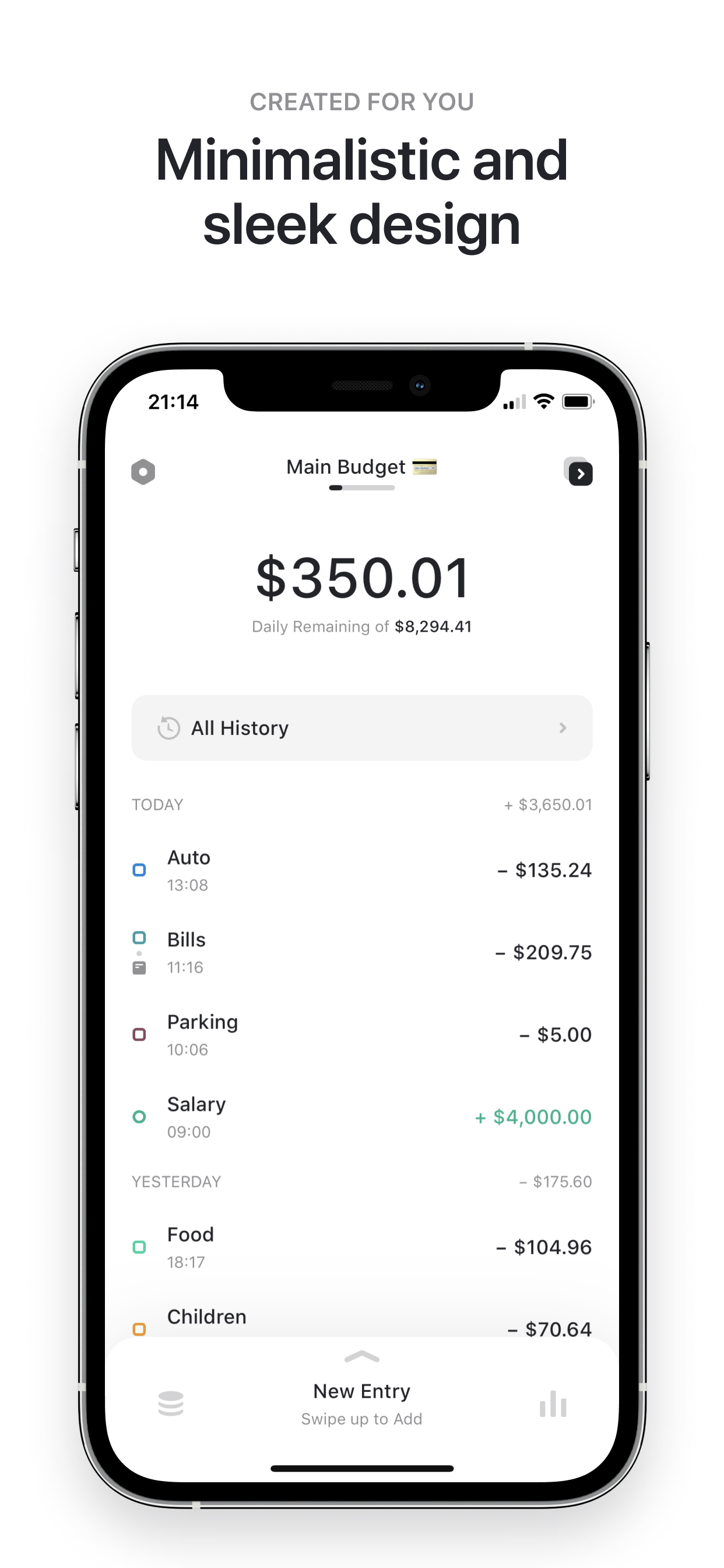



Features & Capabilities
User Growth & Download Statistics
- By:
- Engels Cybersecurity & Consulting GmbH
- Version:
- 3.2.5 Last updated: 2021-05-24
- Version code:
- 842338567
- Creation date:
- 2019-10-12

- Compatible devices:
- Size:
- 87.51MB
- URLs:
- Privacy policy
- Full description:
- See detailed description
- Source:
- Apple Apps Store
- Data ingested on:
- 2026-07-06
- Compare stats and ranking:
- Coinpath: Expense Tracker vs Coins - Spending Tracker
- Coinpath: Expense Tracker vs CC: Spending & Money Manager
- Coinpath: Expense Tracker vs SnapKoin: Fast Expense Tracker
For Developers
Contact the developer
Chrome-Stats does not own this Apple app. Please use these information below to contact the Apple app developer.
User Reviews
Users praise Coinpath for its beautiful UI/UX, simple budgeting workflow, and strong customization, with several calling it their favorite spending tracker. However, recurring issues include a budget entry keyboard that disables the Continue button, and the absence of cloud sync/backup and cross-device syncing. There are also requests for Apple Watch and Mac support. Overall, the app is highly regarded for usability and aesthetics but would benefit from cross-device syncing and platform enhancements. Pros
- Beautiful, intuitive UI/UX that looks and feels great
- Simple and handy budgeting/expense tracking experience
- Lots of customization options for budgets and charts
- Positive user sentiment and appreciation across reviews
- App is perceived as a strong spending tracker with good functionality
Cons
- Budget input keyboard blocks the Continue button during budget setup
- Lack of cloud sync/backup and cross-device syncing
- No Apple Watch app (and requests for watch support)
Recent reviews
I tried to create a budget but the keyboard on the budget amount won’t go away and I was stuck


by 15*****, 2024-12-02
Когда я ввожу сумму бюджета клавиатура мешает мне нажать кнопку продолжить внизу экрана
by До*****, 2023-12-10
The budget input keyboard does not allow you to press the button next
by Mi*****, 2023-11-15
Best Coinpath: Expense Tracker Alternatives
Here are some Apple apps that are similar to Coinpath: Expense Tracker:


Coins - Spending Tracker
Yuzhou Zhu
4.60  (636)
(636)
(636) 
CC: Spending & Money Manager
Azamat Valitov
0.00 (0)
(0) 
SnapKoin: Fast Expense Tracker
鹏 蒋
3.50 (2)
(2) 
Coinflow: Cash Flow Tracker
Bulat Zaripov
0.00 (0)
(0) 
Cashnote - Budget Tracker
Alexander Nikonov22270669431
0.00 (0)
(0) 
Fin - Budget Tracker
Thomas Brandstaetter
4.50 (89)
(89) 
CoinKeeper 3 - money manager
Disrapp
4.40 (98)
(98) 
CostCalculator.App
Giorgi Parunov
5.00 (1)
(1) 
Budget Planner - Money Flow
Hermann Wagenleitner
4.80 (708)
(708) 
DailyCost - Expense Tracker
RSQUARED INVESTMENT PTE. LTD.
4.00 (165)
(165) 
Coinka: Budget & Expenses
Nikolai Kuzmenko
0.00 (0)
(0) 
Budget On - Expense Tracker
ZERUN MODA TRADE CO., LIMITED
0.00 (0)
(0)