Vintage FootBall Game Apple

Vintage FootBall Game

Non-Stop Action for all ages
MinuteBio
Want more fun? Play 1,000+ free unblocked games at

Features & Capabilities

The crowds is yelling, the band is playing, cheerleaders are dancing on the field, you and your opponent to enter the field. Both of you, have 4 - fifteen minute quarters to score, either by running, to the goal line or kicking the ball through the uprights as many times against the opposing team. You know what you have to do, you have a strategy, you have a goal, play ball!

When you get possession of the ball, you can either run the ball to the opposing teams goal, or kick a field goal on forth down.

Defense is controlled by the computer, it will do everything it can to stop you, minus shooting, nuking, kicking or eye gouging.

Running is controlled by the arrow keys, you can move up, down, or forward. With these movements you evade the defense . You have 3 downs to move the ball before deciding if you are going continue to run or kick the ball.

I am charging only for the work I've done on the game, if you want the game for free go to github at: https://github.com/johnclute/PlayFootBall. You need Swift the latest version to run it.

How to play: Game Objective: The object of the game is to score, either by running to the goal line, or kick a field goal, within four, 15 minute Quarters.

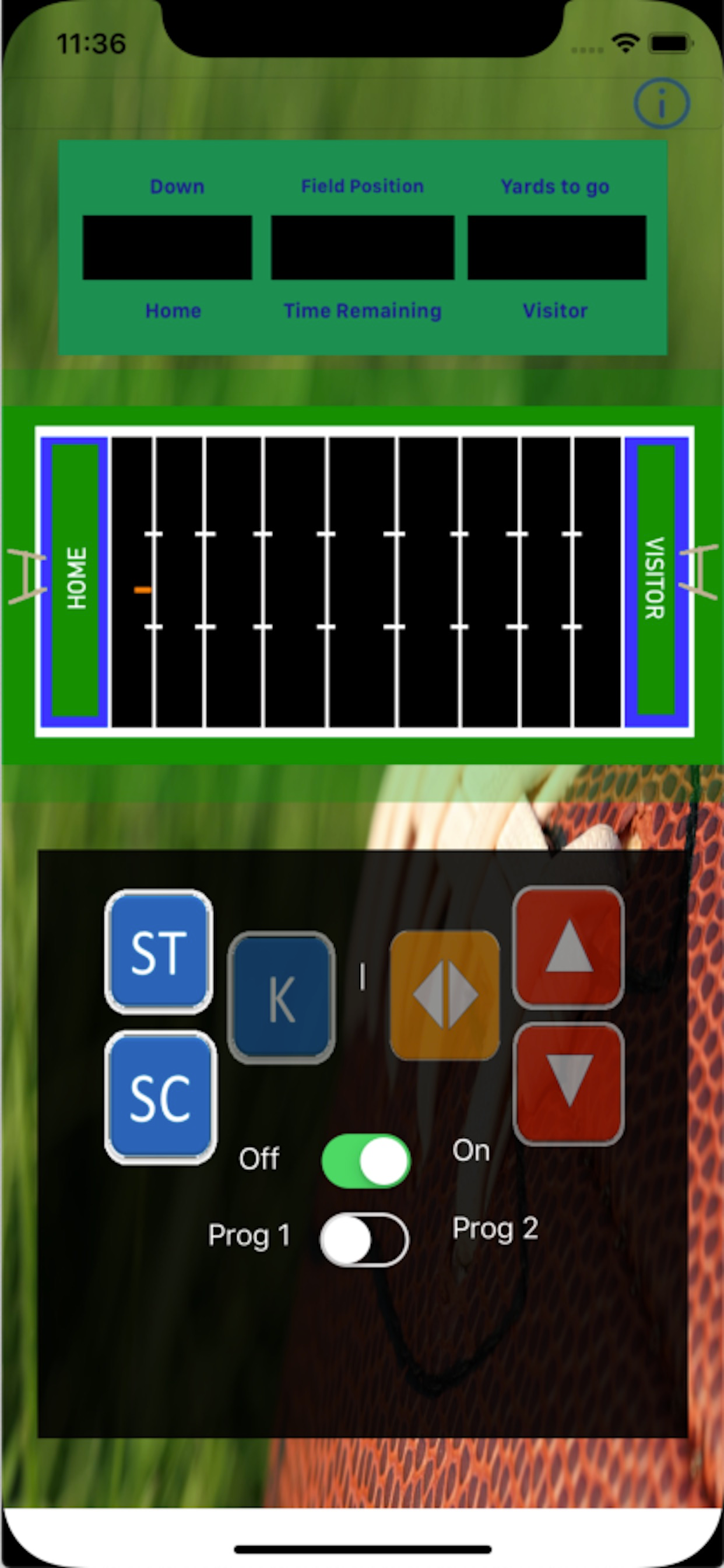
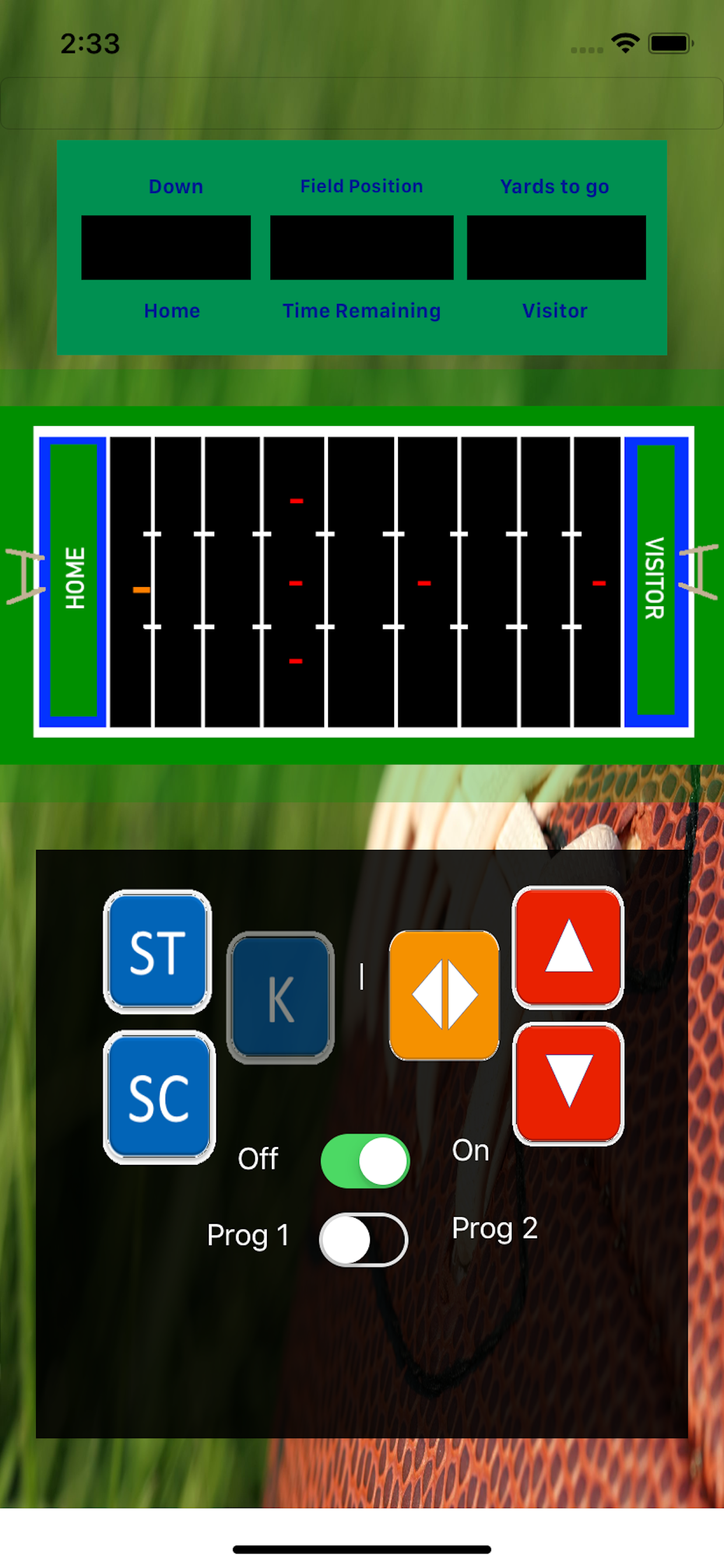
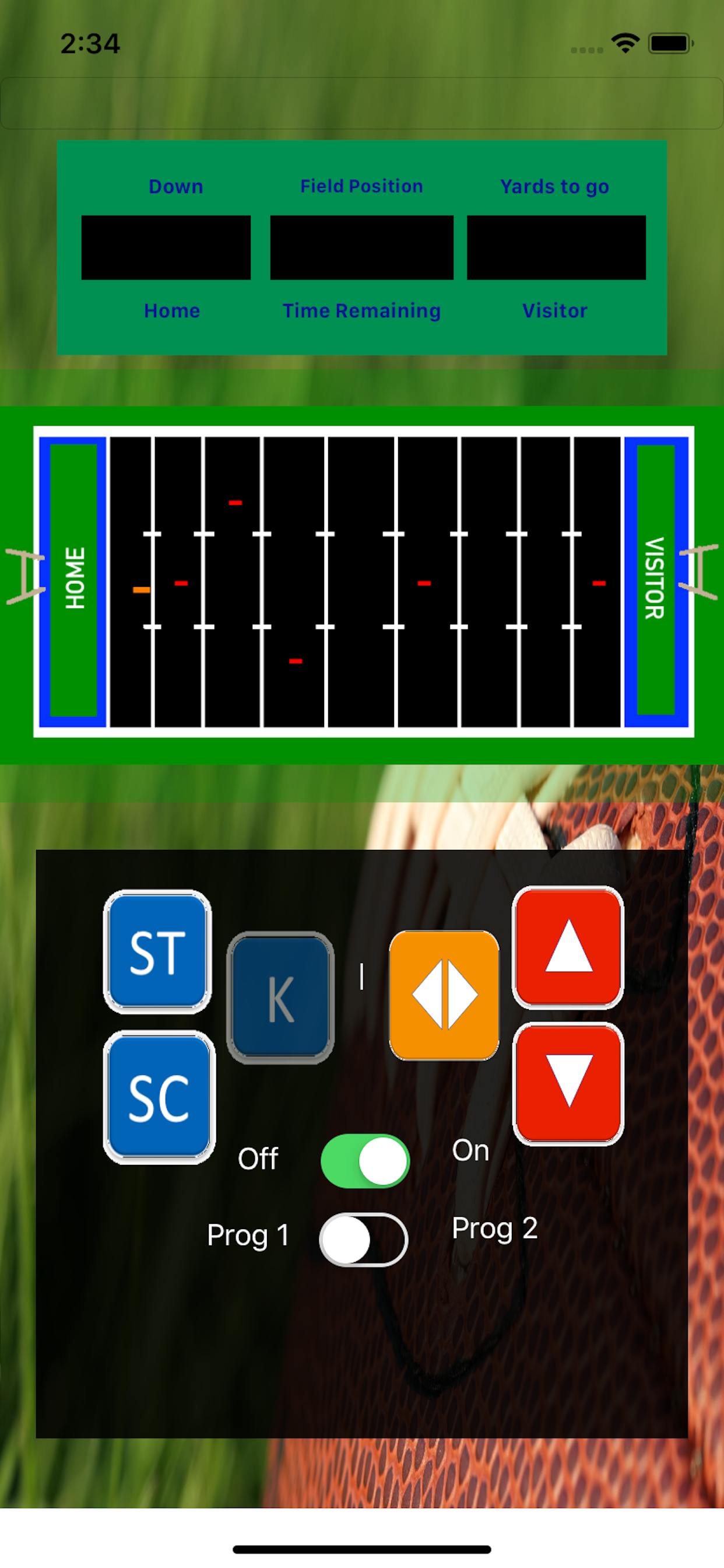
Defense is Red

Offense is Orange, this is the Running Back, signifying they have the ball.

Starting the game: First of all the game initially starts with the power off, the game needs to be powered on.

Before the game is powered on, the program should be set, this set the game difficulty, 1 for easy; 2 for more difficult.

When the game is powered on you don't need to press the status or score key to reset the play. You can start play immediately.

Game Play: The down begins when Offense, when the Running Back gets the ball 2 yards behind the line of scrimmage, he can move, either up, down or forward. The Defense will immediately move towards the runner, who's job is to avoid the defense and score. Pressing the Up, Down, or Forward keys you move the ball carrier to the goal line. Up and Down are used to side step the defense. The forward key is to move you forward towards the goal.

Forth Down is a special case, a player can either run or kick. If they kick then the play is same. However, if they choose to Kick, if the player is in their field territory, then the kick will be a punt. On the other hand if the ball is the defense territory, this will be a field goal attempt. Much like real football, the close you are the better the chance to make a field goal.

End of Down: The down will end when the Running Back is tackled by the defense, this is signaled by a short whistle blow.

A 25 second delay of game timer starts at the end of each play.

Each series of plays goes on 4 times, unless like real Football they get a first down, then the player gets to repeat 4 more times.

This is done until they are stopped before get past the forth down marker in the downs allotted, or they score.

However, if the Running Back crosses the goal line, a longer whistle blow will indicate a goal was scored.

Beginning a new Down. When the down is finished, a new down is set up and ready to go when the ST or SC button are pressed, these are play Status, or Score.

Status displays on score board

Left Top Window, current position position in down, ie H 1 indicates H team is on the 1 yard, or at the beginning of the first down position, and they 10 yards to go before they get the first down.

The middle Window shows field position, which is shown l- 45, l- means they are on Home field territory and on the 45 yard line, likewise -l, indicates they are in visitor territory.

Right top Window how many yards to go before getting a first down if the Offense is close to the goal how many yards to go before scoring.

When the SC key is pressed, this show scores, Left Top window is Home score, Right Top window Visitor. The Top Middle window shows how many minutes until end of Quarter. There are 4 Quarters in the Game.

User Growth & Download Statistics

App
By:
John Clute
Rating:
3.90
(17)
Version:
2.10 Last updated: 2020-02-05
Version code:
834595377
Creation date:
2018-08-13
Compatible devices:
Size:
27.97MB
Price:
1.99
URLs:
Website ,Privacy policy
Full description:
See detailed description
Source:
Apple Apps Store
Data ingested on:
2026-06-10
Compare stats and ranking:

Contact the developer

Chrome-Stats does not own this Apple app. Please use these information below to contact the Apple app developer.
Developed by:
John Clute
Apple Apps Store
https://apps.apple.com/us/app/vintage-football-game/id1412121374
Website:
https://icreateiphoneapps.com/what-if/vintage-electronic-football/

User Reviews

Game is pretty much what I remembered. I wish we could return kickoffs and kick field goals. When I try it seems like it’s a pint instead.
by Lo*****, 2023-02-11

Seems as though the defensive players move too quickly. Not sure how to control whether to kick a field goal or punt.
by To*****, 2020-03-31

Almost like the game I played when younger. I can’t find the haptic or sounds so if it does then someone let me know. If it doesn’t then it needs it for sure.
by sl*****, 2019-10-29
View all user reviews ›

Best Vintage FootBall Game Alternatives

Here are some Apple apps that are similar to Vintage FootBall Game: