 English
 Español
 Français
 Português
 日本語
日本語 简体中文
简体中文 한국인
한국인


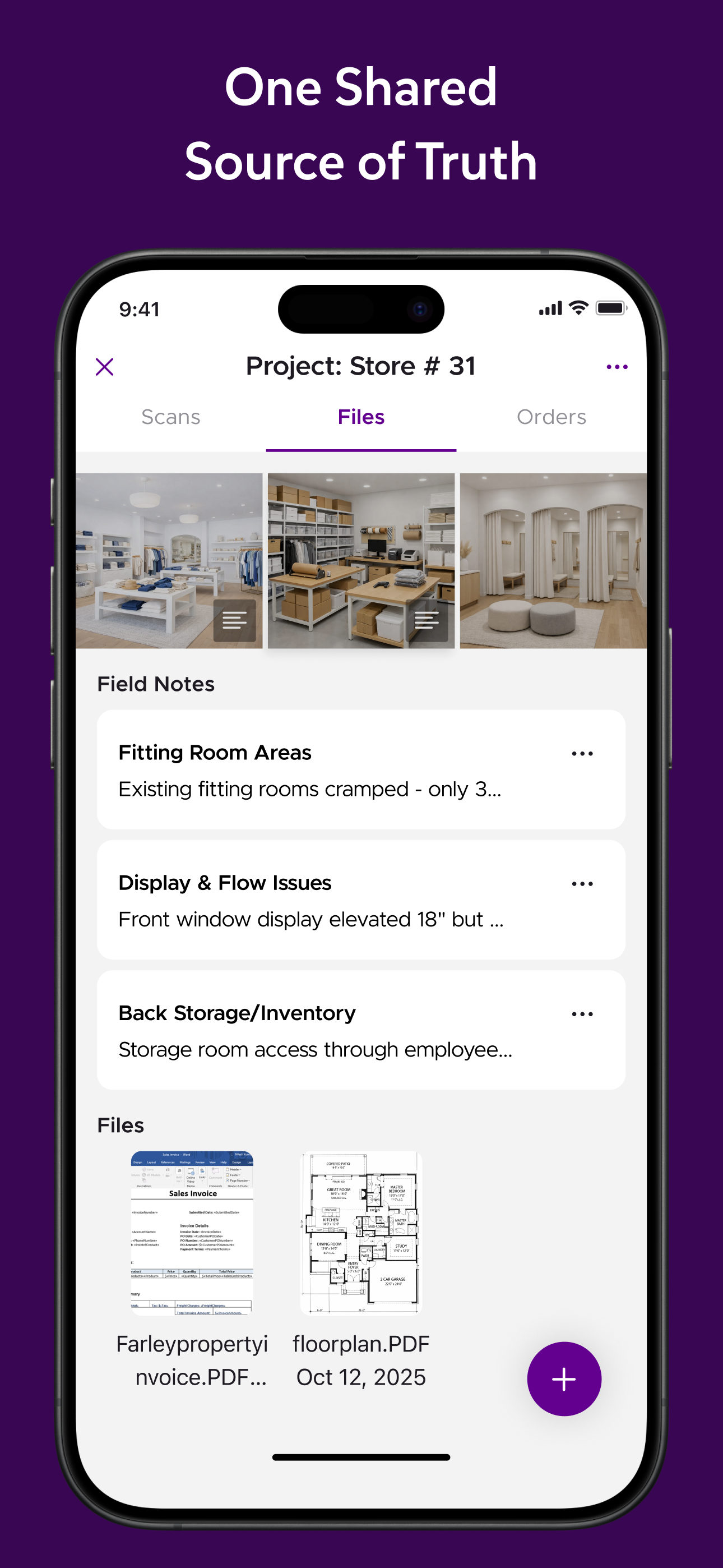


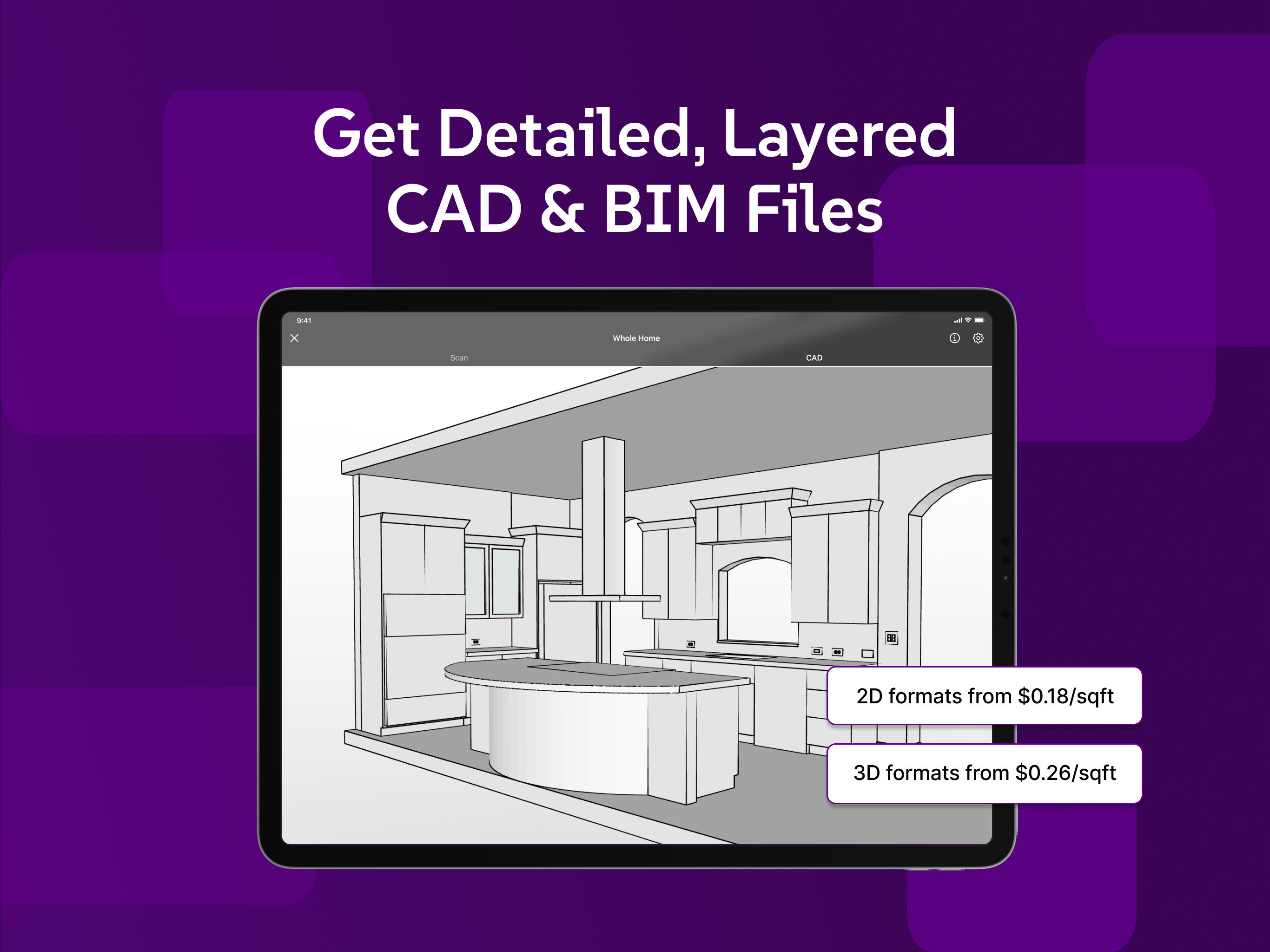



Features & Capabilities
User Growth & Download Statistics
- By:
- Occipital, Inc.
- Rating:
- 4.80 (1,082)
 6 new ratings
 - Version:
- 4.9 Last updated: 2026-06-29
- Version code:
- 887350602
- Creation date:
- 2016-11-10
- Compatible devices:
- Size:
- 788.19MB
- URLs:
- Website ,Privacy policy
- Full description:
- See detailed description
- Source:
- Apple Apps Store
- Data ingested on:
- 2026-07-01
- Compare stats and ranking:
- Twindo (formerly Canvas) vs TwinCapture
- Twindo (formerly Canvas) vs UpLiv
- Twindo (formerly Canvas) vs Canvis Camera
For Developers
Contact the developer
Chrome-Stats does not own this Apple app. Please use these information below to contact the Apple app developer.
User Reviews
Twindo (Canvas) is praised for saving time and delivering accurate, export-ready as-built models that fit professional workflows. However, recurring concerns about steep pricing, billing confusion, reliability after updates, and mixed support experiences dampen its appeal. The app remains a powerful tool for remodeling/design, but value depends on pricing stability, dependable performance, and responsive support. Pros
- Significant time savings on measuring and creating as-built models, reducing manual work.
- Accurate scans and useful deliverables for remodeling/design projects.
- Good workflow integration with external tools (e.g., SketchUp, Chief Architect) for ready-to-use files.
- Ease of use and quick adoption for professionals like interior designers and remodelers.
Cons
- High cost and paywall features: subscription fees, per-export/file charges, and confusing billing (e.g., charges shown as Canva).
- Reliability issues after OS or app updates, including scans not loading or the app stopping working.
- Billing transparency problems and refunds: difficulties removing Apple billing, deceptive billing names, and challenging refunds.
- Customer support concerns: reports of unhelpful responses and reluctance to issue refunds when problems occur.
- Loss of the older Canvas Lite experience/clarity: users miss the previous rendering quality and accessibility.
Recent reviews
Check the date on the reviews. Prior to 2026 it was called Canvas.io and was a great product. This is no longer the case. Do not recommend.


by hs*****, 2026-06-10
Get Scaniverse it does the same but for free then convert your obj to .skp for free online. Twindo quoted my scan $900 to be converted to a .skp file ( ridiculous )
by St*****, 2026-03-10
Used this app as a subscriber for along time, but after an IOS updated, it stopped working. A coworker also experienced the exact same issue.. Try to contact customer service and they were not helpful at all and said it was my phone.. Been using a competing scanner since with no problem.
by ro*****, 2026-03-05
Best Twindo (formerly Canvas) Alternatives
Here are some Apple apps that are similar to Twindo (formerly Canvas):


TwinCapture
cupix
5.00  (4)
(4)
(4) 
UpLiv
UpLiv Technologies Inc.
5.00 (5)
(5) 
Canvis Camera
Canvis, Inc
4.50 (10)
(10) 
Twyn View
Visometry GmbH
0.00 (0)
(0) 
UI Capture
Urbanimmersive
0.00 (0)
(0) 
iTwin Capture Mobile
Bentley Systems, Inc.
0.00 (0)
(0) 
SiteWalk Capture
CodeusIT Solutions Private Limited
0.00 (0)
(0) 
Matterport
Matterport Inc
4.70 (4,071)
(4,071) 
DocuSketchº
Clipnow
3.50 (42)
(42) 
Visuary - The Smart Floor Plan
Visuary
4.20 (116)
(116) 
Stonn
Gregoire Deshusses
0.00 (0)
(0) 
Roomantic: 3D Interior Design
Blank Slate Labs Limited Liability Company
5.00 (6)
(6)