Features & Capabilities

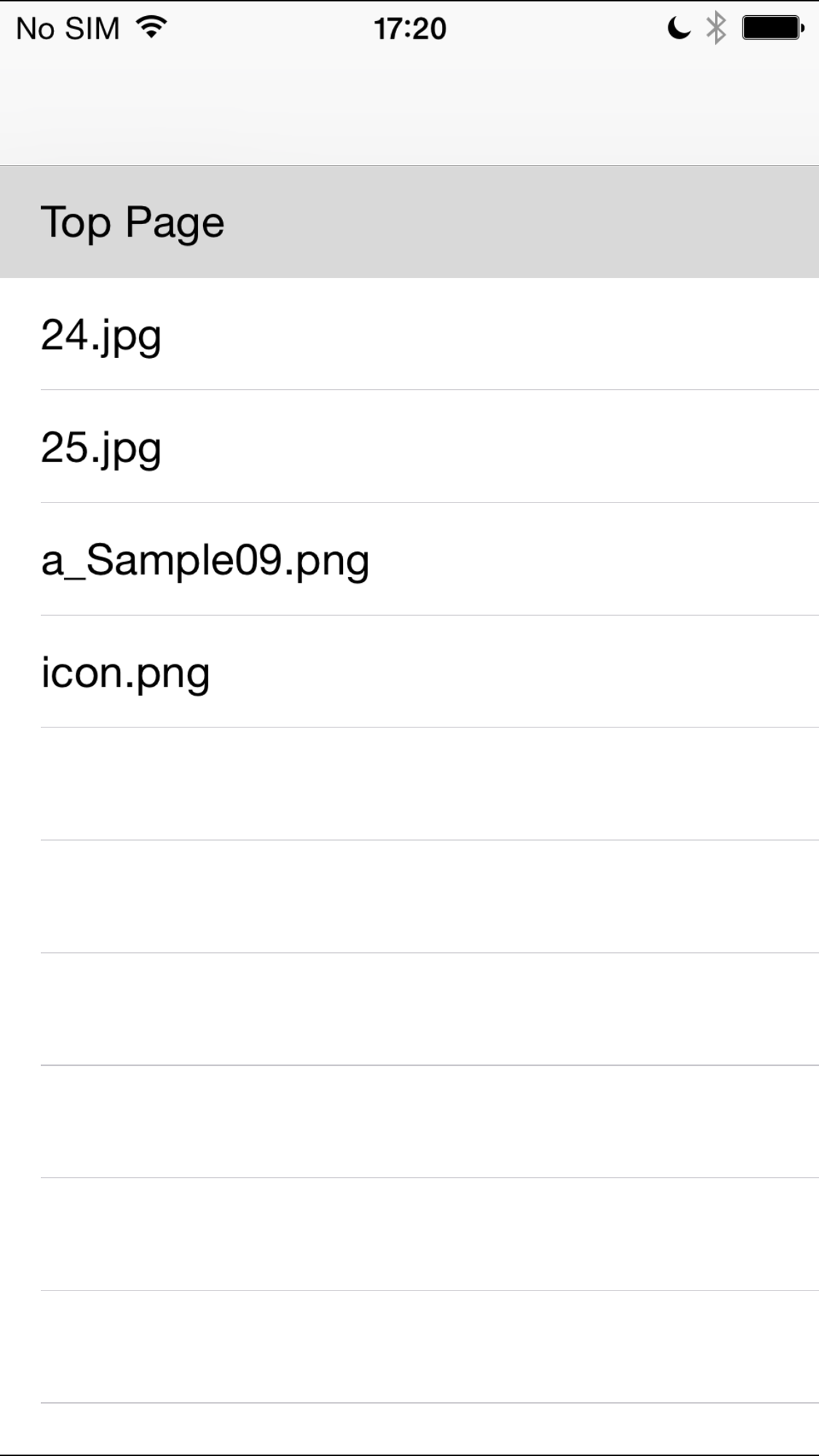
This Application software (APP) privately displays files imported by iTunes file sharing. Various file formats (PDF, JPEG, GIF, PNG) can be displayed.

Important!: This app is for iOS10. (Please install the legacy "Tuzura" (Version 1.6) priority in iOS 9 and lower.)

  1. Options
  • The titles, order, etc. of files can be changed using the indexed file (index.xml). (Please refer to the formats on a support page.)
  • Once the top page file (index.html) is registered, the page replacing the initial guide can be displayed. (It does not link to external sites.)
  1. Simple utilization
  • This page appears only when there is no file to be read.
  • Connect the iOS device and iTunes Application with the cable, and select this APP in iTunes file sharing.
  • Register the file you want to share in the document. (You can update or delete the data on this page, too.)
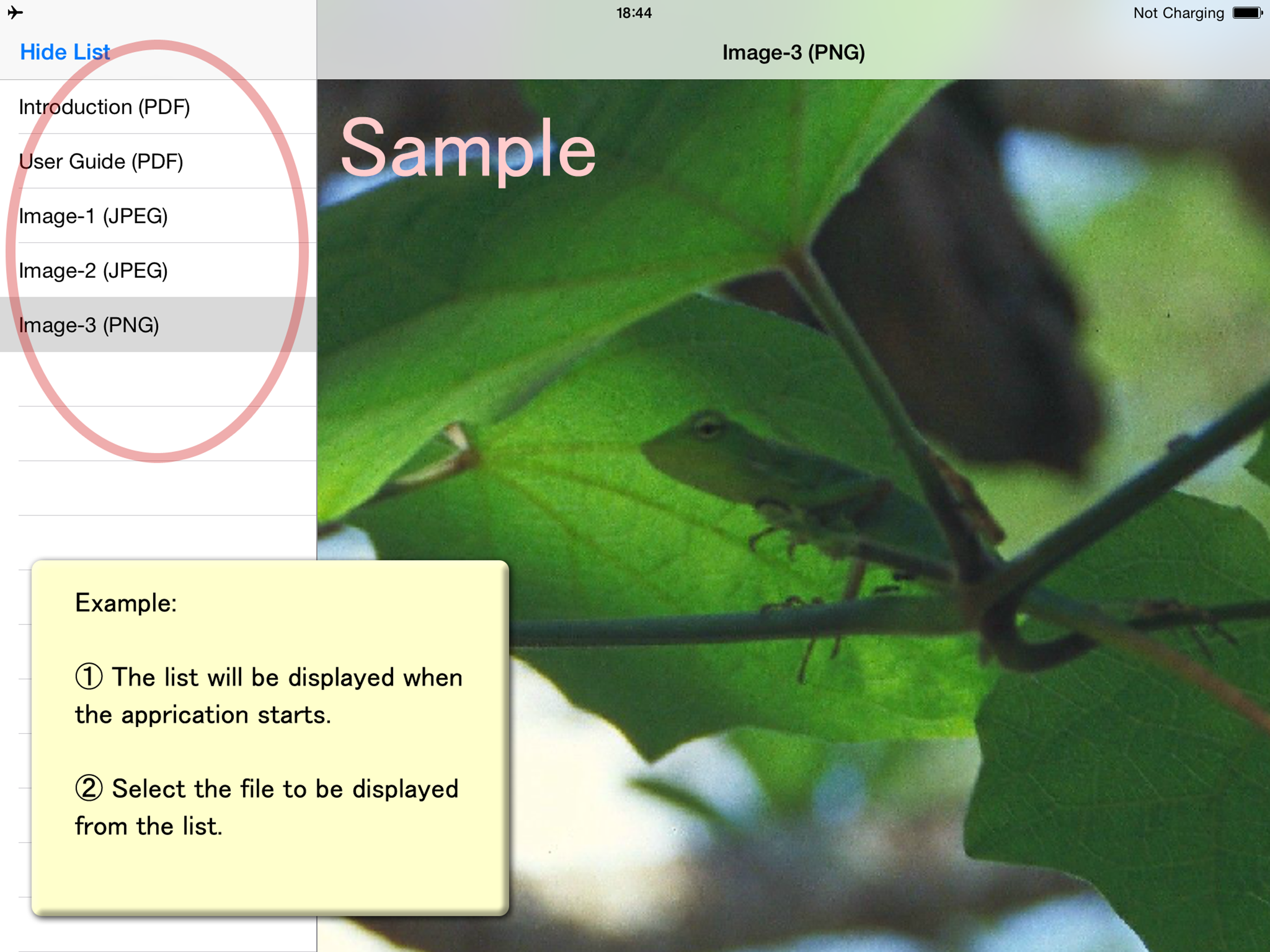
  • The list will be displayed when the APP starts.
  • A refresh operation by pulling down the list is necessary after updating the file registration.
  • Select the file to be displayed from the list.
  • Bookmarks (Outlines) are available as a list in a PDF file.
  1. More convenient utilization Function enhancement is possible by the indexed file (index.xml). (Please refer to the formats on the support page.)
  • The hierarchical structure of the list is available. (v.1.2+)
  • Hierarchical data of the bookmarks displayed in a PDF file can be controlled. (v.1.3+)
  • The direction of movement of a page can be set. (v.1.3+)
  1. The limitation of this version
  • Match case is available for the file-names.
  • A page may include some links, but it never links to external sites.
  • Only the text can be displayed as a list.
  • PDF outlines are shown in iPad only.

Release Notes

Version 1.1:

  • The function to close the list is added with a landscape display.
  • Big-sized PDF files can be displayed.

Version 1.2:

  • The hierarchical display of the list is available by the description of the indexed file (index.xml).
  • The top page title can be set in the indexed file.
  • Troubles in the display occurring when Home button returns were fixed.
  • The display of the status bar was changed. (in iPad)

Version 1.3:

  • Bookmarks (Outlines) in a PDF file can be displayed as a file in selecting.
  • The bookmarks synchronize with a page movement of the PDF file.
  • Hierarchical data of the bookmarks displayed in a PDF file can be controlled by the indexed file (index.xml).
  • The direction of movement of a page can be set by the indexed file (index.xml).
  • The PDF file can be displayed by a viewer from the HTML link. (It does not link to external sites.)
  • The list and titles can be described separately by the indexed file (index.xml).

Version 1.4:

  • Fade-out/in view (except PDF).
  • Landscape initial display size as wide can be set by the indexed file (index.xml).
  • Top page's label name trouble was fixed.
  • File load trouble was fixed.
  • It limits loading of hidden files.
  • Internationalized.

Version 1.5:

  • iOS8 was available.
  • Bug-fix of 1-page PDF.

Version 1.6:

  • iOS9 was available.
  • The outline of PDF was corrected. (It was changed the iPad only showed outline.)

Version 1.7:

  • iOS10 was available. (branch from v. 1.6.)

User Growth & Download Statistics

App
By:
MITSUHIRO TSUDA
Version:
1.7 Last updated: 2016-09-22
Version code:
841658551
Creation date:
2016-09-22
Compatible devices:
Size:
32.96MB
Full description:
See detailed description
Source:
Apple Apps Store
Data ingested on:
2026-06-15
Compare stats and ranking:

Contact the developer

Chrome-Stats does not own this Apple app. Please use these information below to contact the Apple app developer.
Developed by:
MITSUHIRO TSUDA
Apple Apps Store
https://apps.apple.com/lb/app/ipallet-tuzura-for-ios10/id1156341832

Best iPallet/Tuzura for iOS10 Alternatives

Here are some Apple apps that are similar to iPallet/Tuzura for iOS10: