
Block Tower: Stack Builder Fun Apple

Block Tower: Stack Builder Fun

Tap to stack and keep your…

Features & Capabilities

Drop swinging blocks with a single tap, chase Perfect streaks, pin your best tower on widgets, and switch themes, skins and challenges anytime. Easy setup on iPhone.

Build a taller tower with each tap, save clutch landings, and keep your best height handy with widgets. Block Tower offers quick stacking rounds on iPhone with clear controls, local personal-best tracking, and no interruptions mid-run.

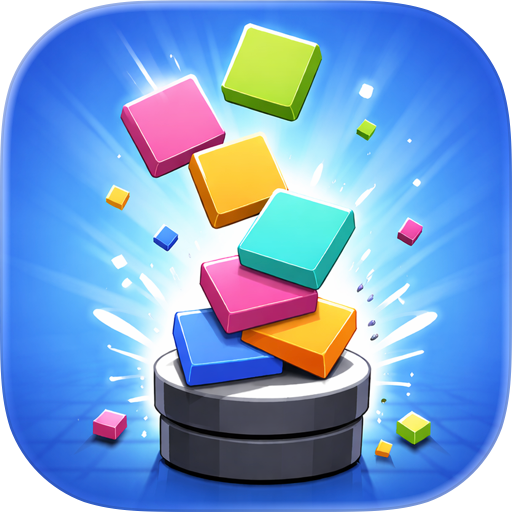
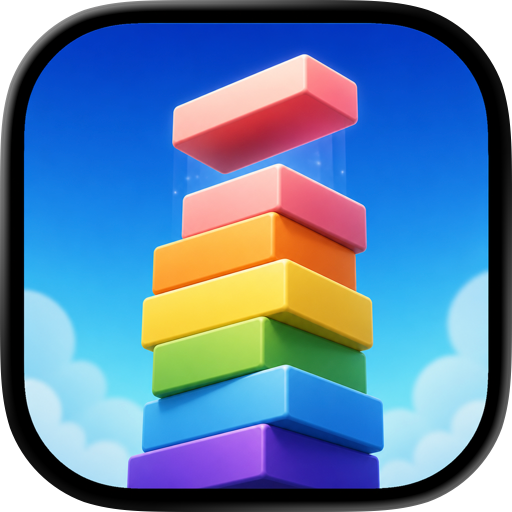
Every round starts on the canvas with a swinging block over your tower. Tap to drop it. Land near the centre and the stack settles cleanly. Miss the centre and overhang slices away, narrowing the next block. Hit 3 Perfect drops in a row to recover lost width on the next block. Use all 3 lives and the run ends, ready to share your height.

Features:

  • One-tap drop control with swinging block
  • Five possible drop results: Perfect, Near-Perfect, Partial, Wobble-Save, Topple
  • Perfect streak counter: 3 in a row recovers block width
  • 3 lives per run
  • Local tracking of tallest tower, longest streak, total runs
  • 3 free skins: Wood, Stone, Brick
  • 6 Pro skins: Gold, Crystal, Neon, Obsidian, Marble, Cosmic
  • Classic mode for standard play
  • Wind mode (Pro) applies sideways push
  • Earthquake mode (Pro) adds brief ground shakes
  • Seasonal themes including Midnight (free), Spring, Summer, Autumn, Winter, Aurora, Festival
  • Home Screen, Lock Screen, StandBy and Control Centre widgets for quick check-ins

How it works:

  • Tap once to drop the block while it swings
  • Hit a small centre zone for Perfect or wider for Near-Perfect
  • Partial drops cut the overhang, shrinking next block
  • Recover width after 3 Perfects in a row
  • Save near falls with Wobble-Save
  • Lose a life on Topple; lose all and game over
  • Use Stack Again to restart quickly

Widgets and quick actions:

  • Home Screen widgets show tallest tower, best Perfect streak, total runs, and current theme with days left
  • Lock Screen widgets: rectangular height/season view, one-line summary, or circular icon with height
  • StandBy shows rectangular height and season for glanceable info
  • Control Centre button to start a new tower run
  • Ask Siri to start a new run or read your best tower stats

Themes and skins:

  • Switch skins visually: Wood, Stone, Brick, and Pro skins like Gold or Neon
  • Skins do not affect gameplay
  • Preview themes including Midnight, Spring, Summer, Autumn, Winter, Aurora, Festival
  • Keep automatic seasonal rotation or pin a favourite theme
  • Active theme appears on widgets and share card

Challenge modes:

  • Classic: calm, standard physics
  • Wind (Pro): steady sideways force leans the tower
  • Earthquake (Pro): short shaking rumbles test stability
  • Switch modes from pause menu and restart

Common uses:

  • Quick Perfect streak while waiting
  • Check widget for best tower without opening app
  • Change canvas mood with Aurora or Festival
  • Share tower height and streak after a great run
  • Try Wind or Earthquake after Classic mastery

Settings:

  • Pause menu with Resume, Restart, Mode picker
  • Game toggles: Haptics and Sound Effects

Enjoy stacking fun anytime, anywhere with easy controls and plenty of style options.

User Growth & Download Statistics

App
By:
Sandeep Bhandari
Version:
1.1 Last updated: 2026-05-27
Version code:
886062611
Creation date:
2016-09-10
Compatible devices:
Size:
93.26MB
URLs:
Website ,Privacy policy
Full description:
See detailed description
Source:
Apple Apps Store
Data ingested on:
2026-06-09
Compare stats and ranking:

Contact the developer

Chrome-Stats does not own this Apple app. Please use these information below to contact the Apple app developer.
Developed by:
Sandeep Bhandari
Apple Apps Store
https://apps.apple.com/fr/app/block-tower-stack-builder-fun/id1146253957?l=en-GB
Website:
https://indragnisolutions.com

Best Block Tower: Stack Builder Fun Alternatives

Here are some Apple apps that are similar to Block Tower: Stack Builder Fun: