
 English
 Español
 Français
 Português
 日本語
日本語 简体中文
简体中文 한국인
한국인



Features & Capabilities
User Growth & Download Statistics
- By:
- Paint 98
- Rating:
- 3.90 (377)

- Version:
- 0.0.17 Last updated: 2025-12-20
- Version code:
- 880863720
- Creation date:
- 2016-02-05
- Compatible devices:
- Size:
- 12.37MB
- URLs:
- Website ,Privacy policy
- Full description:
- See detailed description
- Source:
- Apple Apps Store
- Data ingested on:
- 2026-06-10
- Compare stats and ranking:
-
For Developers
Contact the developer
Chrome-Stats does not own this Apple app. Please use these information below to contact the Apple app developer.
User Reviews
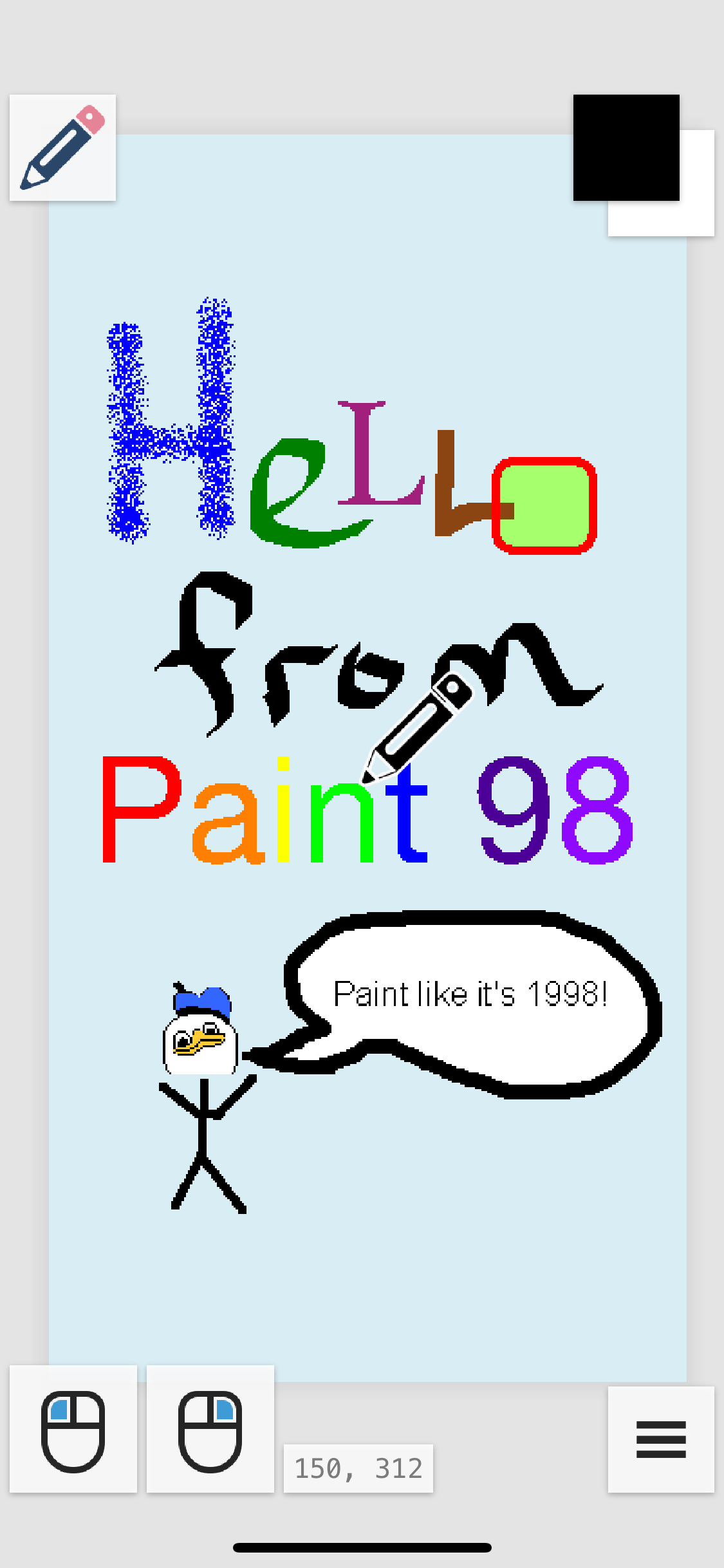
Paint 98 is praised for capturing an old-school MSPaint vibe and delivering a lean set of basic, retro-friendly tools. However, users repeatedly flag UX problems: unintuitive, mouse-like controls on a phone; hard-to-reach undo/redo; no layers; unclear icons; and occasional text tool problems. Overall, it’s a nostalgic, simple-editing option with meaningful usability trade-offs that would benefit from improved controls, added layers, and clearer UI. Pros
- Delivers a nostalgic MS Paint recreation on mobile that fans appreciate, with a retro look and feel.
- Provides a core MS Paint–style toolset suitable for basic edits and simple, retro drawings.
- Offers a lightweight, free set of drawing tools that appeals to casual users seeking straightforward functionality.
- Appeals to users seeking a lightweight, old-school drawing experience without advanced features.
Cons
- Controls are unintuitive and heavily mouse-oriented, requiring dragging the canvas and holding a button, which is not friendly to touch.
- Undo/redo is hard to access or missing, with users calling for gestures or a quick-access toolbar.
- There is no support for layers, which many users miss for organizing edits and complex work.
- UI/icons are unclear and lack on-screen labels, making it hard to know what each tool does without trial and error.
- Text tool issues (occasionally non-functional) and other text-related limitations frustrate some users.
Recent reviews
One of my hobbies is creating Minecraft textures and it’s this is the only app for mobile that allows me full control of my image sizes. It’s so easy to set you colors and go! 100% recommend!
Great for lots of other image editing the old fashioned way. Love it!

by Gr*****, 2026-05-18
Deleted something I was working on for six hours when it crashed.

by vv*****, 2026-05-11
If it had arrows and backfilled text boxes, it would be perfect.
by nK*****, 2026-05-09
Best Paint 98 Alternatives
Here are some Apple apps that are similar to Paint 98:


Paint Gallery
Bilal Javed Bhutta
0.00  (0)
(0)
(0) 
No Paint
Jeffrey Scudder
0.00 (0)
(0) 
editPaint
Heber Moura de Almeida
0.00 (0)
(0) 
RetroPaint
Virtual GS
0.00 (0)
(0) 
Just Paint
ABCiSoft
0.00 (0)
(0) 
Sketch Paint
Codegres (OPC) Private Limited
0.00 (0)
(0) 
Easy Paint II
ICI Solutions
3.90 (20)
(20) 
Draw Something
ABCiSoft
5.00 (1)
(1) 
HEAVYPAINT Classic
HEAVYPOLY, Inc.
4.20 (180)
(180) 
Draw Master - Art Maker
瑞媚 杨
4.50 (34)
(34) 
Mirror Paint
ABCiSoft
5.00 (1)
(1) 
Pixel Art - draw with dots
Mireia Lluch Ortola
4.60 (641)
(641)