
Features & Capabilities

Supported iOS has been over 16.0. Now compatible with iOS 26 and iPhone 17 series.

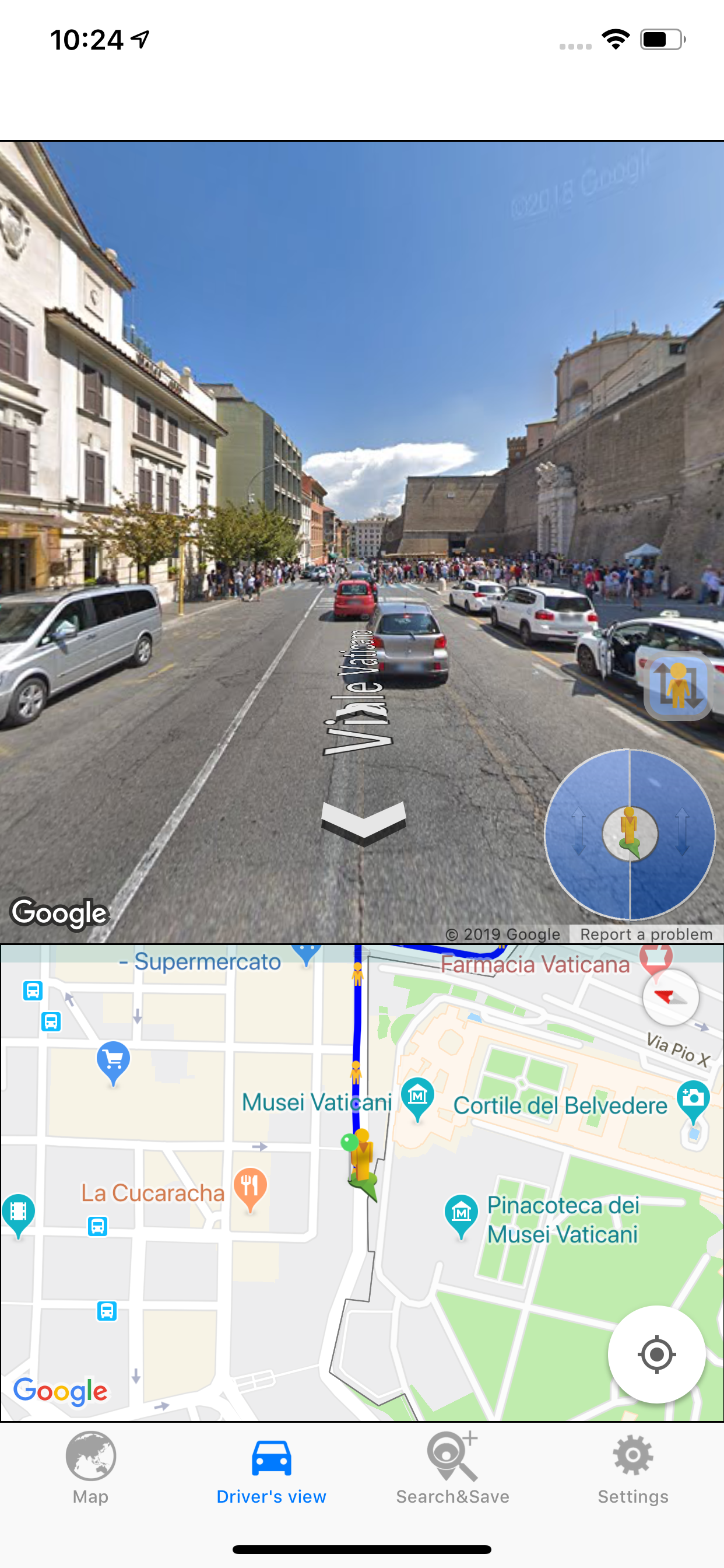
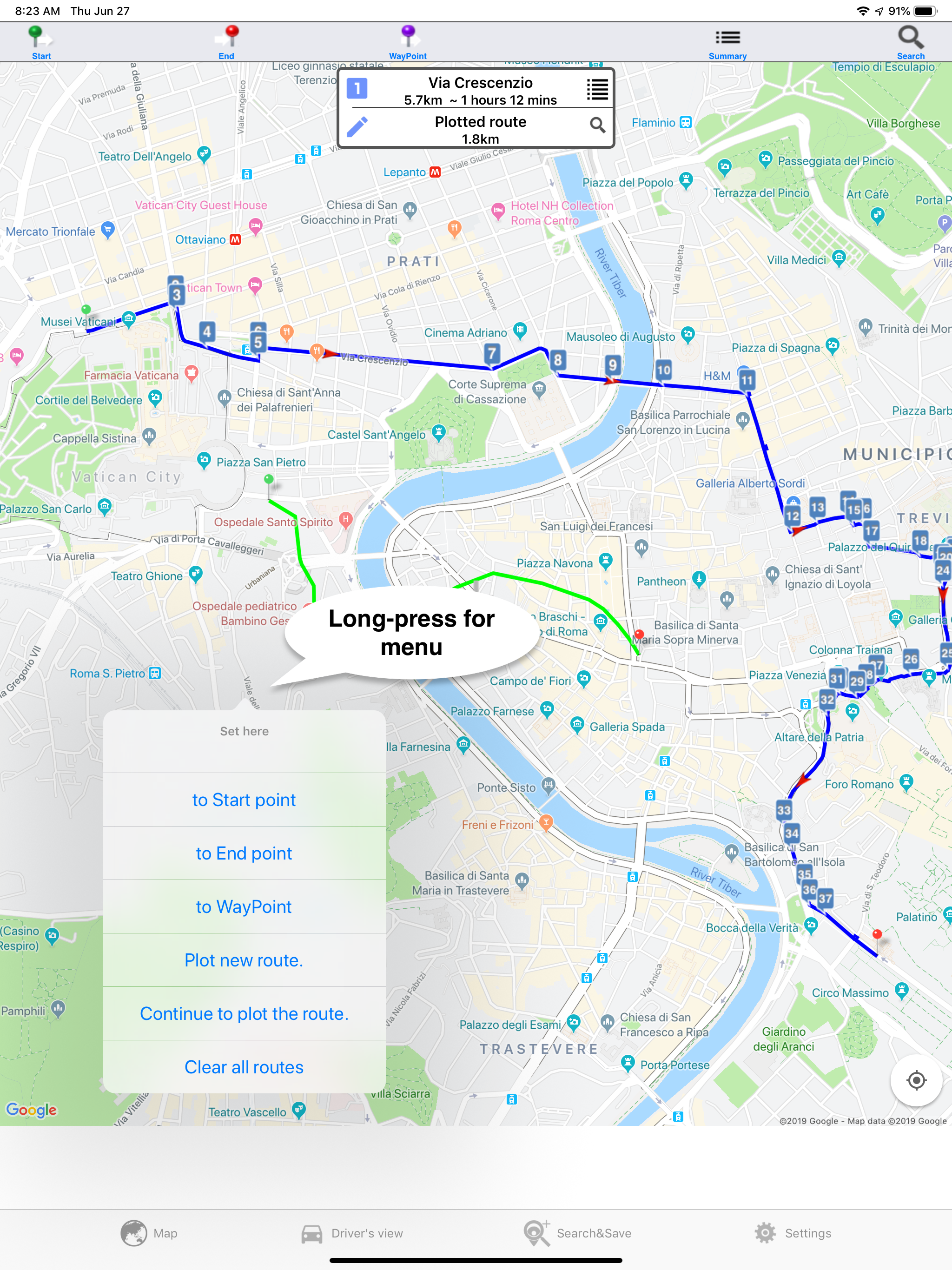
You can have fun to drive virtually by continually loading panorama view and define the driving/walking route which is drawn by hand. Please enjoy a virtual driving by the serial loading of the panorama views. You can search the interesting places and save to iCloud. So you can share the saved directions and places with same appleID on the other devices between the companion Apps. The panorama views automatically turns to the traveling direction like a real driving and the instruction pops up at the crossroads. It takes about 10minutes to got to the end of route or to go to 2km/1mile. You can easily see the road conditions along the searched route. You can load the panoramaview tapping on the marker at the center of the wheel. Tap on the right/left side of the wheel and the car marker moves forward/backward to next/previous numbered marker. The route summary(total distance and time) can be displayed tapping “route summary”. You can save the favorite driving routes(directions) and places. •Plotting the route by hand You can plot the arbitrary route on the map and view the street view along the plotted route by dragging the icon. Automatically the directions based on the plotted route are searched. You can move the waypoint(orange-colored marker) of auto-searched route based on the plotted route and modify it. Longpress at the start location on the map and select the “Plot new route”. Otherwise you can set the cross icon of the center at at the start location and longpress the cross icon. You can move and zoom a map before dragging a pen marker. Please adjust the map view before dragging a pen marker. You can select the search options when you search the directions. Tapping the start-pin/end-pin of the plotted route make the plotted route to be active or clear. •Movie creation You can create the movie during the serial loading of the panorama views and save the movie to Photo Library. •selecting a alternate route Tapping a purple line. •The list of Instructions of the route can be displayed.  The distance at the each instruction is the distance to the next instruction. •Moving a pin. Long press of a pin can move to new location. •Deleting of a pin You can delete a pin by tapping a pin and a displayed trash window. •Deleting a searched route You can delete a route by a long-press and release of a pin. •Viewing the panoramaview of any location On Driver’s View tab you tap on the map and the car marker moves to the tapped location. You can load the panoramaview at the location of the car marker on tapping on the center of wheel or on the map. •Viewing instructions at crossroads Tapping the numbered marker, the instruction pops up. •Changing a map size You can change the map size of Driver’s view tab at settings. •Changing an interval of serial loading You can change the interval of serial loading at Settings tab. •Save the searched places and directions. You can upload the searched place and directions to iCloud. So you can share the saved data among the same Apple ID.

User Growth & Download Statistics

App
By:
BecomingSystems
Version:
2.10.14 Last updated: 2026-06-09
Version code:
886703900
Creation date:
2020-04-13
Compatible devices:
Size:
30.89MB
URLs:
Website ,Privacy policy
Full description:
See detailed description
Source:
Apple Apps Store
Data ingested on:
2026-06-11
Compare stats and ranking:

Contact the developer

Chrome-Stats does not own this Apple app. Please use these information below to contact the Apple app developer.
Developed by:
BecomingSystems
Apple Apps Store
https://apps.apple.com/cd/app/drive-around-the-world/id1064273062
Website:
http://www.becomingsystems.com/

Best Drive around the World Alternatives

Here are some Apple apps that are similar to Drive around the World: