Diff the network traffic in real-time to observe the URLs variant over time.
Diff the network traffic in real-time to observe the urls variant over time.
Click here to play demonstration video v3.0 in YouTube
How to use:
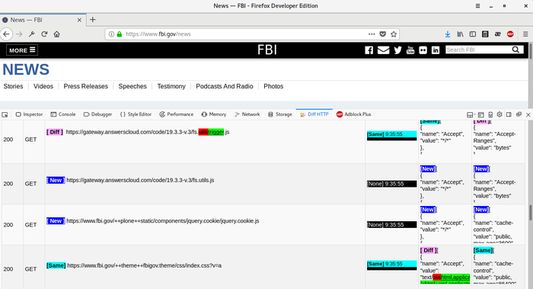
After installed, right-click on webpage to open context menu and choose "Inspect Element". After inspector done loading, click the "Diff HTTP" tab. Navigate/Refresh the webpage to capture and diff network traffic in real-time.
Brief:
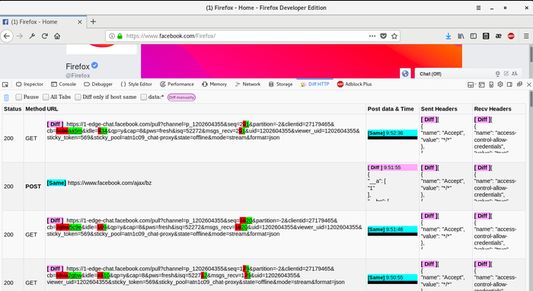
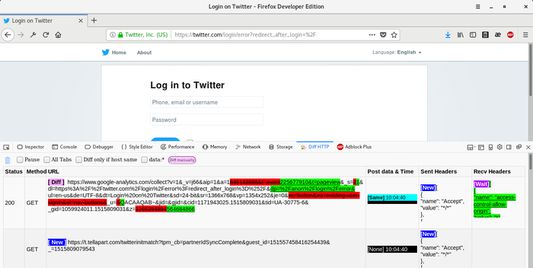
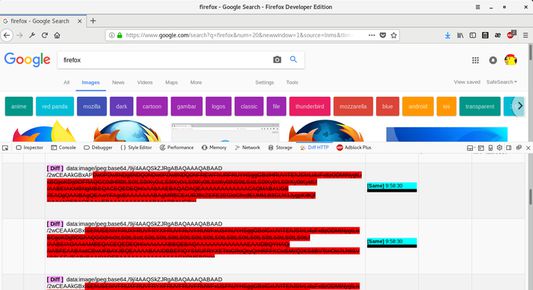
This extension capture network traffic in developer tools Diff HTTP tab, and then diff the current entry (URL/Post data/Sent Headers/Received Headers) with the previous CLOSEST MATCH entries if meet “The Rules”. The first entry will always marked as [New] since no previous entry. The second entry and the following may mark as any of [New]/[Diff]/[Same] after it meets the rule and diff.
Note that the Post data and headers are choosen depends on it’s URL.
Post data column: Mark as [None] if no compare AND curr no post data. Mark as [Same] if both(curr/prev) has same (no [None]) post data. Mark as [Same] plus underline with black padding if both(curr/prev) has [None] post data.
Mark as [Wait] in "Recv Headers" if prev URL's "Recv Headers" still empty, it may updated to [Waited:Diff|Same] later after received prev "Recv Headers".
Something is broken ?
Currently no support on Private Window.
The panel will shows blank if you click the “Diff HTTP” tab before “Inspector” tab loading done, bug report at https://bugzilla.mozilla.org/show_bug.cgi?id=1424515
You may need to upgrade your firefox to latest version if panel doesn’t capture anything.
Change panel black theme to white by navigate: about:config -> devtools.theme -> double-click the "dark" Value and edit it to "white".
Logic behind the scene:
Everytime the URL captured insert to the table, the internal all entries list will be sort right away. Due to the list is always has been sorted:
[1] It only need to do binary sort when insert new single entry.
[2] It can quickly picks 2 siblings of current entry which consider as 2 CLOSEST MATCH.
Then it will try to calculate the diff count for both siblings, and try to pick the least count of diff which is the 1st CLOSEST MATCH. If it did match “The Rules” below, then it will choosen to diff with the current entry. If the 1st CLOSEST MATCH sibling doesn’t match “The Rules”, then it will try the 2nd CLOSEST MATCH to test the “The Rules”. If both sibling failed to pass the test of “The Rules”, then it will give up and mark current entry as [New].
The Rules:
The url https://mozilla.org/video/foo/hi?q=1 will compare with https://mozilla.org/video/foo/hello?q=1 since the protocol://path1/path2/(except last path) are same, i.e. both have the same prefix https://mozilla.org/video/foo
The url https://mozilla.org/video/foo/hi?q=1 will NOT compare with https://mozilla.org/video/bar/hello?q=1 since the middle path /foo and /bar are different.
The url https://mozilla.org/video/foo/hi?q=1 will NOT compare with https://mozilla.com/video/foo/hello?q=1 since both hosts are different, i.e. https://mozilla.org not equal to https://mozilla.com.
The reasons how this rules has been choosen is because of the valuable comparison of query string/headers between 2 URLs most likely target on filename/last path with the same host and middle path. You can imaging that youtube.com/video/a.mp4 shouldn’t diff with youtube.com/audio/b.m4a, instead youtube.com/video/a.mp4 should diff with youtube.com/video/b.mp4 as possible. But I added a tick button called ‘Diff only if host same’ (i.e. as long as both hosts are same) to allow youtube.com/video/a.mp4 and youtube.com/audio/b.m4a to diff. If compare google.com with facebook.com, it doesn’t useful in most cases since their difference is big, so no support to diff different hosts.
Some Features:
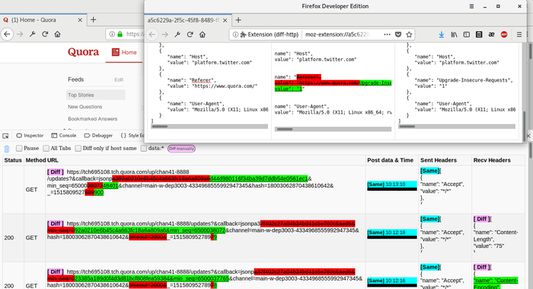
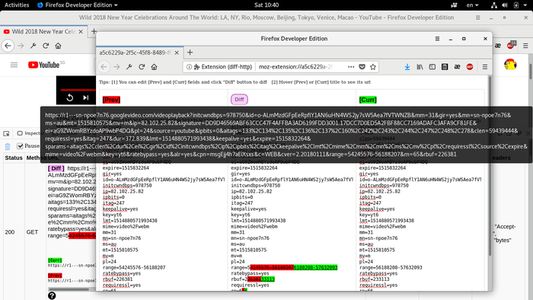
- Click the [Diff] URL entry to reveals the current and previous entry URL. You can copy the URLs by click to select and Ctrl+C.
- Click the [Diff/Same/New/] URL entries to expands if not enough space of height.
- Click the Post data and headers entries to open new window to show the [prev][diff][current] side by side comparison.
- Hover the top bar buttons to popup functionality tooltip.
- Status other than 200 and Method other than GET will highlight as bold for easier to spot on.
- Click "Diff" button to manually diff the text you want, or direct edit the fields on popup window then click "Diff" button to diff.
- Tick "All Tabs" checkbox to combine all tabs traffic. It also useful to see traffic if certain site block inspector.
Todo:
You might noticed the above rules are not yet perfect, it's not time-awareness for same URL pattern, i.e. the multiple same pattern of previous URL get chosen without order by time. I already has solution to solve this but no time to complete it.
Troubleshoot:
You should visits Add-ons settings page at about:addons , then select "Check for Updates" or "Update Add-ons automatically" to get latest patch.
Privacy Concerns:
No data send to external ip, all data diff in web browser side only. This Firefox extension is zip and plain text, Mozilla staff and everyone can review my code and report abuse to Mozilla if something went wrong.
Thanks, and feel free to buy me a coffee :p - https://www.paypal.me/limkokhole


 English
 Español
 Français
 Português
 日本語
日本語 简体中文
简体中文 한국인
한국인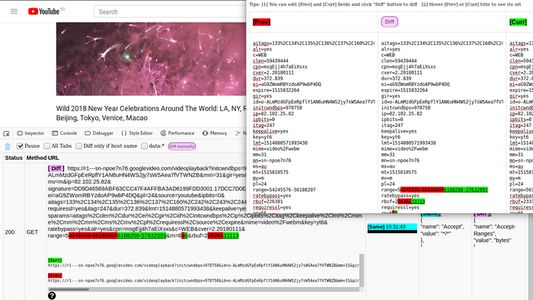




 1 0.00
  (0)
(0)


