AKsoft Barcode DCT Android

AKsoft Barcode DCT

Wireless barcode scanner and data collector

Features & Capabilities

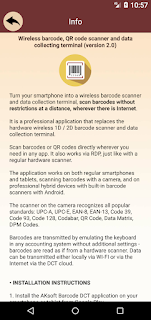
Turn your smartphone into a wireless barcode scanner and data collector, scan barcodes to PC without restrictions at a distance, wherever there is Internet.

It is a professional application that replaces the hardware wireless 1D / 2D barcode scanner and data collection terminal.

Scan barcodes or QR codes directly wherever you need in any app. It also works via RDP, just like with a regular hardware scanner.

The application works on both regular smartphones and tablets, scanning barcodes with a camera, and on professional hybrid devices with built-in barcode scanners with Android.

The scanner on the camera recognizes all popular standards: UPC-A, UPC-E, EAN-8, EAN-13, Code 39, Code 93, Code 128, Codabar, QR Code, Data Matrix, DPM Codes.

Barcodes are transmitted by emulating the keyboard in any accounting system without additional settings - barcodes are read as if from a hardware scanner.
Data can be transmitted either locally via WI-FI or via the Internet DCT cloud.


• Installation instructions

1. Install the scanner application on your smartphone or tablet from Google Play.
2. Install the PC software from the official website https://dct.aksoft.cc/server.zip
3. Link PC to application by scanning binding QR-code in the application settings.
4. Install License application from Google Play to remove restrictions.


• Barcode scanner

In this mode, the application works like a normal barcode scanner connected to a PC.
It is possible to immediately specify quantity and see the name of the code, pre-loaded from the file.
If you connect a regular barcode scanner to your smartphone via OTG USB, then, in this case, the smartphone will work as a wireless extension cord.


• Data collection terminal

In this mode you can create documents (code lists), read any number of barcodes in them, send lists to the desktop in the form of CSV files or transmit over the Internet using cloud API functions.


• Catalog

Download any names and barcodes from the device memory in CSV format or download from the cloud via API.


• Settings

Link to PC by scanning the binding QR-code.

Data transfer modes:
- via the Internet;
- locally via WI-FI (specify the IP address of the PC with the server part of the software).

Camera scan modes:
- automatic;
- semi-automatic;
- manual.

It is possible to enable or disable the use of hardware buttons for scanning and confirmation, use the built-in hardware scanner, use the backlight and autofocus the camera.

Also in the operating parameters you can choose to display the names from the catalog, enable or disable sounds when scanning and errors,
vibrate, add an input character after each scan.

The language of the application interface is selected automatically with the possibility of changing manually.


• Features of application

Scanning barcodes:
- device camera;
- barcode scanner connected via OTG USB;
- built-in hardware scanner;
- manual barcode entry.

It is possible to operate several applications of data collection terminals with one connected PC.

Scan barcodes without restrictions at a distance, wherever there is Internet.

The application and server part of the software for Windows PCs are downloaded for free from Google Play and from the site dct.aksoft.cc, respectively.

Without a license, the application works in demo mode - a limit on scanning up to twenty barcodes per day in local mode and up to seven days in online mode.

The license is downloaded as a separate application, requires pre-installation of the main application and binding to the PC by scanning the QR-code binding.

When you remove the license, the application goes into demo mode.

Advertising free.

Application page: https://dct.aksoft.cc
Technical support: dct@aksoft.cc

User Growth & Download Statistics

App
By:
АКsoft
Downloads:
78 3
Version:
2.7 Last updated: 2025-07-03
Version code:
15
Creation date:
2022-06-19
Publisher country:
UA UA
Permissions:
  • android.permission.CAMERA Very high risk
  • android.permission.READ_EXTERNAL_STORAGE High risk
  • android.permission.ACCESS_WIFI_STATE Low risk
  • android.permission.INTERNET Low risk
  • android.permission.ACCESS_NETWORK_STATE Safe
  • android.permission.VIBRATE Safe
Size:
1.64MB
Email:
dc*****@aksoft.cc
URLs:
Website ,Privacy policy
Full description:
See detailed description
Source:
Google Play Store
Data ingested on:
2026-06-04
Compare stats and ranking:

Contact the developer

Chrome-Stats does not own this Android app. Please use these information below to contact the Android app developer.
Developed by:
АКsoft
Google Play Store
https://play.google.com/store/apps/details?id=cc.aksoft.dct
Email:
dc*****@aksoft.cc
Website:
https://dct.aksoft.cc

Best AKsoft Barcode DCT Alternatives

Here are some Android apps that are similar to AKsoft Barcode DCT: