AB+ Firefox

AB+

제작자: jannik323
Enhance your Artbreeder.com experience !

특징 및 기능

This Add-on will improve your Artbreeder.com experience !

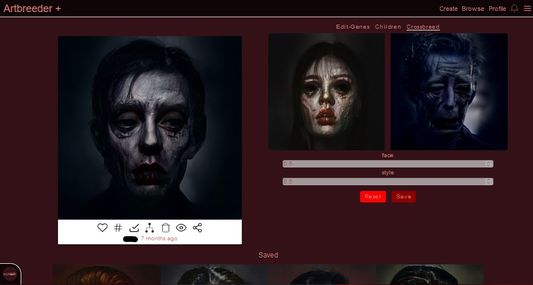
  • view Image likes
  • darkmode
  • custom darkmode color
  • shared custom darkmode color
  • mass tag images
  • mass delete images
  • mass private images
  • block users
  • block single images
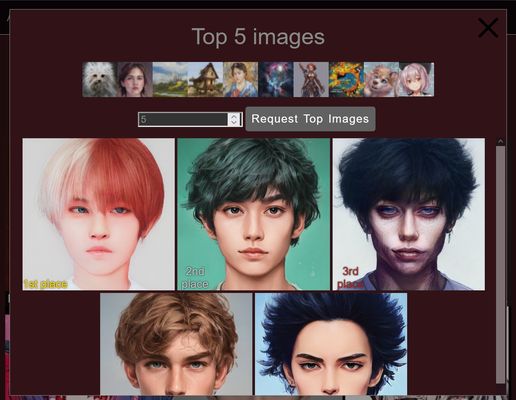
  • view all time top images -view follower count on followers
  • add custom permanent css styling
  • view notifications in an extra page
  • change sliders into number inputs
  • block specific tags

You need an Artbreeder.com account to use most features ! You dont have firefox and want to install this addon on another browser ? : https://github.com/jannik323/artbreederplus

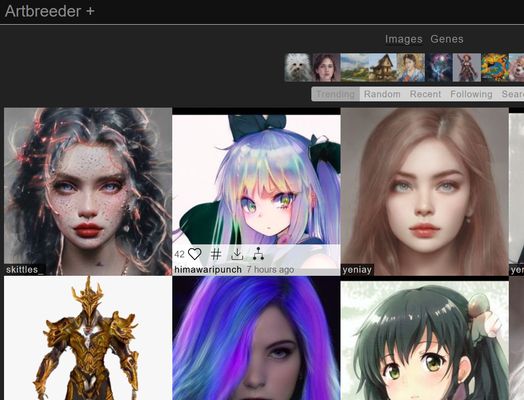
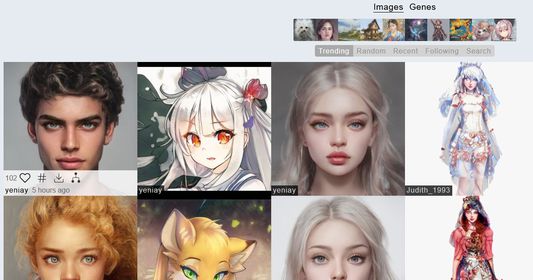
Image likes : To see image likes simply hover over an image ! You can turn off the like display in the artbreeder+ options page : https://www.artbreeder.com/artbreederplus (Likes cant be displayed in a few specific conditions : random,search,liked,liked&created)

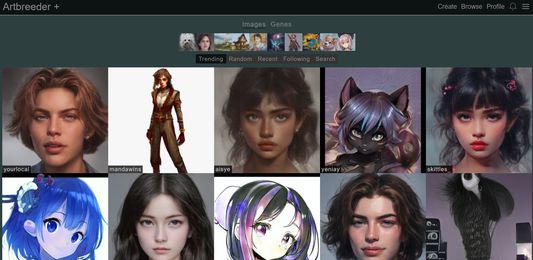
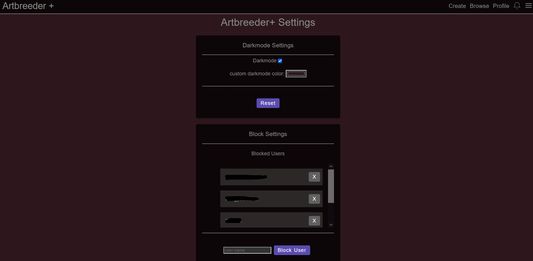
Darkmode: Go to the burger menu on the right and click on the ab+ settings . In there you can toggle the darkmode on and off. You can also set a custom darkmode color , which can get saved to your profile if you choose to do so. If you save it to your profile other ab+ users will be able to see your profile page in your custom darkmode color ! The information is saved in the website link button , which you can change to your original link if you want. You just have to make sure to include /"your color hexcode here" at the end of the link .

Mass tagging,deleting,private:

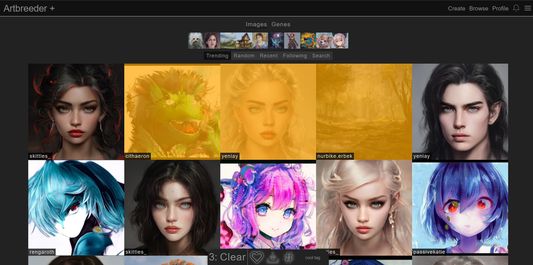
To mass tag(hashtag icon) images , shift click them , enter a tag name at the bottom and press the hashtag button ! Reload the page to see the result. You can also alt-click images to select a single one (this only works for the mass tagging and not for any of the other default options). You can delete(trash icon) or private(eye icon) images in the same way . To change private images to public ones ,you will need to hold shift while clicking the private icon at the bottom. You can mass untag images in the same way . Just hold shift and press the tag button !

Blocking: To block a user simply go to their profile and click on "block" next to "follow". You can remove and add blocks in the ab+ settings .

Top All Time Images: This Feature is experimental , as its not fully working sometimes. You can activate it in the settings under "Other settings". You will find a new button on https://www.artbreeder.com/browse next to "Genes".

Display follower count for follower tab: same as top images, its off by default and you have to enable it in the settings. you can then view how many follower your followers have in the followers tab

view notifications: simply click the bell icon that you usually hover over to see notifications . This will bring you to a separate page in which you can view the notifications like in the small dropdown .

change sliders: You can either manually or automatically change all sliders into number inputs with the "slider form" setting. This is useful if you want to enter a value outside the range of the sliders.

Block Tags: Blocking tags can only be done in the ab+ settings in the "Block Settings" card. Simply enter a tag that you want to block and capped amount of images with that tag will be blocked ( only the most recently tagged images). The amount of images blocked can be changed. The update timer can also be changed in the same way ( ab+ pulls blocked images every 10minutes).

사용자 증가 및 다운로드 통계

Manifest V2 Add-on
제작자:
jannik323
일일 사용자:
6 1
평점:
5.00
(1)
버전:
11.3 마지막 업데이트: 2022-07-15
버전 코드:
5432065
생성 날짜:
2022-01-15
위험:
Low risk impact Low risk likelihood
콘텐츠 스크립트 매칭:
  • www.artbreeder.com
크기:
58.03KB
전체 설명:
자세한 설명 보기
소스:
Firefox 부가 기능 스토어
데이터 수집일:
2026-07-13
통계 및 순위 비교:

개발자에게 문의

Chrome-Stats는 이 Firefox 부가 기능을 소유하지 않습니다. 아래 정보를 사용하여 Firefox 부가 기능 개발자에게 문의하세요.
에 의해 개발:
jannik323
Firefox 부가 기능 스토어
https://addons.mozilla.org/firefox/addon/ab-plus/

사용자 리뷰

~에 의해 远离*****, 2025-04-09

~에 의해 全民*****, 2025-03-17
모든 사용자 리뷰 보기 ›

AB+는 안전한가요?

위험 영향도
위험 영향도는 확장 프로그램이 접근할 수 있는 추가 권한의 수준을 측정합니다. 낮은 위험 영향도의 확장 프로그램은 많은 해를 끼칠 수 없지만, 높은 위험 영향도의 확장 프로그램은 비밀번호 도용, 보안 설정 우회, 개인 데이터 접근 등 많은 피해를 줄 수 있습니다. 높은 위험 영향도의 확장 프로그램이 반드시 악의적인 것은 아닙니다. 그러나 악의적으로 변한다면 매우 해로울 수 있습니다.

AB+은(는) 매우 최소한의 권한만 요구합니다.

위험 영향도 분석 세부 정보
  • High Injects scripts into web pages, which may alter or extract site contents, resulting in a substantial risk.
  • Low ******* ****** ** *** ********* ******** **************
위험 가능성
위험 가능성은 Firefox 부가 기능이(가) 악의적으로 변할 가능성을 측정합니다. 이는 Firefox 부가 기능 스토어에서의 게시자와 Firefox 부가 기능 평판, Firefox 부가 기능이(가) 존재한 기간, 그리고 Firefox 부가 기능에 관한 다른 신호들에 의해 결정됩니다. 우리의 알고리즘은 완벽하지 않으며, 악의적인 확장 프로그램을 탐지하는 새로운 방법을 발견함에 따라 변경될 수 있습니다. Firefox 부가 기능을(를) 설치할 때는 항상 주의하는 것이 좋습니다.

AB+은(는) 꽤 좋은 평판을 얻었으며 아마도 신뢰할 수 있습니다.

위험 가능성 분석 세부 정보
  • High This extension has low user count. Unpopular extensions may not be stable or safe.
  • Low **** ********* *** ******* **** **** * ****** **** ***** ******** *** **** ****** ** ** ****** *** *****
  • Low **** ********* *** ***** **** **** * ****** **** ***** ********** *** **** ****** ** ** ****** *** *****
  • Good **** ********* *** **** **** *******

Extension Guard
확장 경비대

Extension Guard로 사용 중인 모든 확장 프로그램을 발견하고, 위험을 분석하며, 차단 정책을 적용하세요

브라우저를 안전하게 하세요
전체 위험 분석 세부 정보를 보려면 업그레이드하세요

최고의 AB+ 대안

다음은 AB+과(와) 유사한 Firefox add-on입니다: