


Download ModHeader V1
Download ModHeader V1 (current and past versions) for Chrome
 English
 Español
 Français
 Português
 日本語
日本語 简体中文
简体中文 한국인
한국인
Try xHeader →

Latest Version:
2.3.2.1 Updated:
2 months ago
Ready to install?
ModHeader V1 is available to install from Chrome Web Store and for download from this page.
2,000
Users
8 ratings
1
Total downloads
Available versions
You can find the current and older versions of ModHeader V1 here. You can download the archived versions or inspect their source codes.
As a free user, you can download up to 3 latest versions.
Upgrade to download older versions
| Version | Download | Size | Download count | Timestamp |
|---|---|---|---|---|
| 2.3.2.1 | CRX · ZIP · Source code | 170.00KB | 1 | 2026-07-16 |
2.3.2.1 170.00KB
Install CRX file
An CRX file is the file format used for distributing and installing browser extensions in Google Chrome, Microsoft Edge, and other Chromium-based browsers. These extensions add functionalities and features to the Chrome browser, enhancing user experience by integrating additional tools directly into the browsing interface. Similar to an executable file, a CRX file contains all the components needed for an extension to run, including JavaScript code, images, CSS files, and other resources.
Option 1: The easy way (for Windows users only)
- Download and run Chrome-Stats Extension Helper file on your PC. This method will allow you to install Chrome extensions directly from chrome-stats.com in one click. You only need to do this once!
- Restart the browser for the changes to take effect.
- Download and install the ModHeader V1 CRX file.
Option 2: Advanced method
- Download ModHeader V1 CRX file.NOTE: Sometimes the browser may block downloading / installing CRX file from outside the Chrome Web Store. If so, you may need to use option 1, or download the ZIP file instead.
- In the URL bar, go to
chrome://extensions - Enable Developer mode.

- Drag and drop the downloaded ModHeader V1 CRX file into the Extensions page
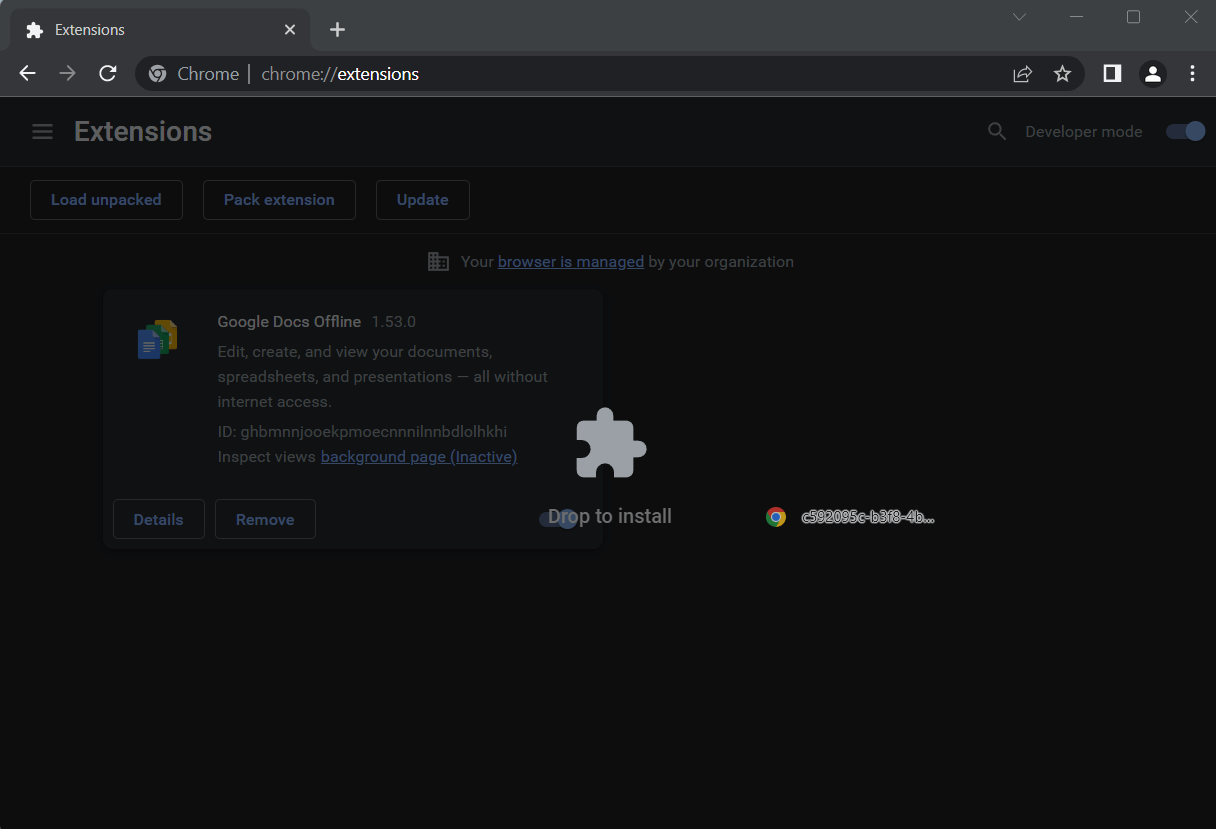
- When prompted, click Add extension to install ModHeader V1.
Install ZIP file
- Download and unpack the ModHeader V1 ZIP file to a directory of your choice.
- In Chrome browser, go to
chrome://extensions - Enable Developer mode.
- Click on the Load Unpacked button.

- Select the directory of with the unpacked ModHeader V1 ZIP file from step 1. ModHeader V1 is now installed on your browser.
Best ModHeader V1 Alternatives
Here are some Chrome extensions that are similar to ModHeader V1:

ModHeader V1 — [by modheader.app]
https://modheader.app
 101 5.00
  (10)
(10) 
VibeHeader
https://vibeheader.com
10K 4.50 (8) 
FeHelper - JSON格式化、编解码、二维码、开发者工具箱
https://fehelper.com
200K 4.59 (343) 
Proxy SwitchyOmega 3 (ZeroOmega)
suziwen1
900K 4.74 (470) 
ModHeader
SunMorohon@gmail.com
2K 2.33 (3) 
ModHeader v2
ModHeaderV2
30K 3.57 (7) 
Header Editor Lite
ShuangYa
200K 4.22 (80) 
FindSomething
ResidualLaugh
30K 4.57 (44) 
Open ModHeader
Ujwal Bhagat
687 4.00 (4) 
ModHeader Extension: HTTP Header Editor
https://extensionshub.net
1,000 3.67 (3) 
稀土掘金
https://juejin.cn/
100K 3.47 (352) 
ModHeader V3 — [by modheader.app]
https://modheader.app
1,000 5.00 (5)